

Finding your Instance URL
1
Login to Braze dashboard
Login to your Braze dashboard.
2
Note the subdomain
Note the subdomain in your browser’s URL bar (e.g., dashboard-03).
3
Check endpoints table
Check the endpoints table on this Endpoints page.
4
Select and copy Rest Endpoint
Select and copy the Rest Endpoint that matches your subdomain under URL. E.g., if our subdomain is dashboard-03, the rest endpoint would be 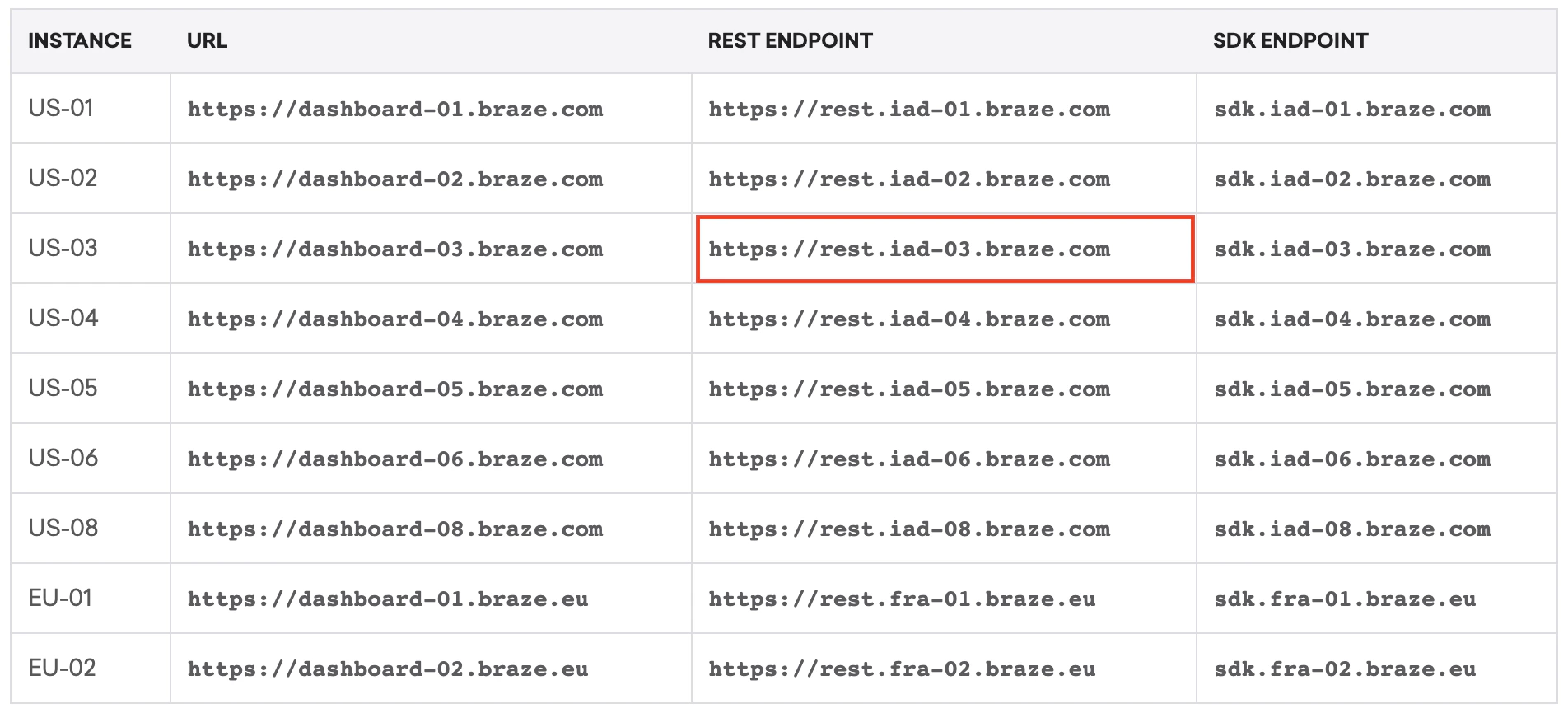
https://rest.iad-03.braze.comGenerating your API Key
1
Navigate to API Keys
On the Braze dashboard, select Settings from the left menu and choose API Keys.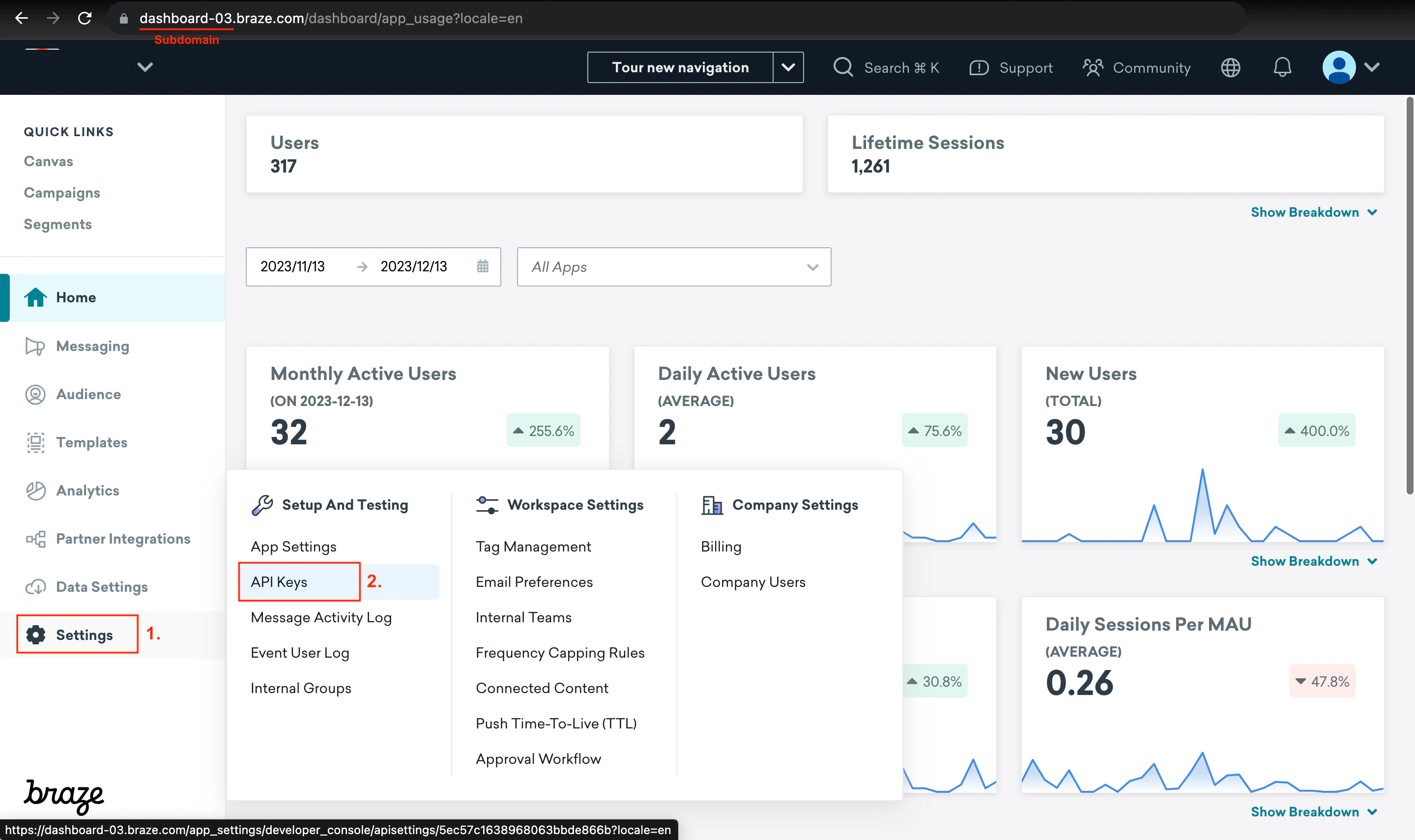
2
Create New API Key
Select Create New API Key.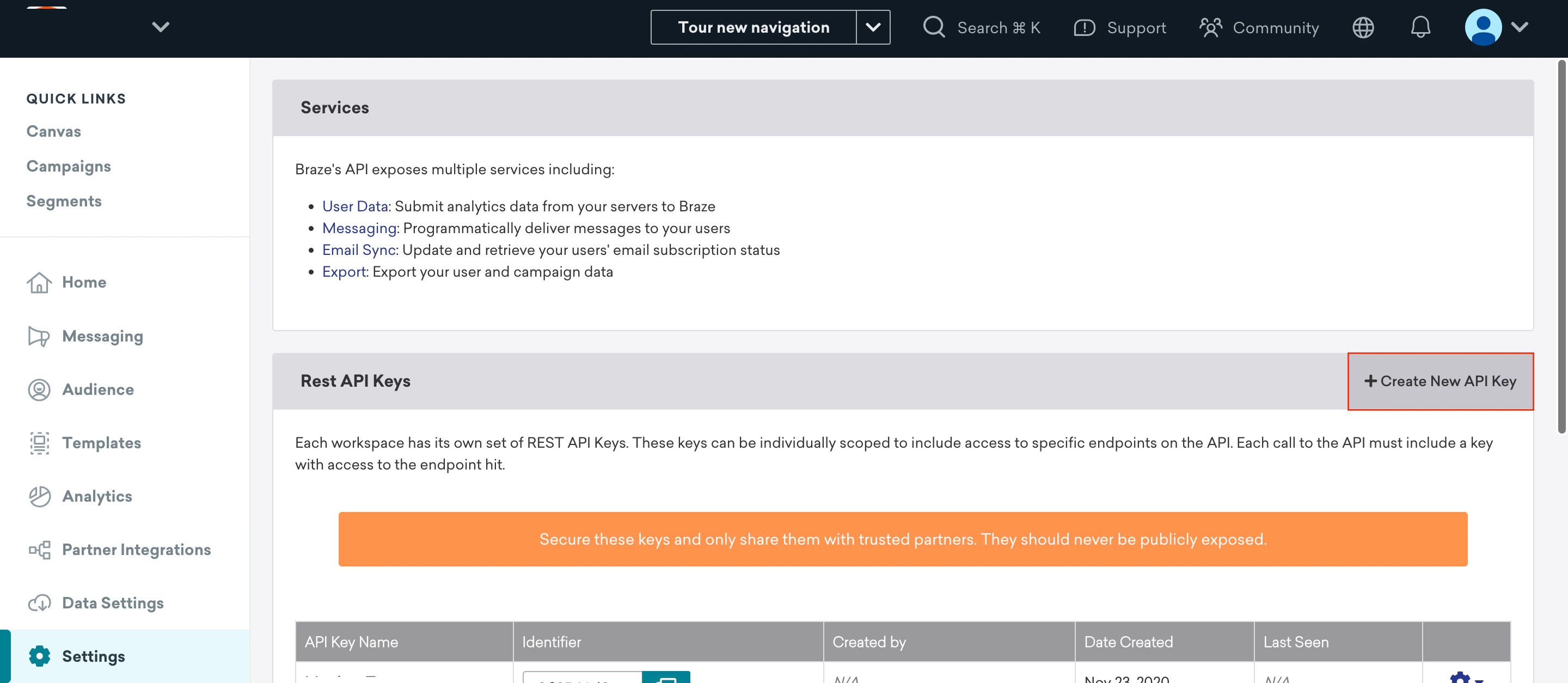
3
Enter API Key Name
Enter any API Key Name.
4
Enable Permissions
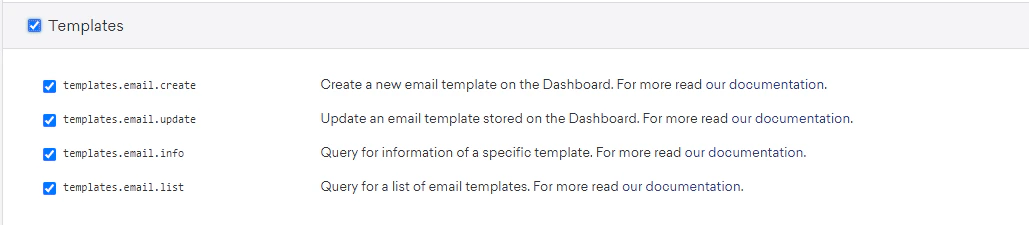
Enable the following permissions: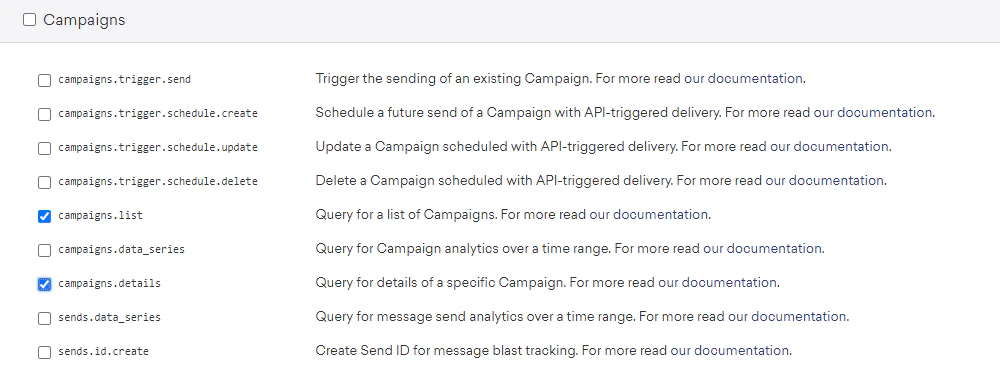
-
campaigns.list -
campaigns.details
-
templates.email.create -
templates.email.update -
templates.email.info -
templates.email.list
5
Save API Key
Select Save API Key.
6
Copy the API Key
Your newly created API key will be listed under the Rest API Keys table. Copy the Identifier from the table. This will be your API Key.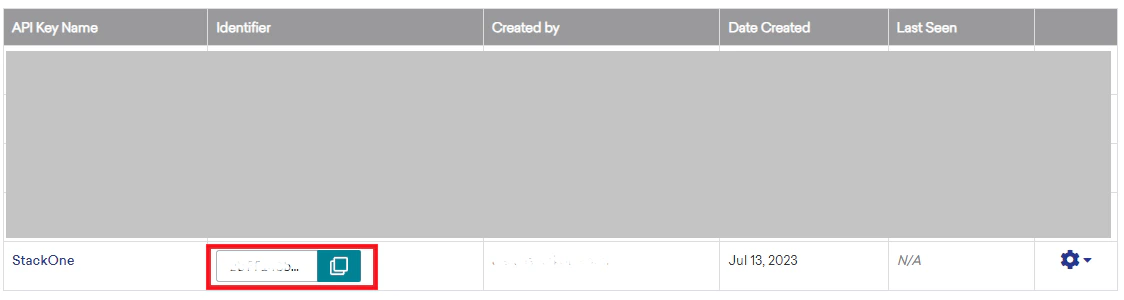
Linking Braze to StackOne
1
Enter the Details
Upon reaching the Link Account page, enter the gathered details and proceed by clicking the 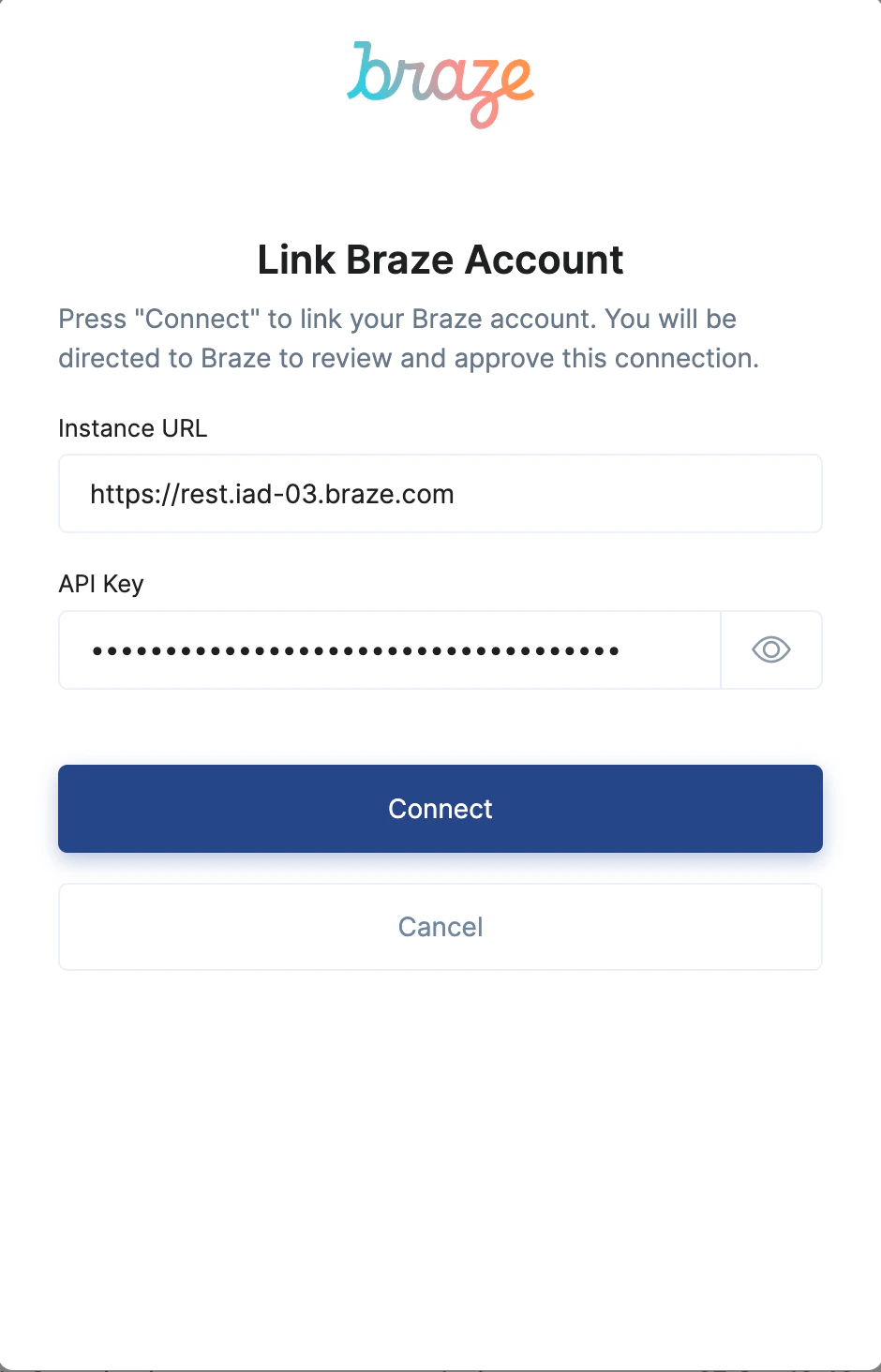
Connect button.Congratulations, you’re all set! If you face any issues with the steps mentioned above, please contact us by emailing integrations@stackone.com. We’re always here to assist you!