

Log in to the Twilio Admin Dashboard
1
Log In
Log in to your Organization Owner or Organization Admin account on Twilio.
2
Admin Dashboard
This integration supports one Twilio Organization per linked account.Click the Admin drop-down in the top right, then click Organization > Twilio Admin for your Organization.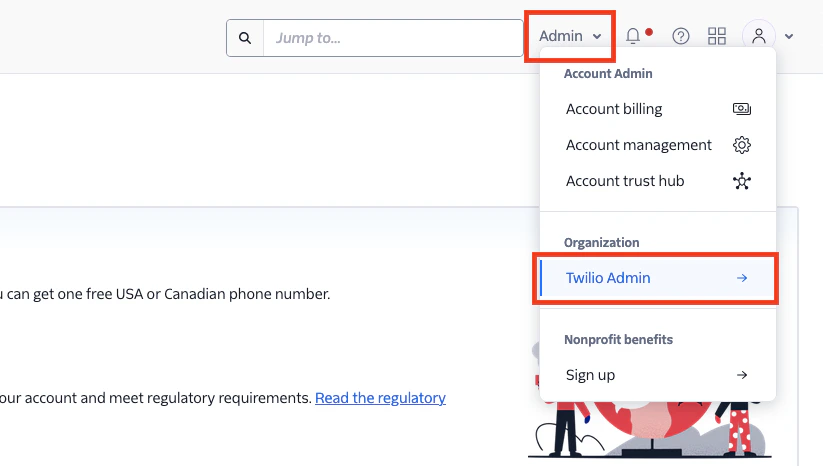
Get your Twilio Organization SID
1
Organization SID
In your Twilio Admin Dashboard, your Organization SID will be displayed on the main Overview page.Store this value safely to be used in the next steps.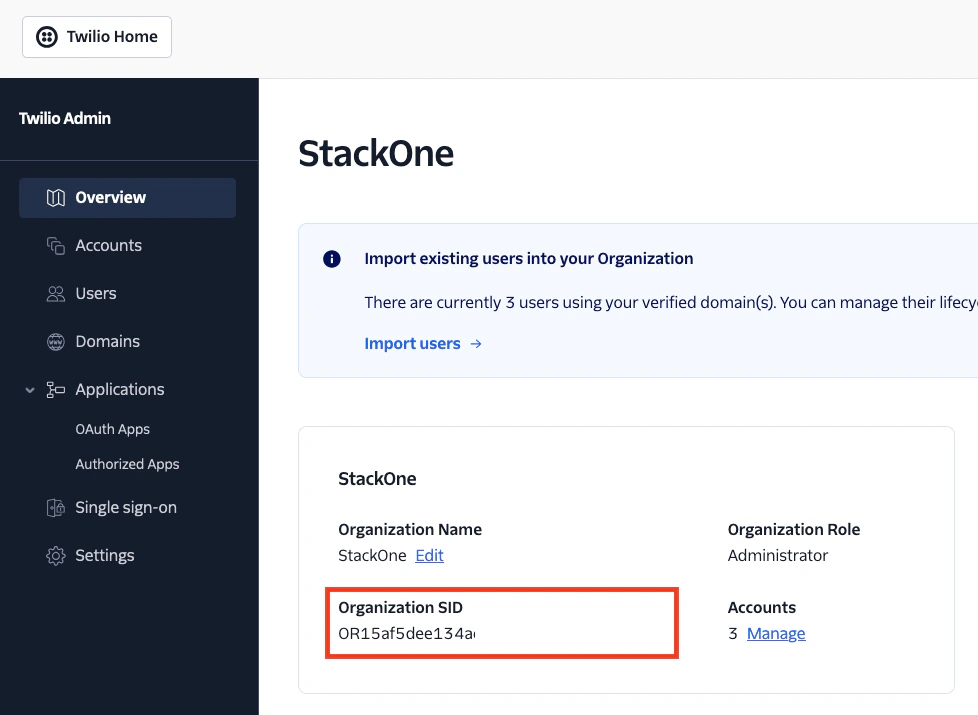
Create a New OAuth App
1
View OAuth Apps
In the Admin Dashboard, click Applications > OAuth Apps on the left.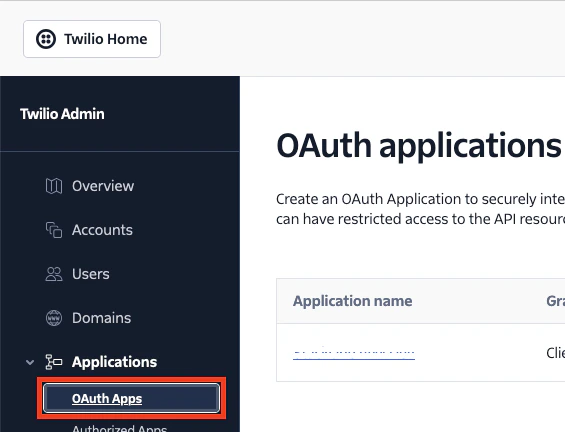
2
Create a new OAuth App
Click the + Create OAuth application button on the right.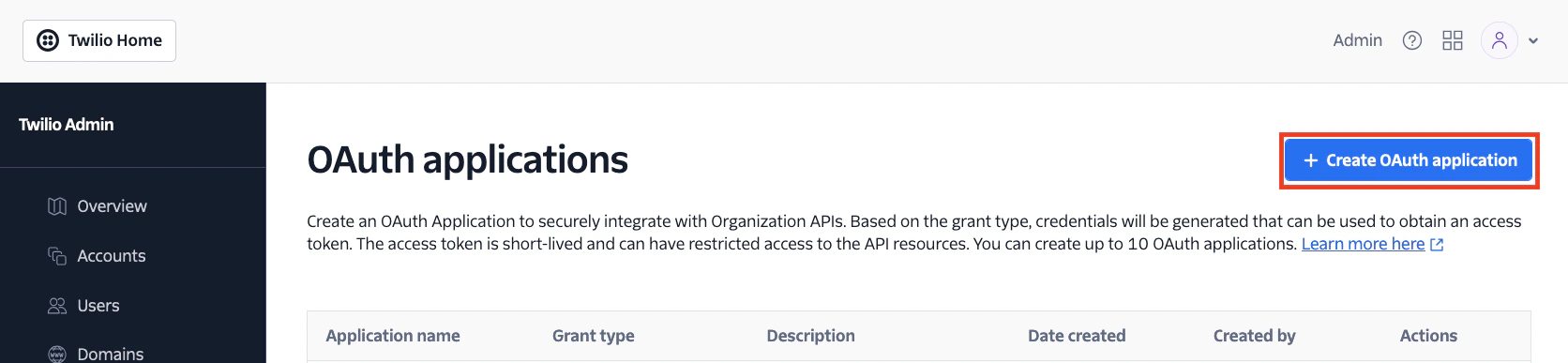
3
Select App Grant Type
Under Grant Type, select the Client credential option.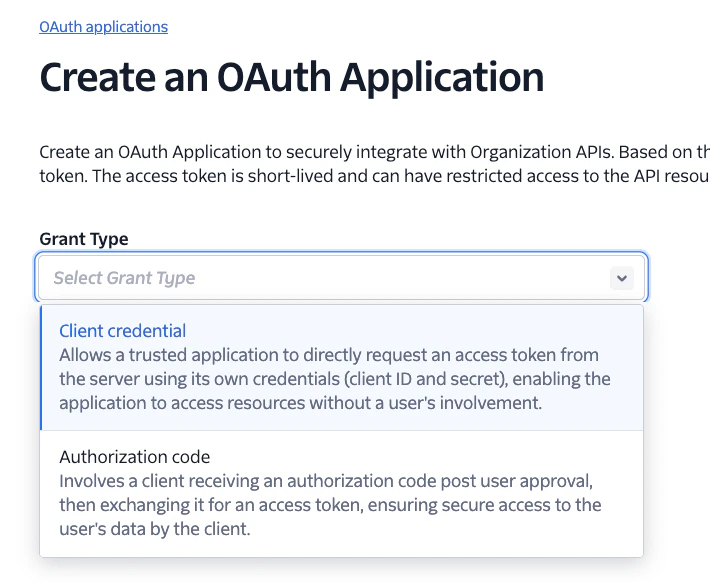
4
Enter App Details
Enter a name for this new App under Application name.Select the following Scopes & permissions: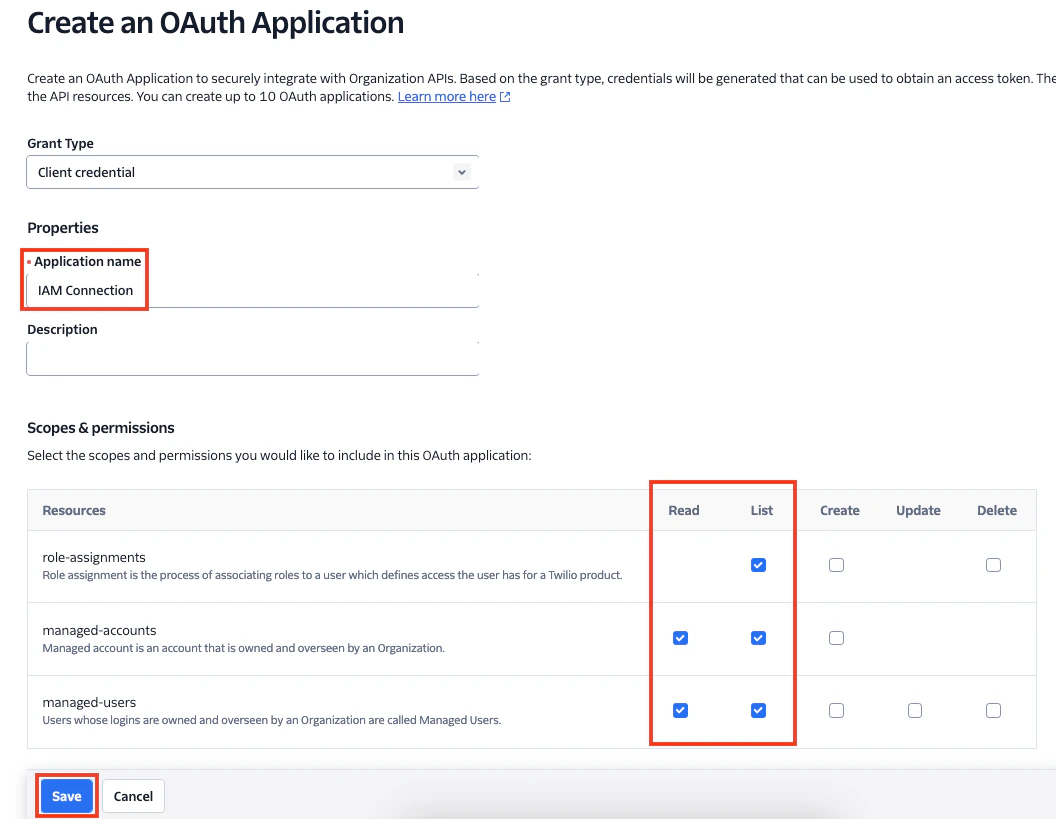
- role-assignments: List
- managed-accounts: Read, List
- managed-users: Read, List
5
Copy App Credentials
Your new Client ID and Client Secret will be displayed. Copy and store these values safely to use in the next steps.When done, select the “Got it! … checkbox. Then click the Done button.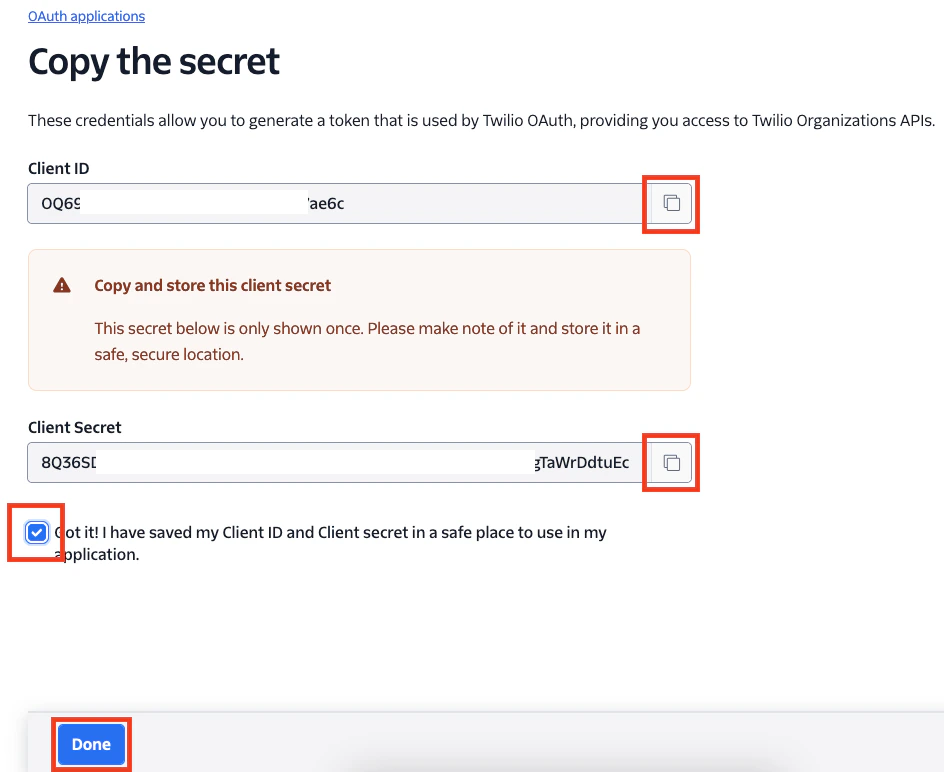
Connecting with StackOne
1
Enter Credentials
Upon reaching the Link Account page, enter the credentials from the previous steps:
- Client ID
- Client Secret
- Organization SID
Congratulations, you’re all set! If you face any issues with the steps mentioned above, please contact us by emailing integrations@stackone.com. We’re always here to assist you!
Available data
This integration has the following IAM Resources available from the provider:- Users
- Roles