

Get user credentials
You will need to provide a user email and password. It is recommended that you set up a new account for integration purposes.1
Log in to Spotdraft
Log in to your Spotdraft Account.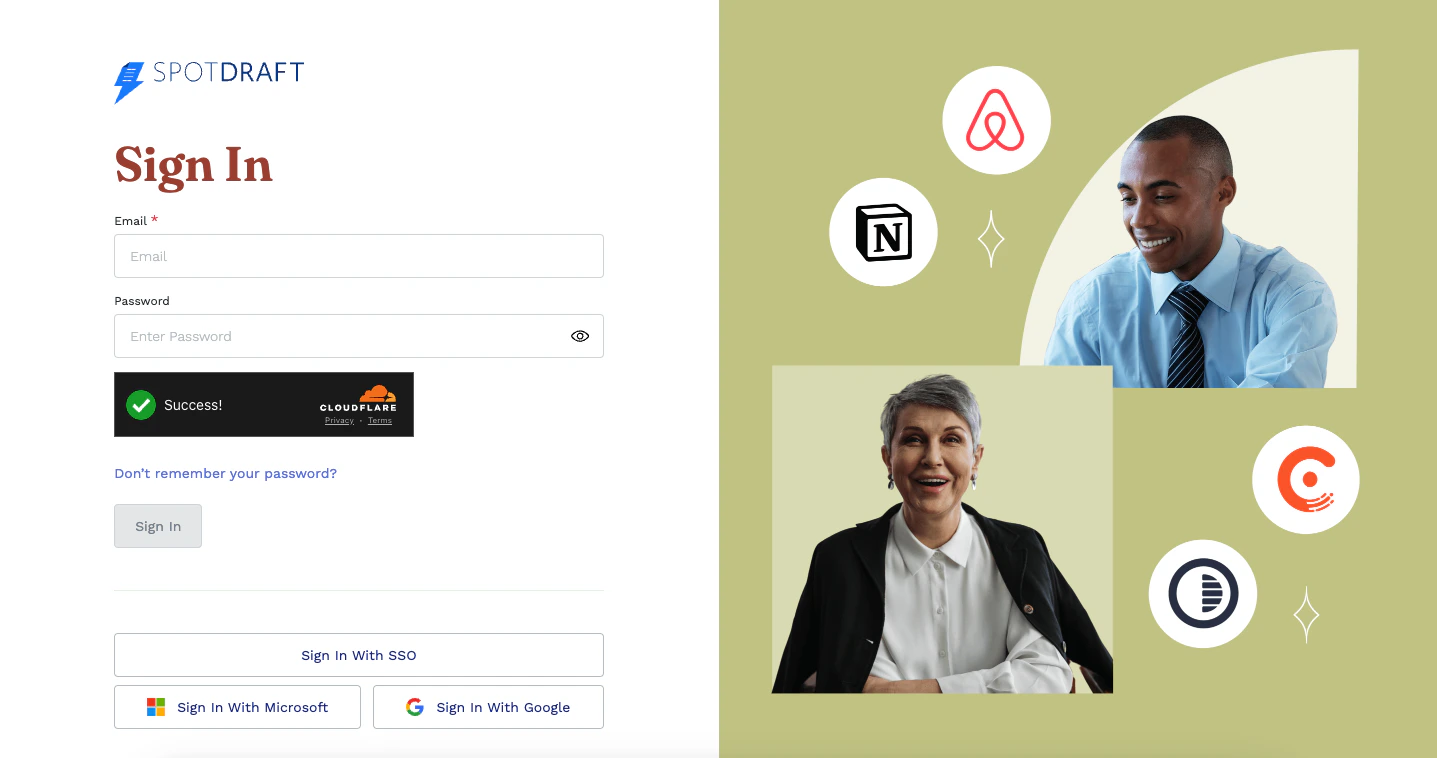
2
Go to settings
Hover on the 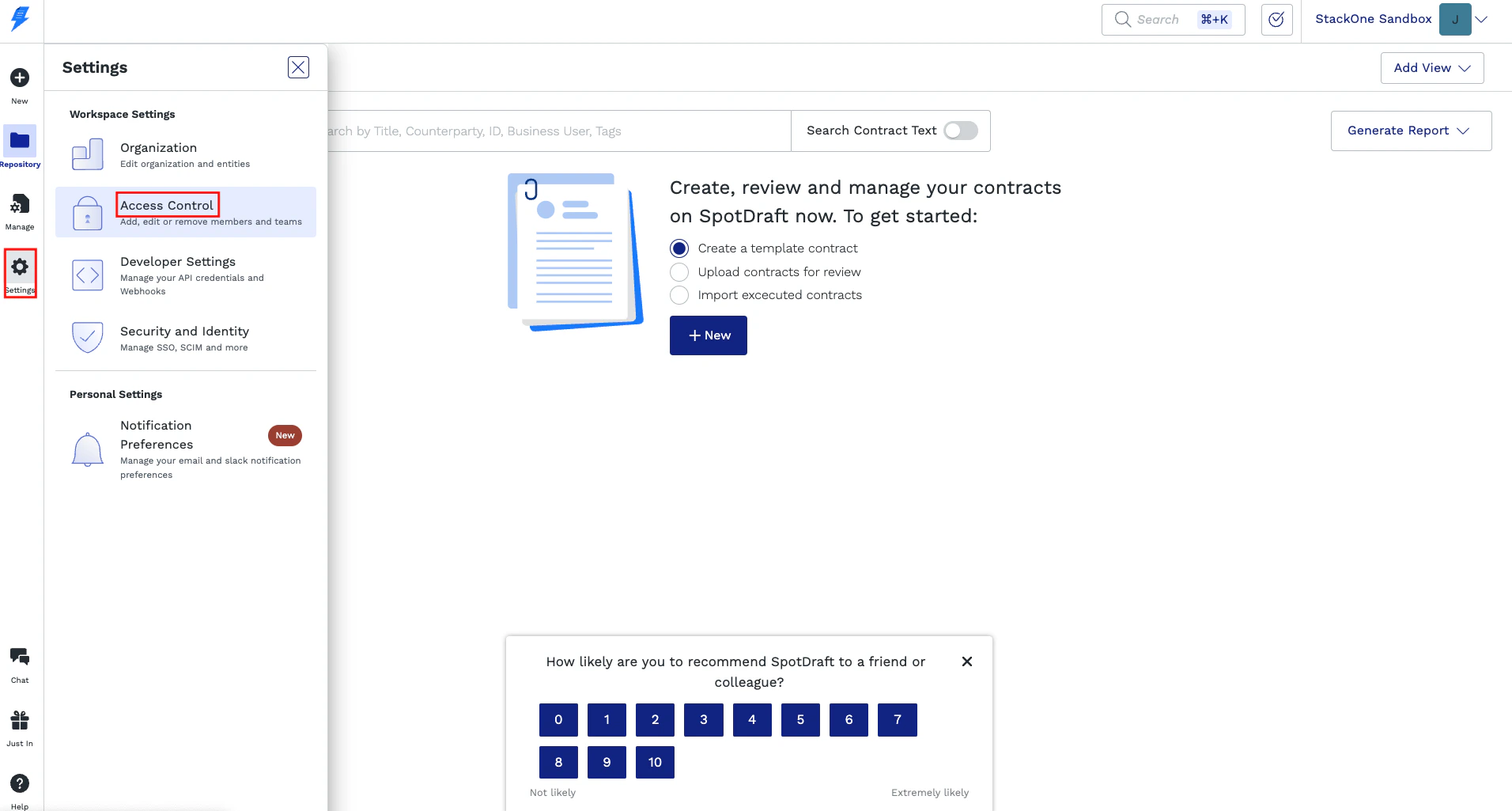
Settings button from the left menu and click on the Access Control tab.3
Create a New User
Under the 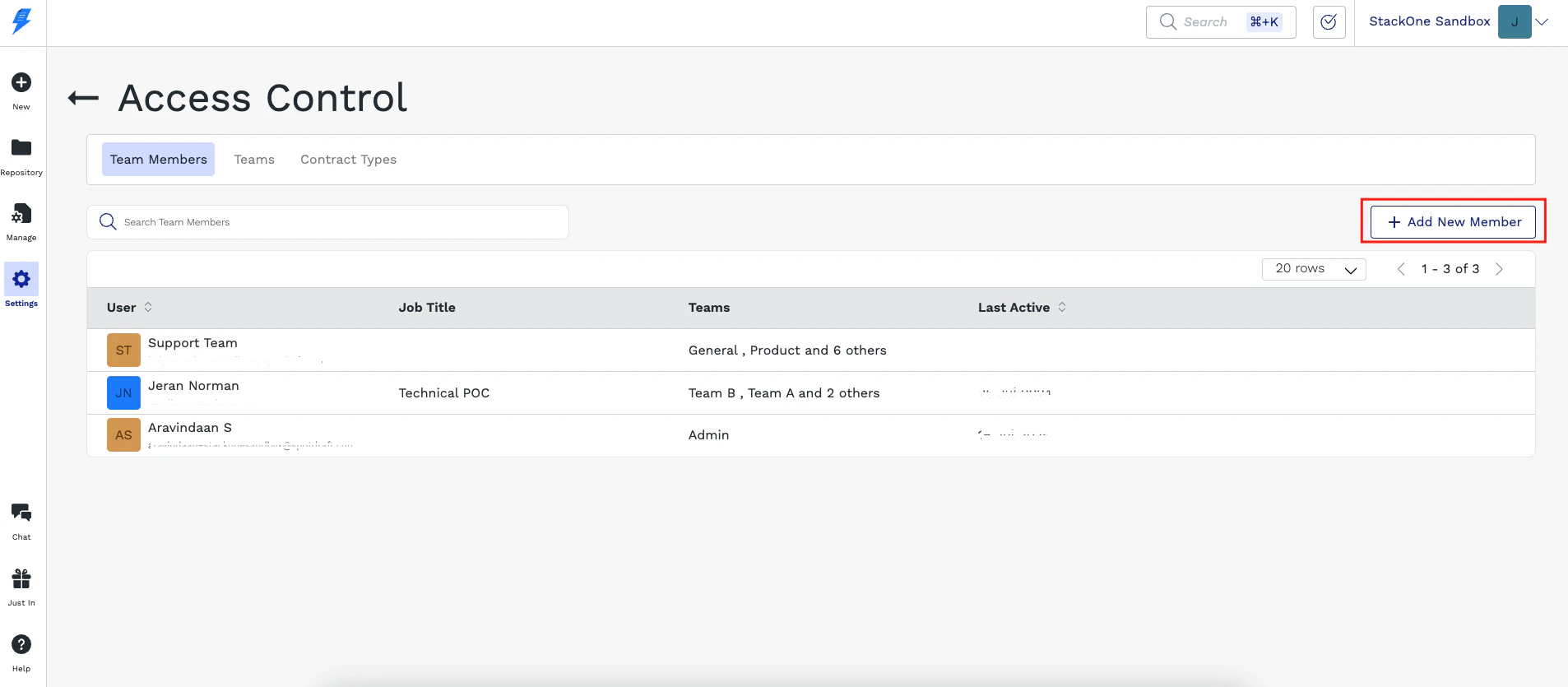
Team Members tab, click the ➕ Add New Member to create a new employee.4
Fill Out Required Fields
Fill out the required fields and set the Team to 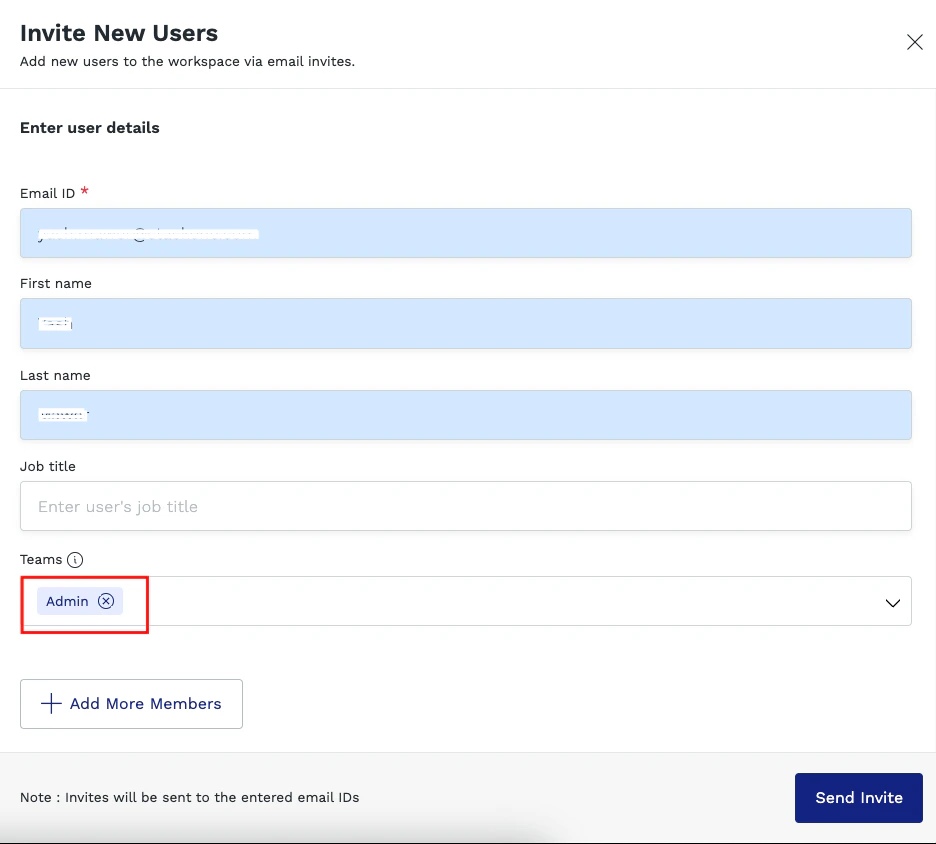
Admin. This will ensure the account has the correct permissions, and then click Send Invite button.5
Create Account
The email address you entered will receive an invitation. Click 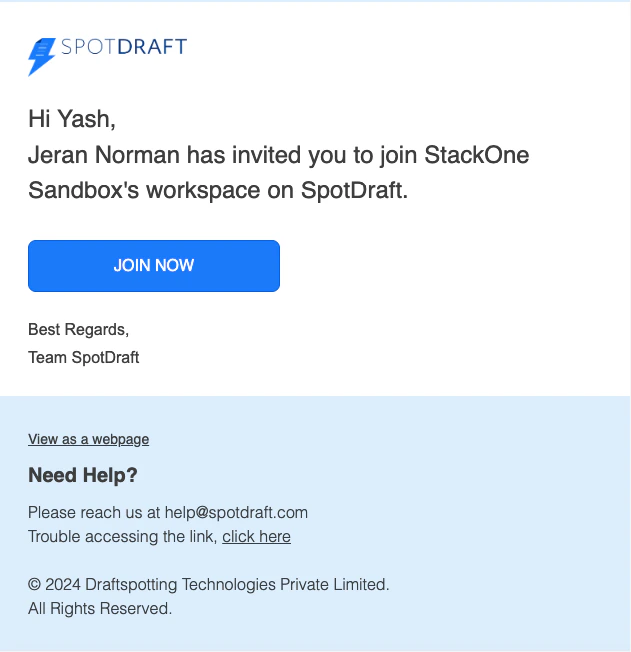
JOIN NOW, you may have to log out of your current account to create the password.6
Get Account Email and Password
You should now have the account email address and password to proceed with the Hub.
Connecting to StackOne
1
Enter User Details
Upon reaching the Link Account page, enter the Username and Password from the previous step. Proceed by clicking the Connect button.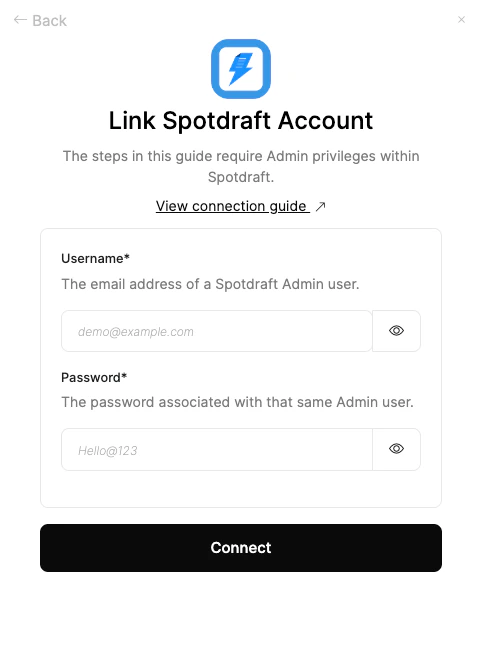
Congratulations, you’re all set! If you face any issues with the steps mentioned above, please contact us by emailing integrations@stackone.com. We’re always here to assist you!
Available data
This integration has the following IAM Resources available from the provider:- Users
- Roles