> ## Documentation Index
> Fetch the complete documentation index at: https://stackone-hub-claude-issue-384-20260409-1436.mintlify.site/llms.txt
> Use this file to discover all available pages before exploring further.

# Recruitee

> Follow these steps to connect Recruitee with StackOne Hub successfully.

<Warning>
  Ensure you have Admin privileges for your Recruitee account.
</Warning>

If you've been directed to StackOne to integrate with Recruitee, the following steps will help you understand the process and any necessary actions to configure successful integration.

## Generating API Key and getting Company ID

<Steps>
  <Step title="Navigate to Personal API tokens">
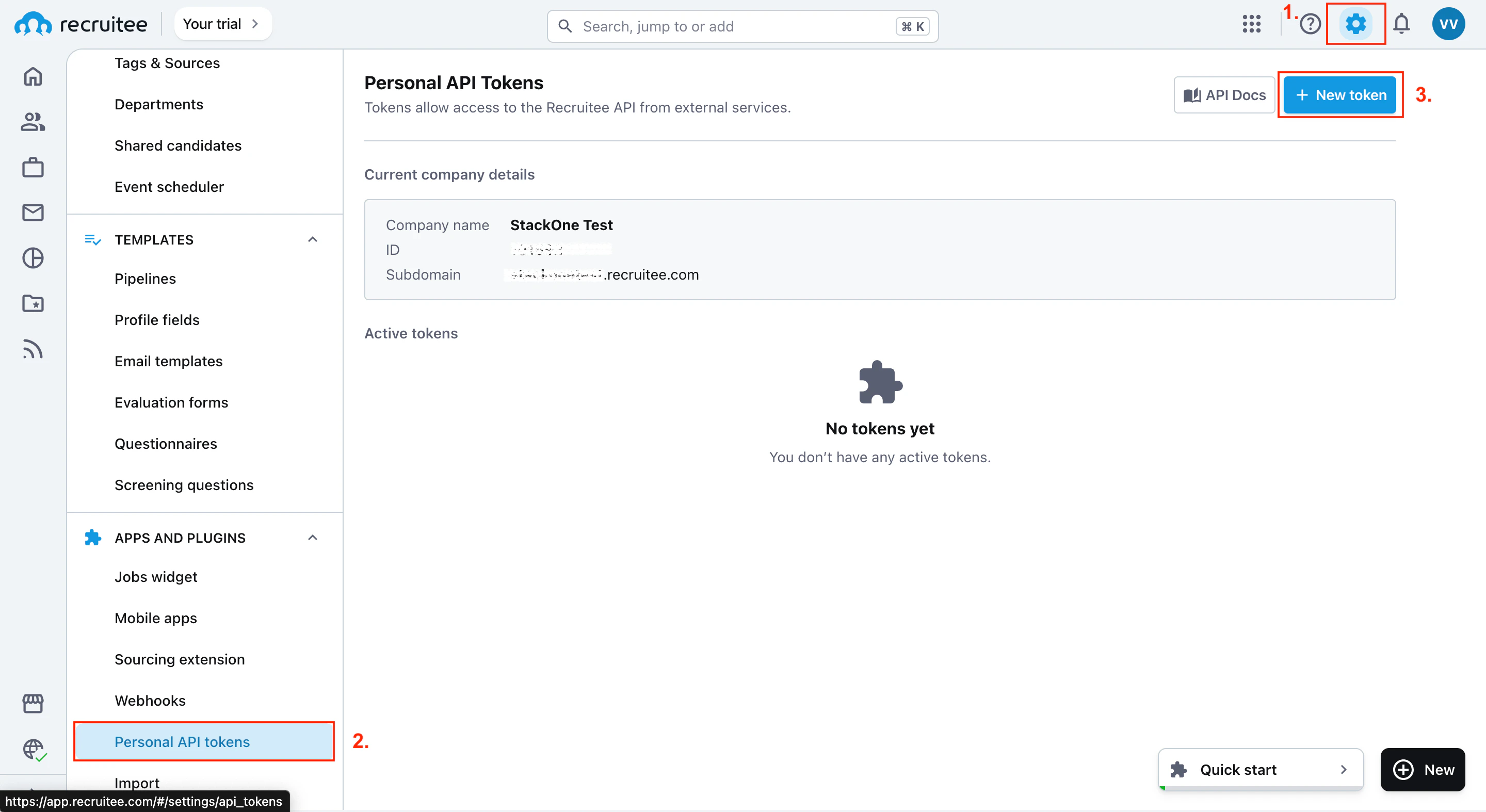
    Click on the Settings wheel ⚙️ and scroll down to the Personal API tokens section. Click New token.
    <Frame>
      <img className="rounded-md" style={{ margin: '0 auto', border: '1px solid #efefef' }} alt="Personal API Tokens" src="https://mintcdn.com/stackone-hub-claude-issue-384-20260409-1436/fIC4erPUQXS94q1m/images/recruitee/image1.png?fit=max&auto=format&n=fIC4erPUQXS94q1m&q=85&s=0a3b770cd6d60aeac5e6a8ab125314e0" width="2880" height="1574" data-path="images/recruitee/image1.png" />
    </Frame>
  </Step>

  <Step title="Assign a name to your token">
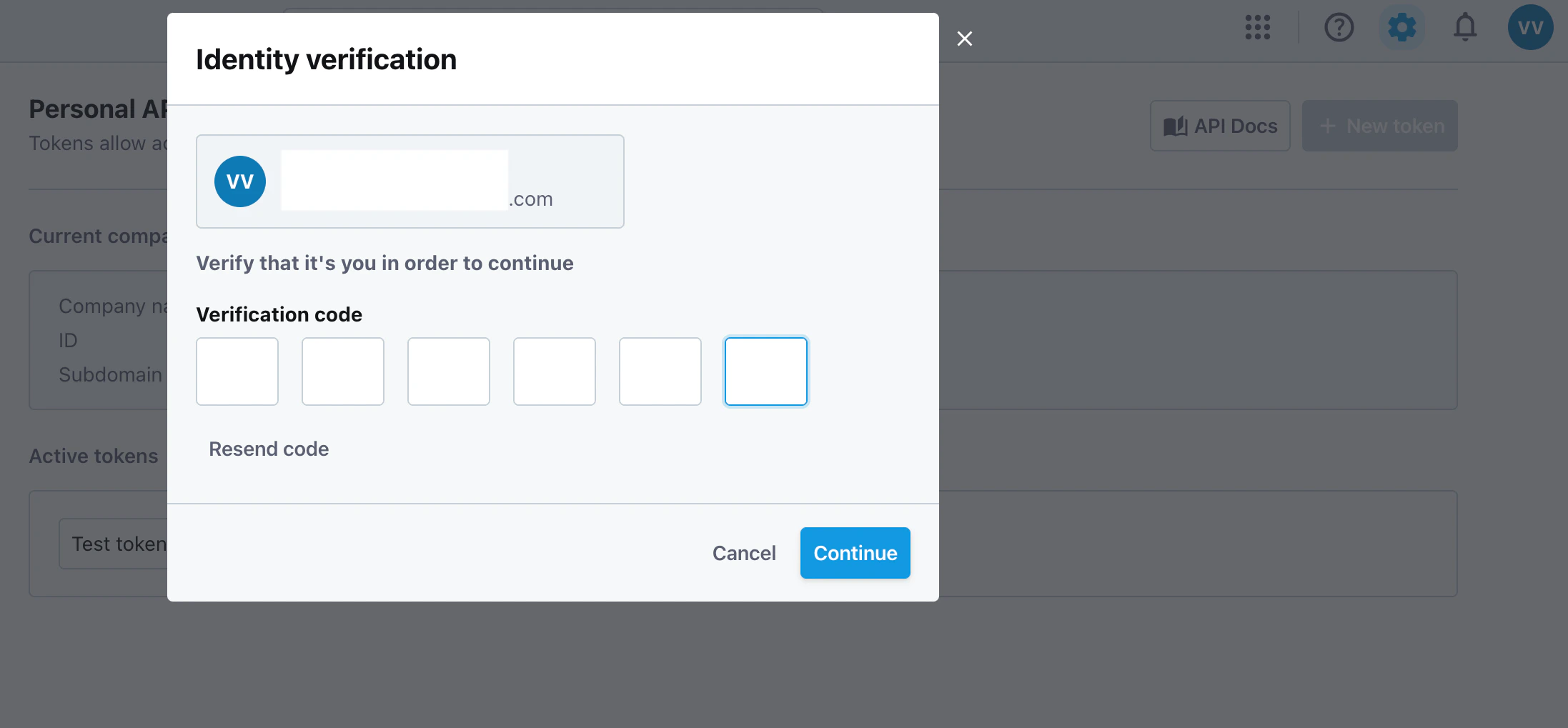
    Assign a name to your token and specify the Verification Code sent to your email.
    <Frame>
      <img className="rounded-md" style={{ margin: '0 auto', border: '1px solid #efefef' }} alt="Assign Token Name" src="https://mintcdn.com/stackone-hub-claude-issue-384-20260409-1436/fIC4erPUQXS94q1m/images/recruitee/image2.png?fit=max&auto=format&n=fIC4erPUQXS94q1m&q=85&s=8eb4348c0c1f41401545adaef5d760d8" width="2194" height="1019" data-path="images/recruitee/image2.png" />
    </Frame>
  </Step>

  <Step title="Copy your API token and locate your Company ID">
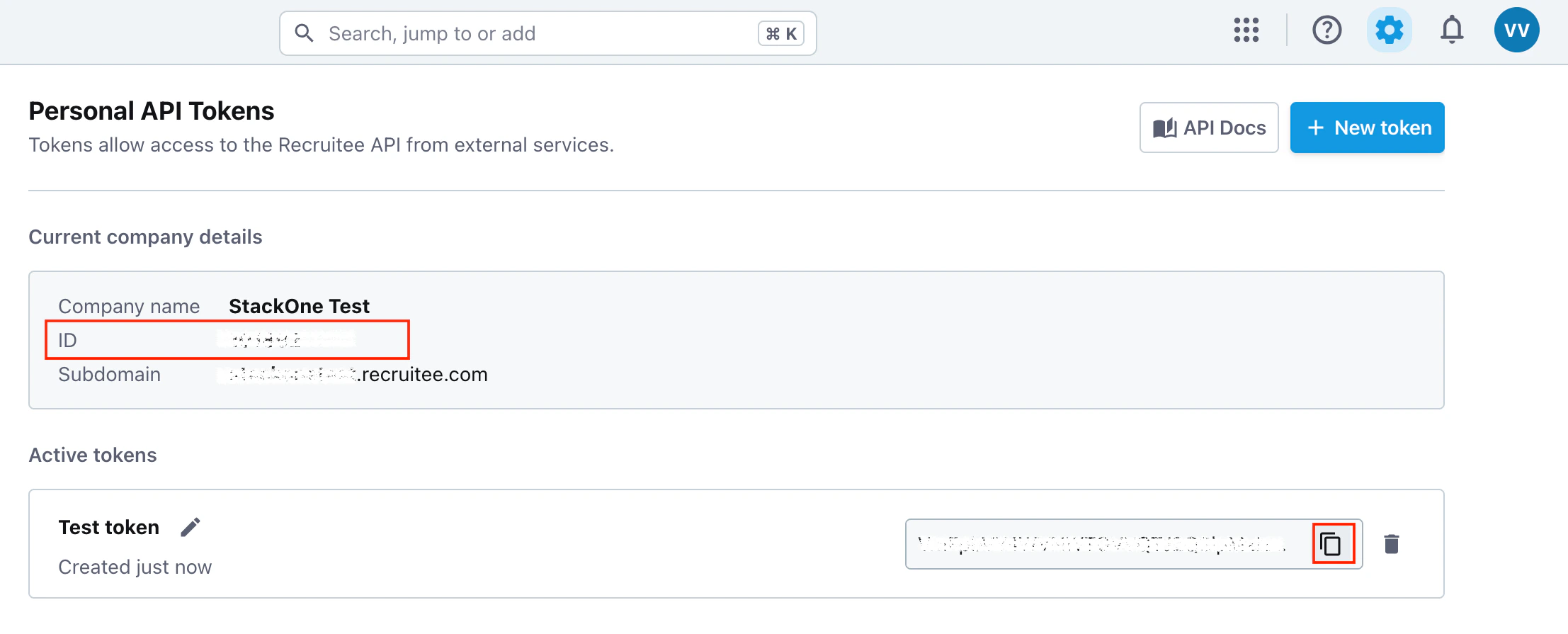
    Copy your API token by clicking Clipboard and locate your Company ID.
    <Frame>
      <img className="rounded-md" style={{ margin: '0 auto', border: '1px solid #efefef' }} alt="Copy API Token" src="https://mintcdn.com/stackone-hub-claude-issue-384-20260409-1436/fIC4erPUQXS94q1m/images/recruitee/image3.png?fit=max&auto=format&n=fIC4erPUQXS94q1m&q=85&s=6aa752f34187bbe04ad667a82a367d56" width="2214" height="895" data-path="images/recruitee/image3.png" />
    </Frame>
  </Step>
</Steps>

## Utilizing the API Key and Company ID

<Steps>
  <Step title="Enter the Details">
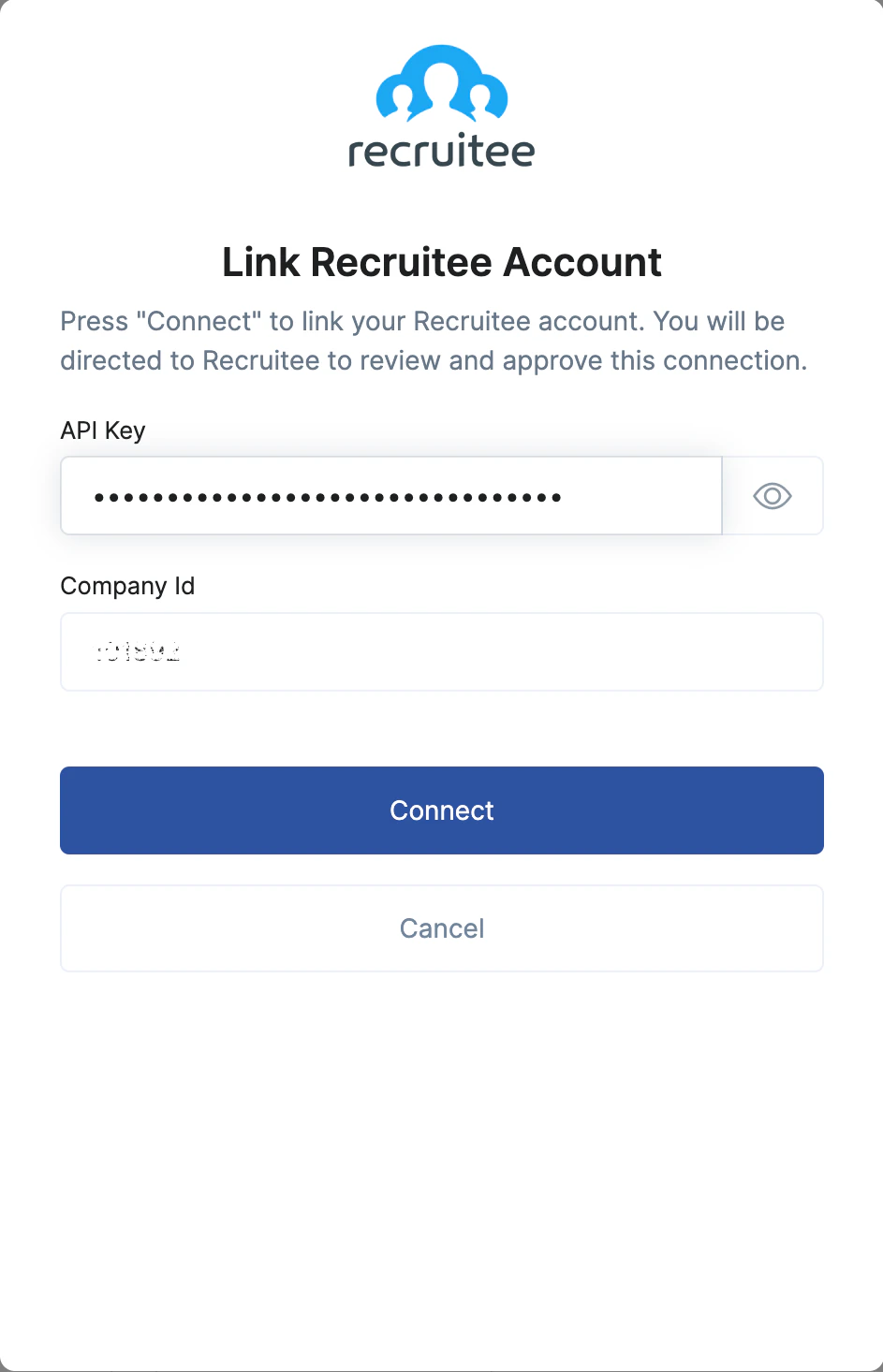
    Upon reaching the Link Account page, enter the gathered details and proceed by clicking the `Connect` button.
    <Frame>
      <img className="rounded-md" style={{ margin: '0 auto', border: '1px solid #efefef' }} alt="Link Account" src="https://mintcdn.com/stackone-hub-claude-issue-384-20260409-1436/fIC4erPUQXS94q1m/images/recruitee/image4.png?fit=max&auto=format&n=fIC4erPUQXS94q1m&q=85&s=499c0fb3fce9c596a9230bade6b10eb2" width="943" height="1466" data-path="images/recruitee/image4.png" />
    </Frame>
  </Step>
</Steps>

<br />

Congratulations, you're all set! If you face any issues with the steps mentioned above,
please contact us by emailing [integrations@stackone.com](mailto:integrations@stackone.com). We're always here to assist you!

## Available data

This integration has the following [IAM Resources](https://docs.stackone.com/reference/iam_list_users) available from the provider:

<ul>
  <li>Users</li>
  <li>Roles</li>
  <li>Policies</li>
</ul>

## Useful Links

<Card title="API Reference" icon="link" href="https://docs.recruitee.com/reference/getting-started">
  [https://docs.recruitee.com/reference/getting-started](https://docs.recruitee.com/reference/getting-started)
</Card>
