

Enable Klaviyo SCIM user provisioning
1
Open Settings
Click your organization name in the lower left corner, then Settings in the modal that appears.
2
Navigate to Security
Click Security.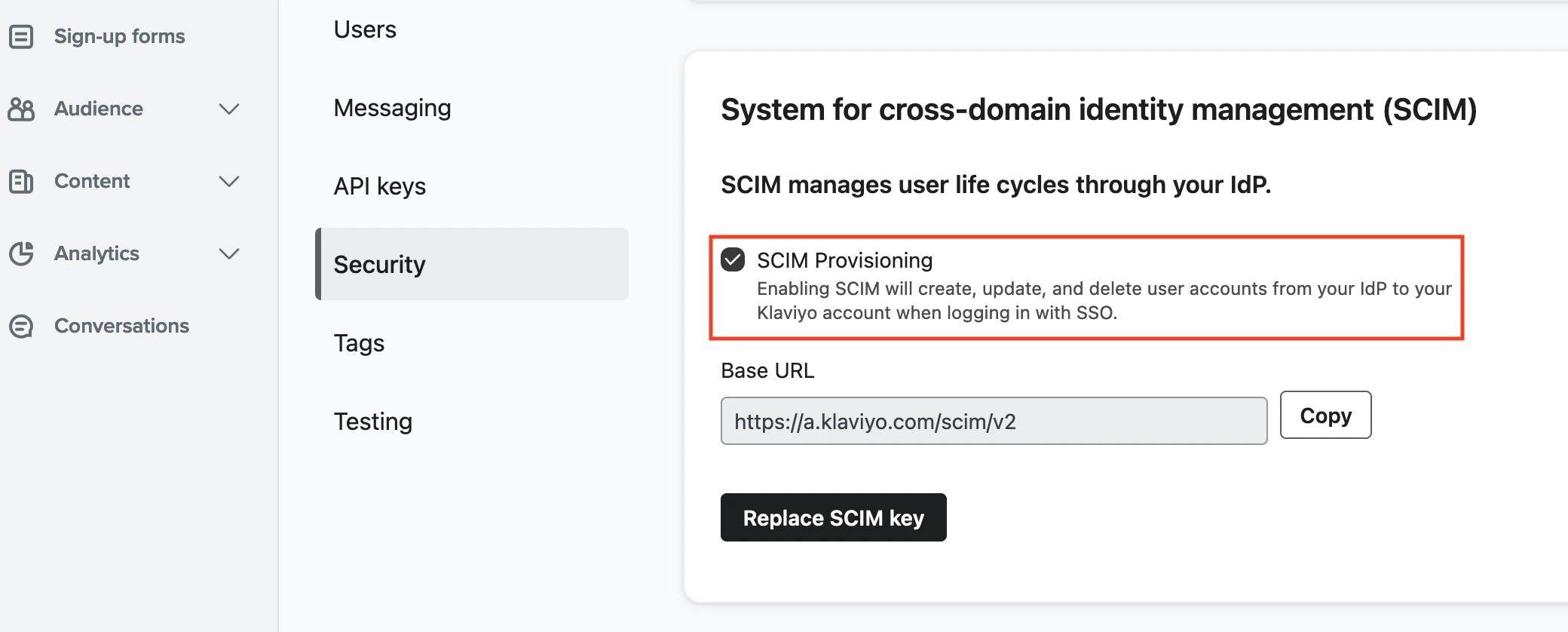
3
Enable SCIM Provisioning
Scroll down to System for cross-domain identity management (SCIM) and check the SCIM Provisioning box.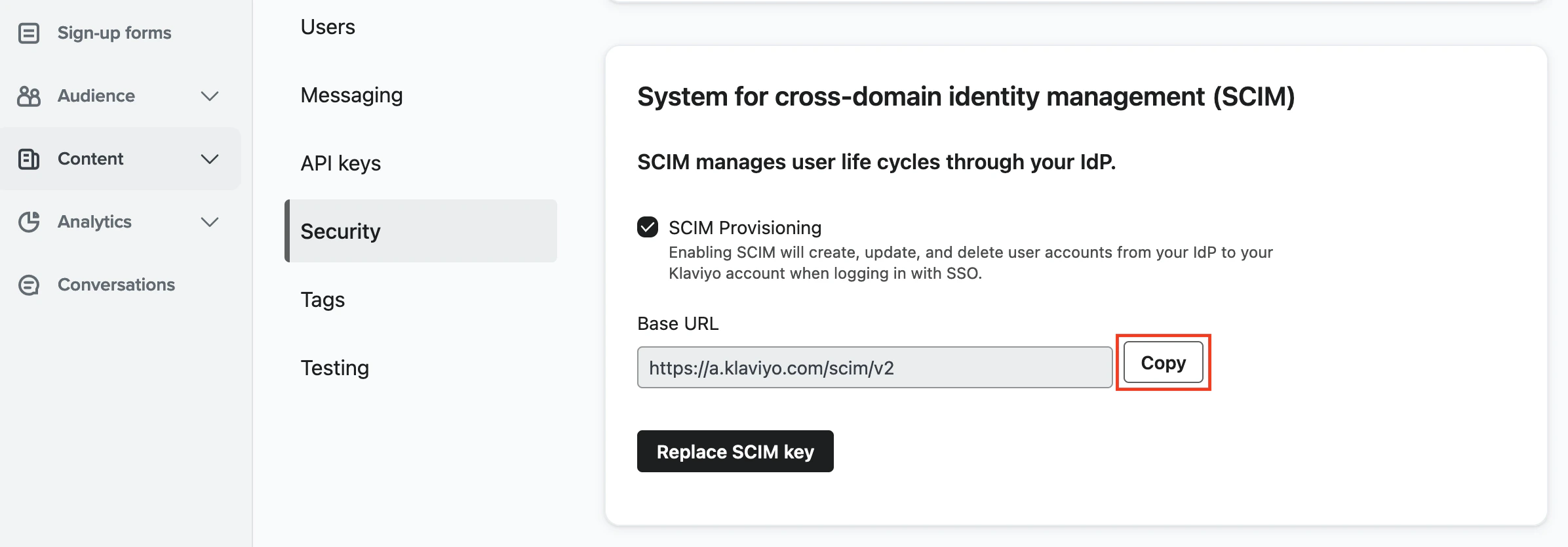
Generate a Klaviyo SCIM key
1
Generate SCIM Key
In the System for cross-domain identity management (SCIM) section, click Copy to display the SCIM key.
2
Copy SCIM Key
Copy or download the access key to a safe place, including the prefix 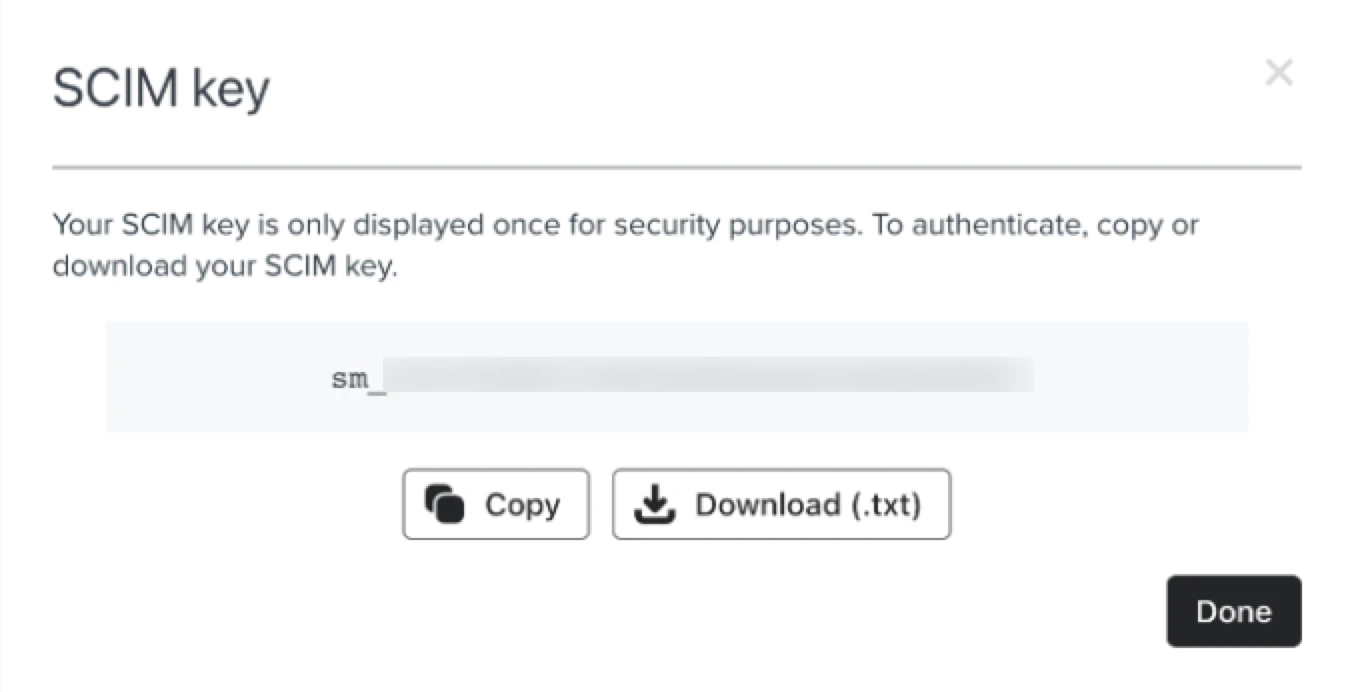
Klaviyo-API-Key.- Note that this key is only displayed once. If copying it, paste it somewhere secure immediately.
Connecting with StackOne
1
Enter SCIM Key
Upon reaching the Link Account page, enter the SCIM key and proceed by clicking the Connect button.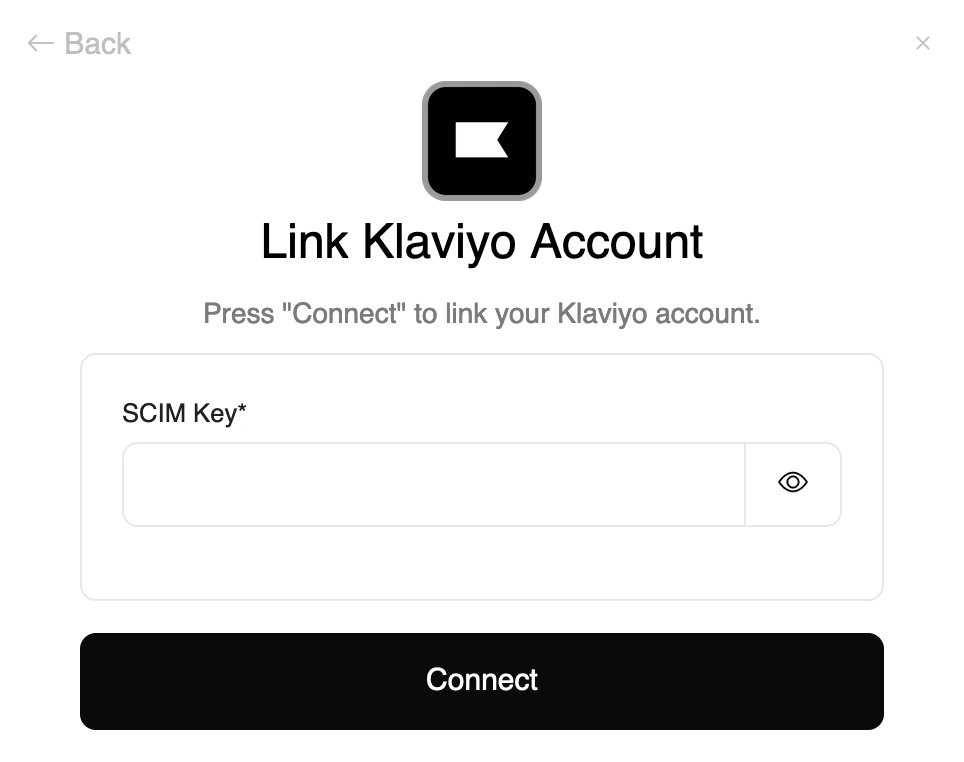
Congratulations, you’re all set! If you face any issues with the steps mentioned above, please contact us by emailing integrations@stackone.com. We’re always here to assist you!
Available data
This integration has the following IAM Resources available from the provider:- Users
- Roles