

Get your Harvest API Key and Account ID
1
Log in to Harvest
Log in to Harvest and click Developers.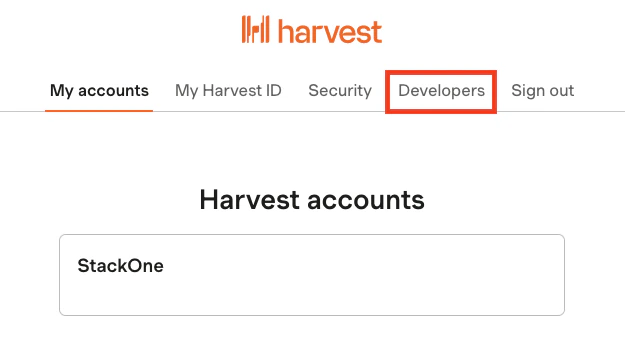
2
Create Personal Access Token
Under Personal access tokens, click the Create new personal access token button.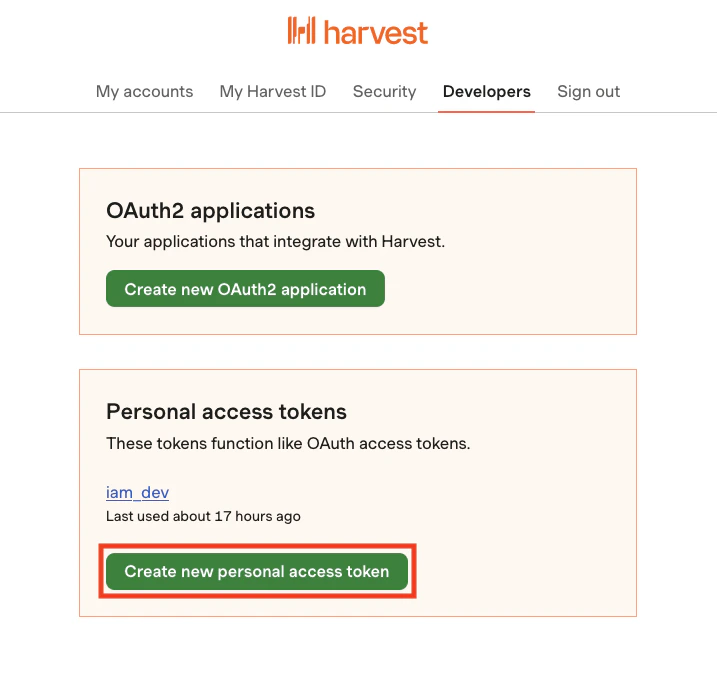
3
Enter Token Details
Enter a Name for this new key, then click the Create personal access token button.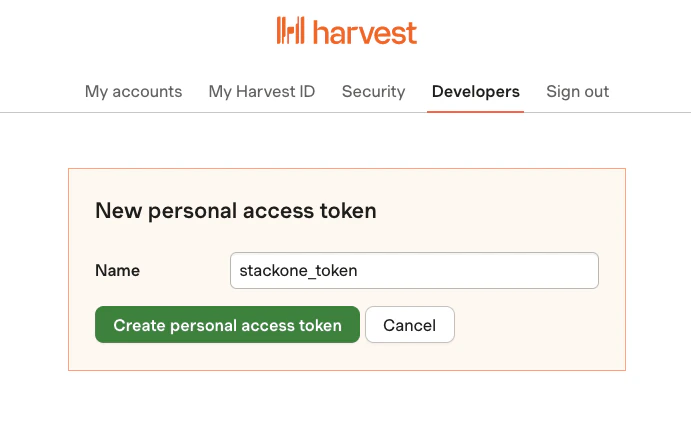
4
Choose Account
Each connection with StackOne will be associated with one Harvest Account. Under Your personal access token, ensure that the intended Account for this connection is selected next to Choose account.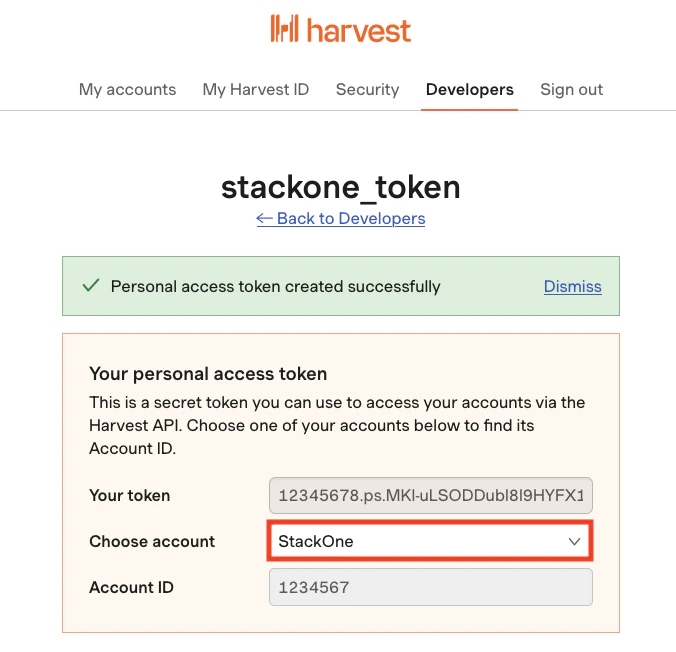
5
Copy API Token and Account ID
Copy your displayed API Token and Account ID and store them safely.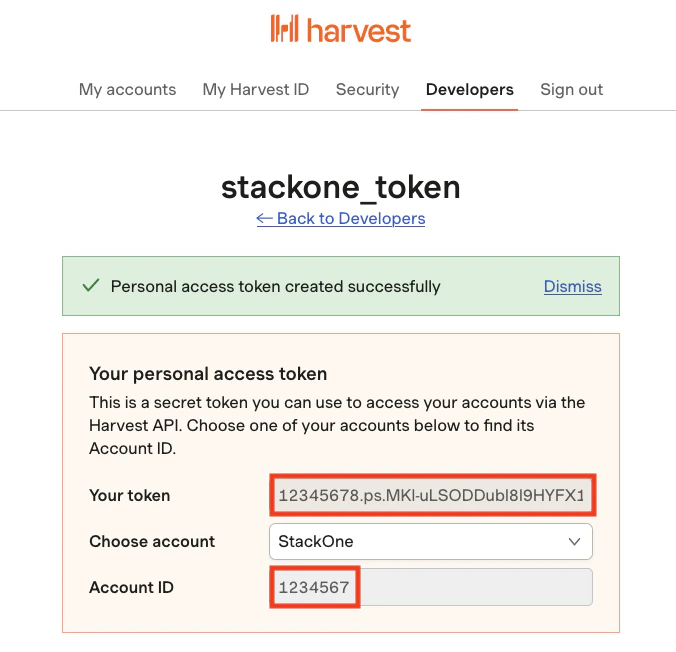
Connecting to StackOne
1
Enter Credentials
Upon reaching the Link Account page, enter your API Token and Account ID from the previous steps.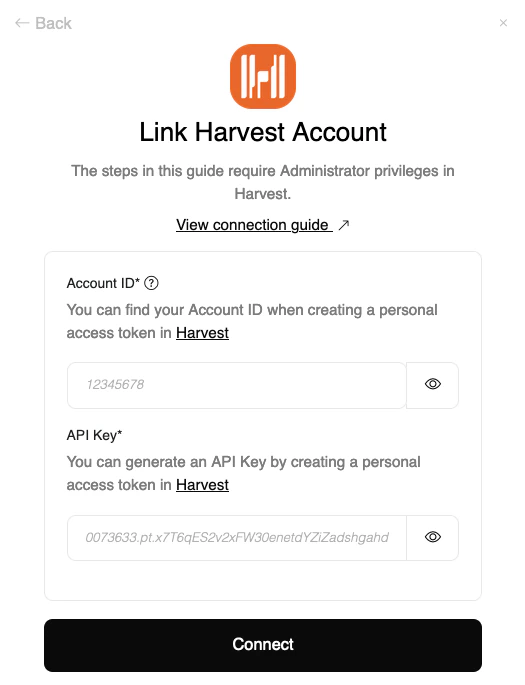
2
Connect
Proceed by clicking the Connect button.
Congratulations, you’re all set! If you face any issues with the steps mentioned above, please contact us by emailing integrations@stackone.com. We’re always here to assist you!
Available data
This integration has the following IAM Resources available from the provider:- Users
- Roles