

Get your Dixa API Key
1
Login to Dixa
After logging in to your Dixa account, click the settings button on the left, then click Manage > Integrations.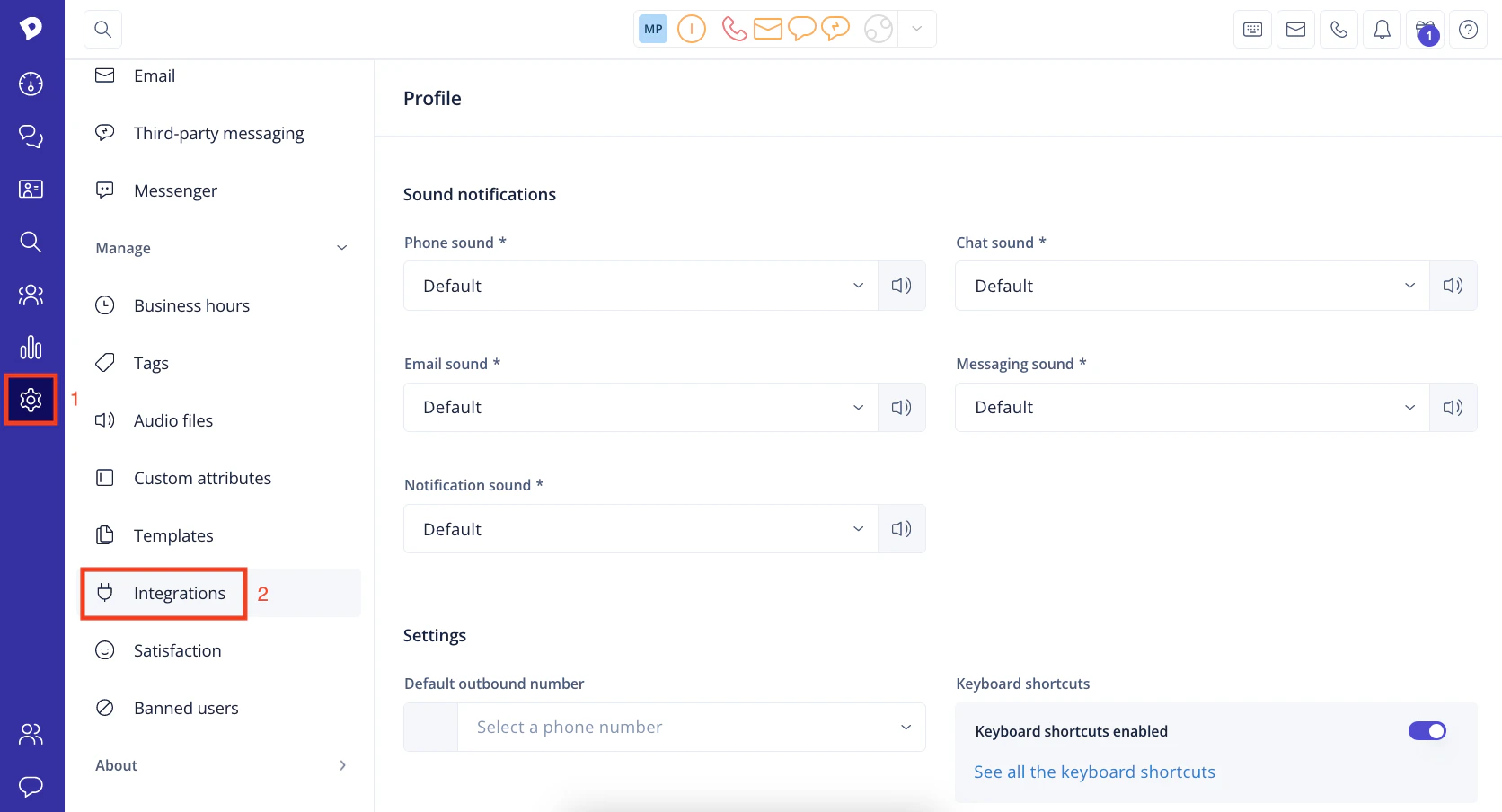
2
Navigate to API tokens
Under Integrations, click API tokens.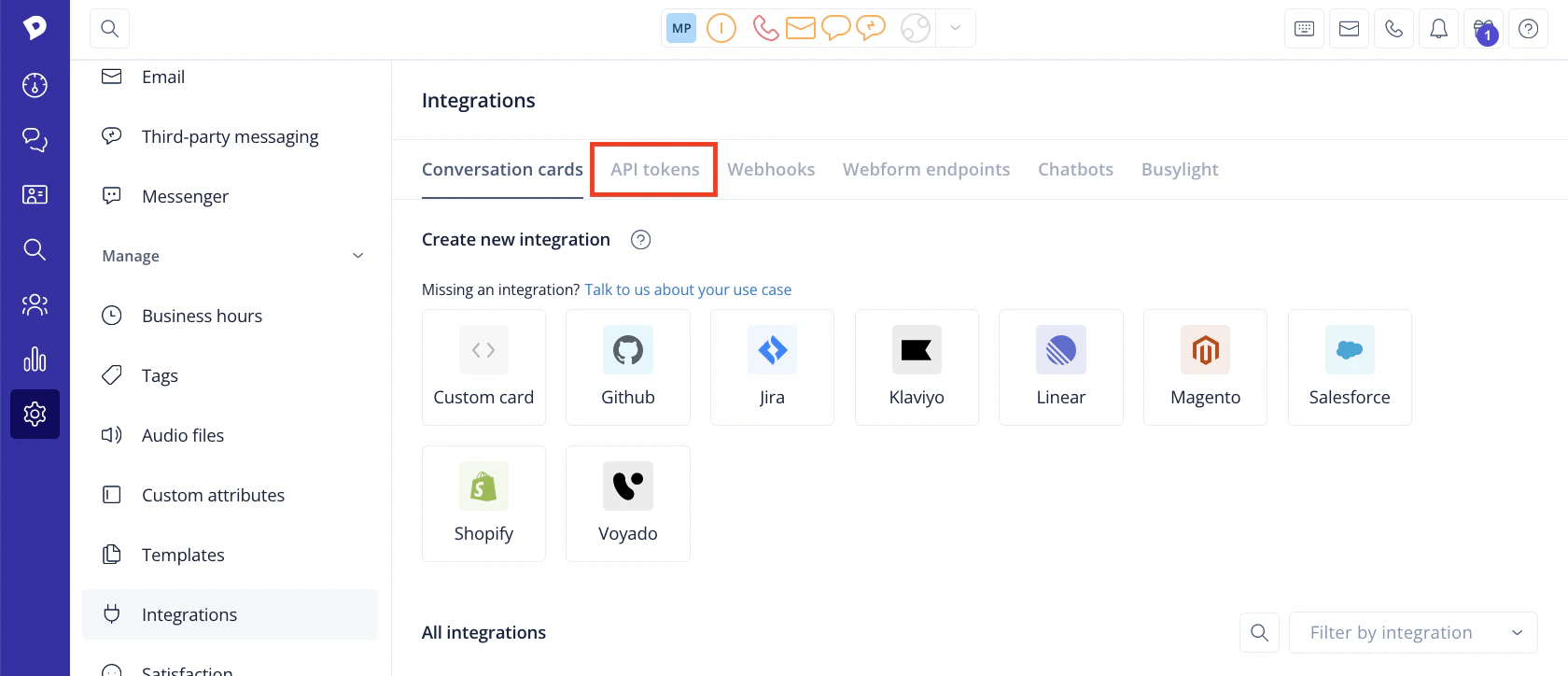
3
Add API token
Click the Add API token button.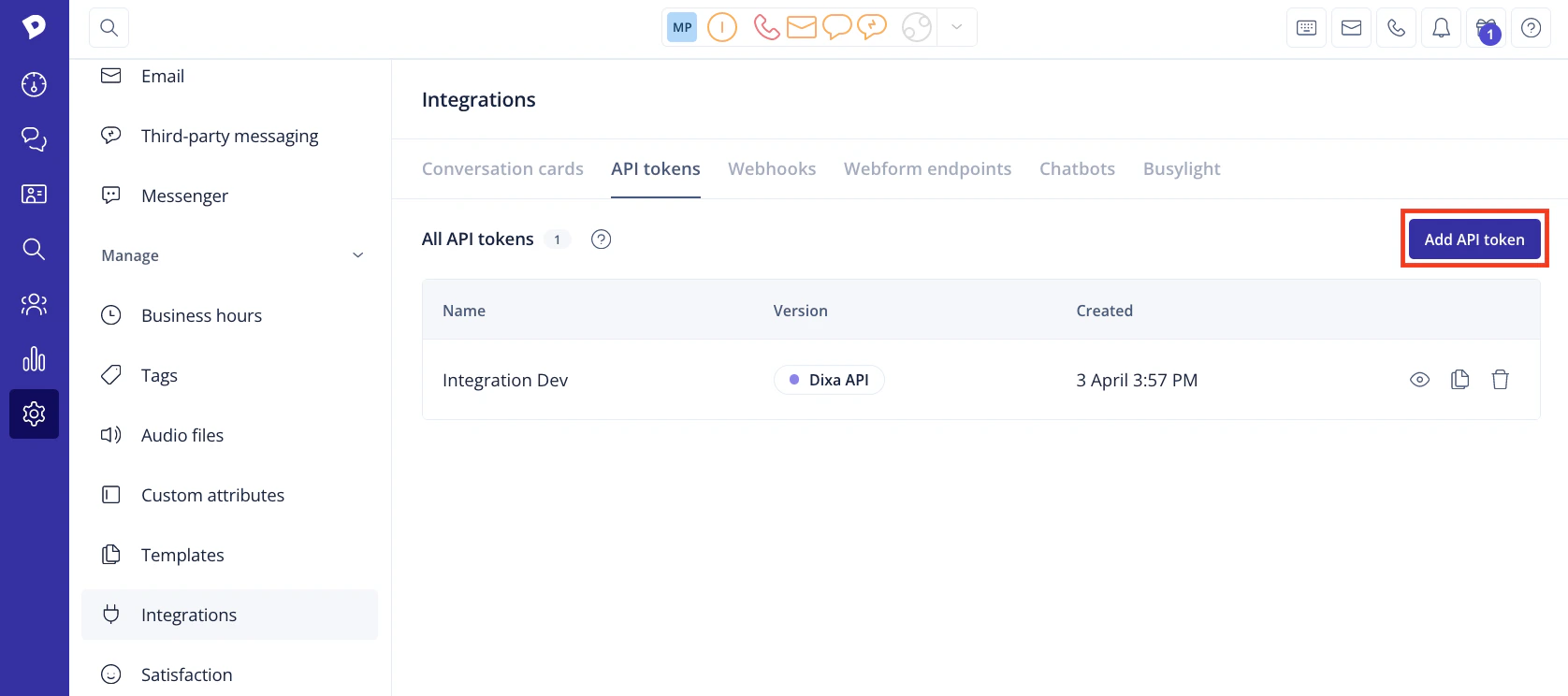
4
Enter Token Name
Enter a Name for the new token, then click the Save changes button.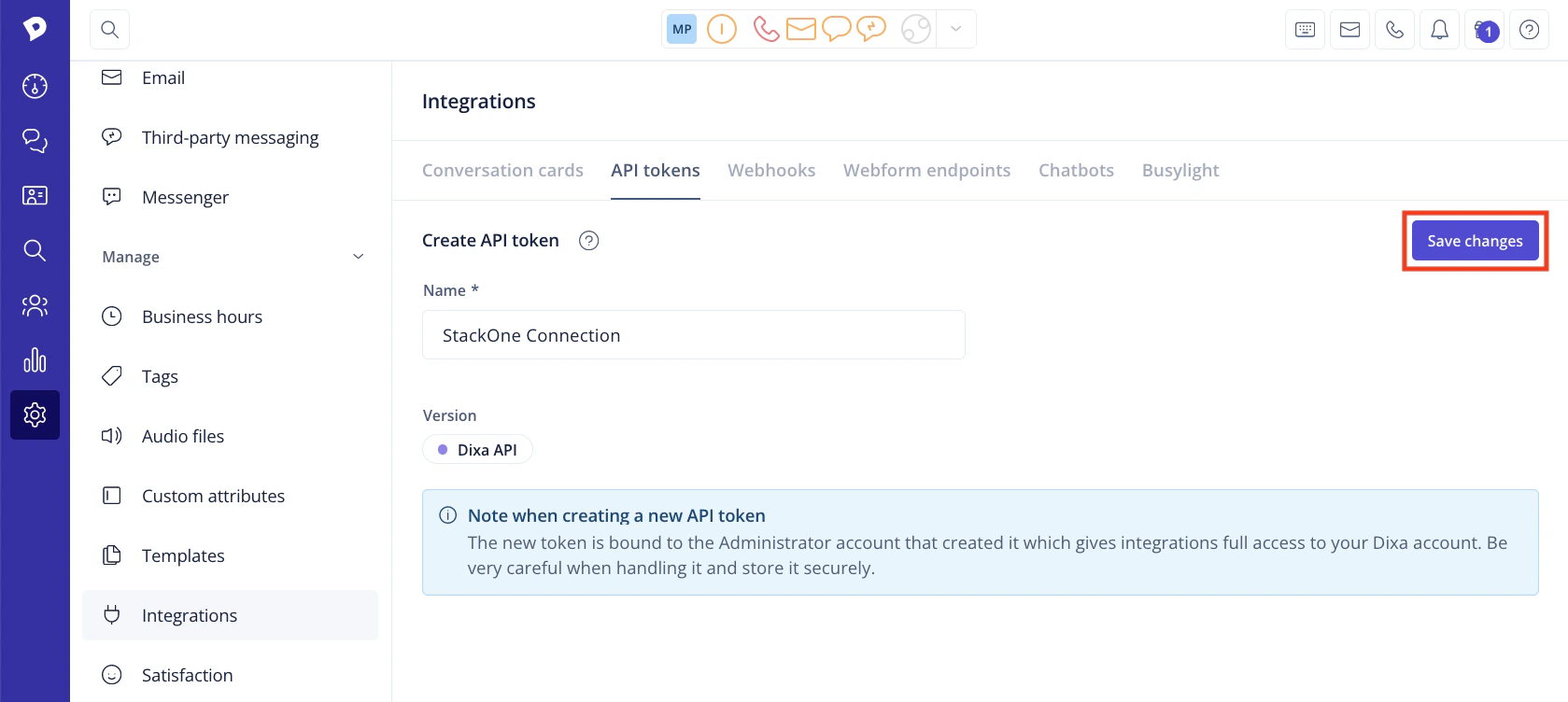
5
Copy API Key
Your new API Key will be displayed. Copy and store it safely.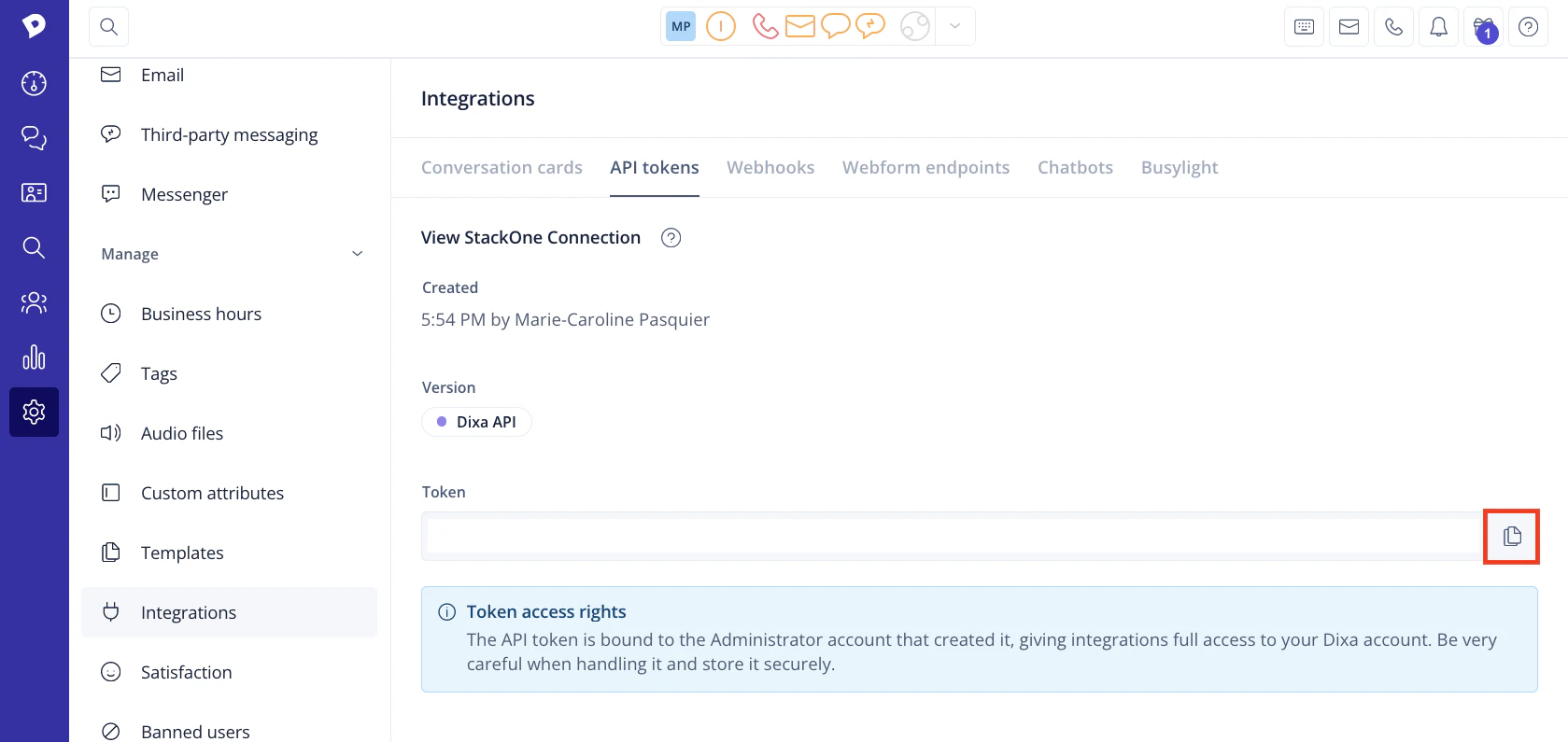
Connecting to StackOne
1
Enter API Key
Upon reaching the Link Account page, enter the API Key from the previous step.
2
Connect
Proceed by clicking the
Connect button.Congratulations, you’re all set! If you face any issues with the steps mentioned above, please contact us by emailing integrations@stackone.com. We’re always here to assist you!
Available data
This integration has the following IAM Resources available from the provider:- Users
- Roles
- Groups