

Get your Contentful Organization ID
1
Log in to Contentful
Log in to your Contentful app
2
Expand Side Panel
Click the top left navigation icon to expand the side panel.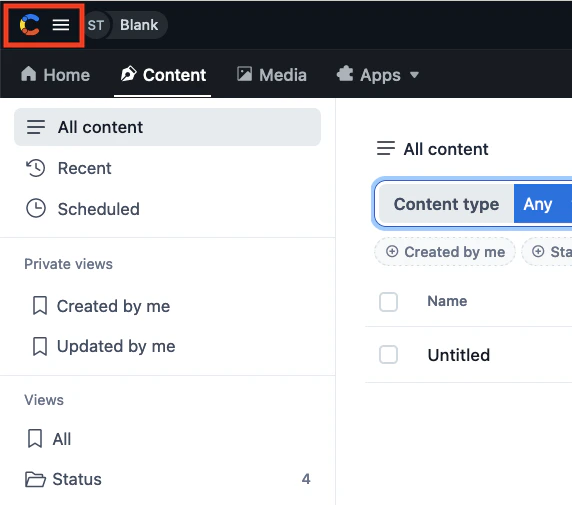
3
Organization Settings
At the bottom of the side panel, click Organization settings & subscriptions.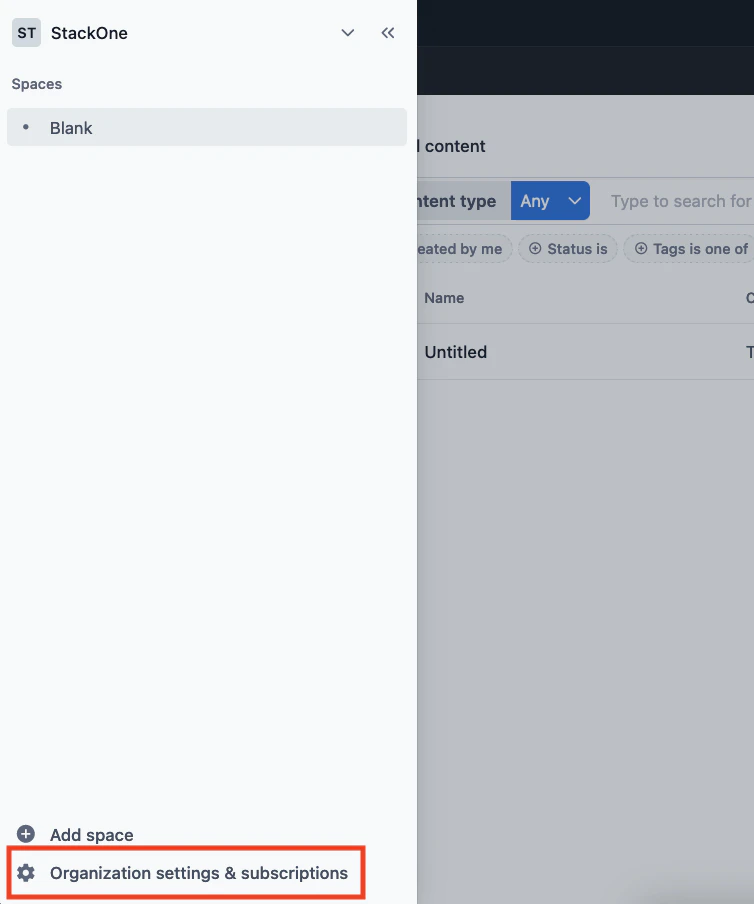
4
Copy Organization ID
The Organization ID is available in the URL: 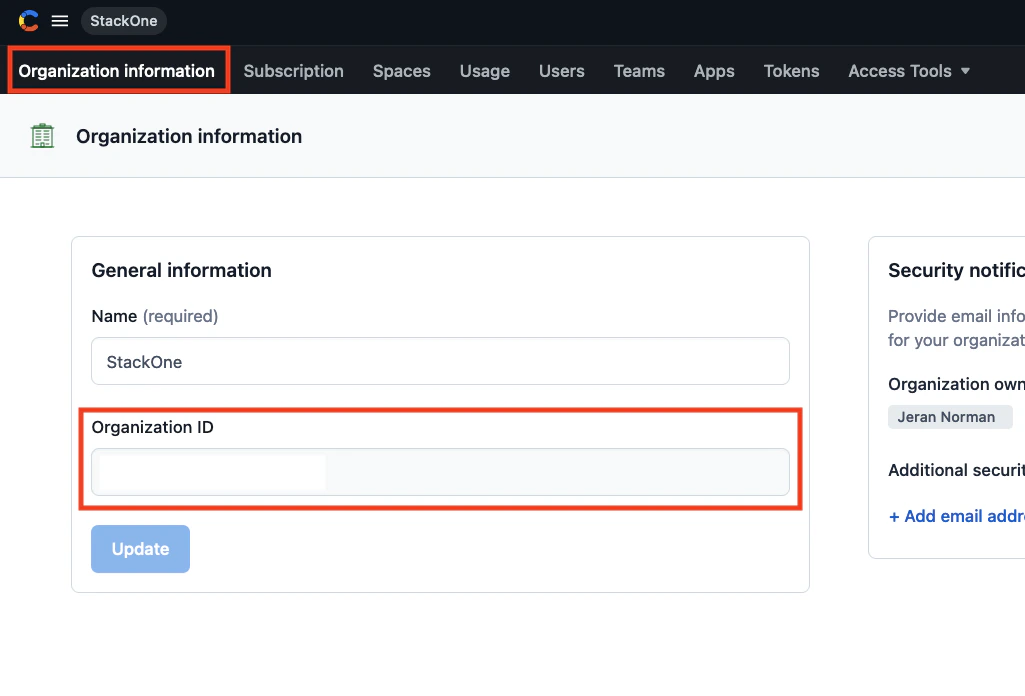
https://app.contentful.com/account/organizations/{Organization ID}/etc_path. Copy and store the Organization ID safely. The ID is also viewable by clicking Organization information in the top navigation.Get your Contentful Space ID
1
Navigate to Spaces
Within Organization Settings, click Spaces in the top navigation.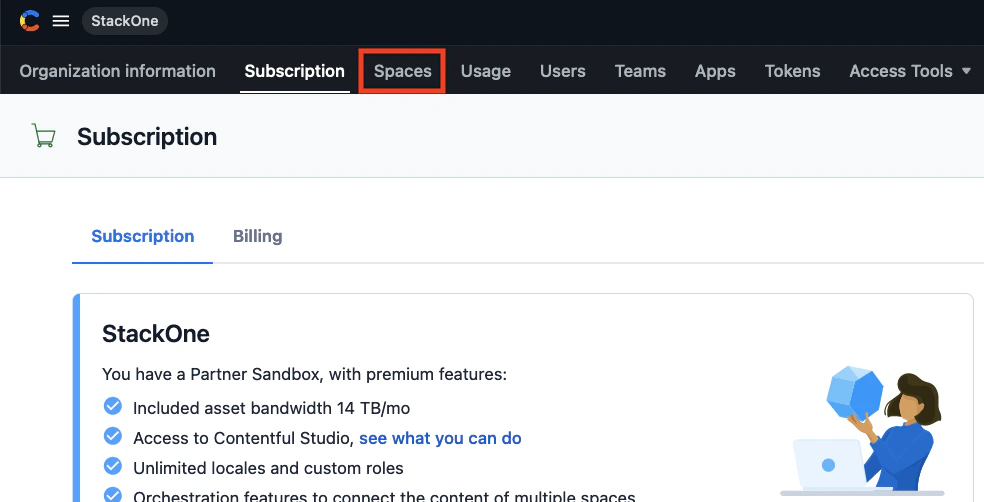
2
Select Space
Scroll down to view the list of Spaces in your Organization, and click the Space that will be associated with this connection.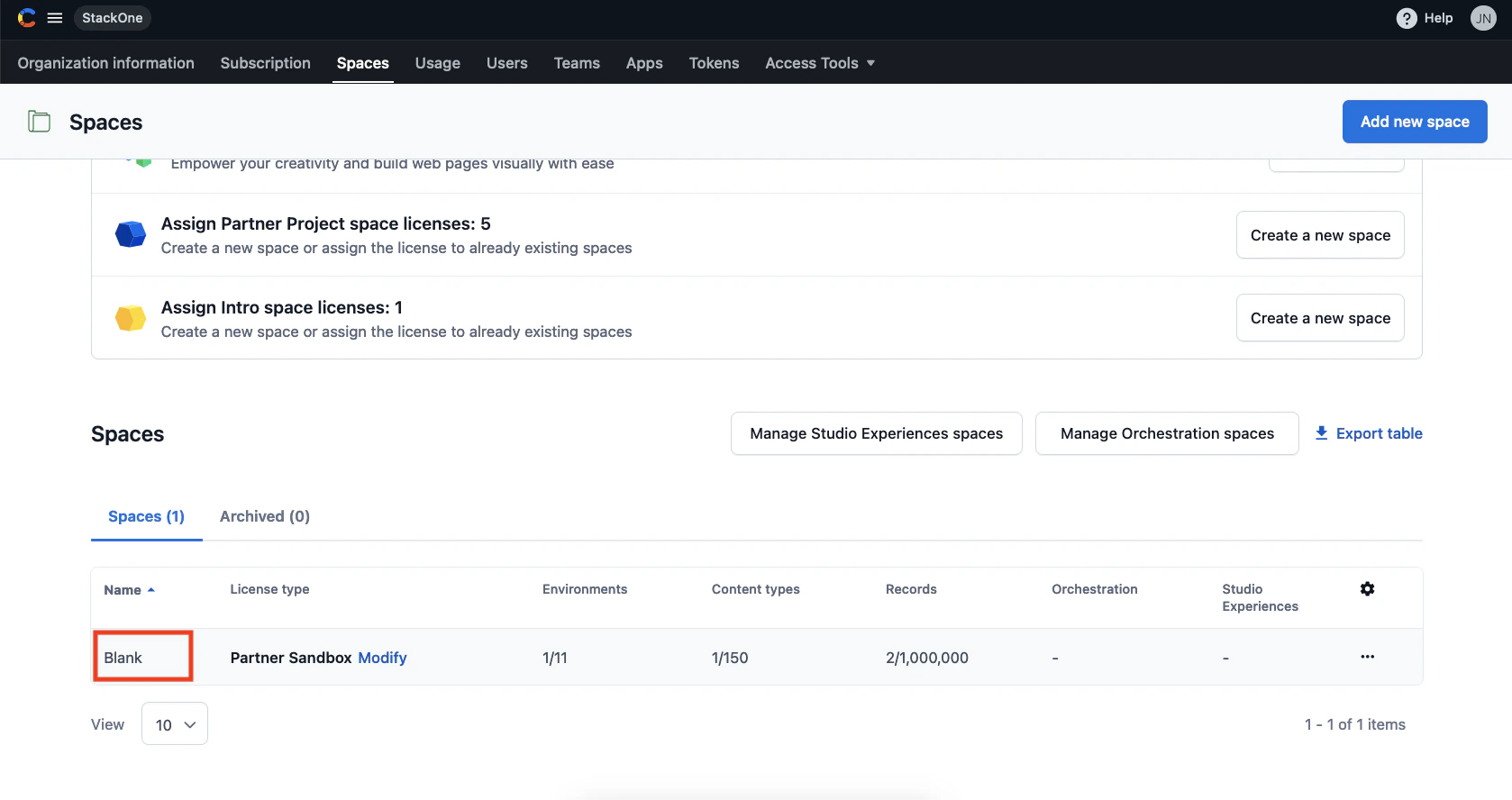
3
Copy Space ID
The Space ID is visible in the URL:
https://app.contentful.com/spaces/{Space ID}/home. Copy and store the Space ID safely.Get your Contentful CMA API Token
This CMA Token is required to access Contentful’s Content Management API.1
Account Settings
Within your Contentful app, click your profile icon in the top right, then click Account Settings.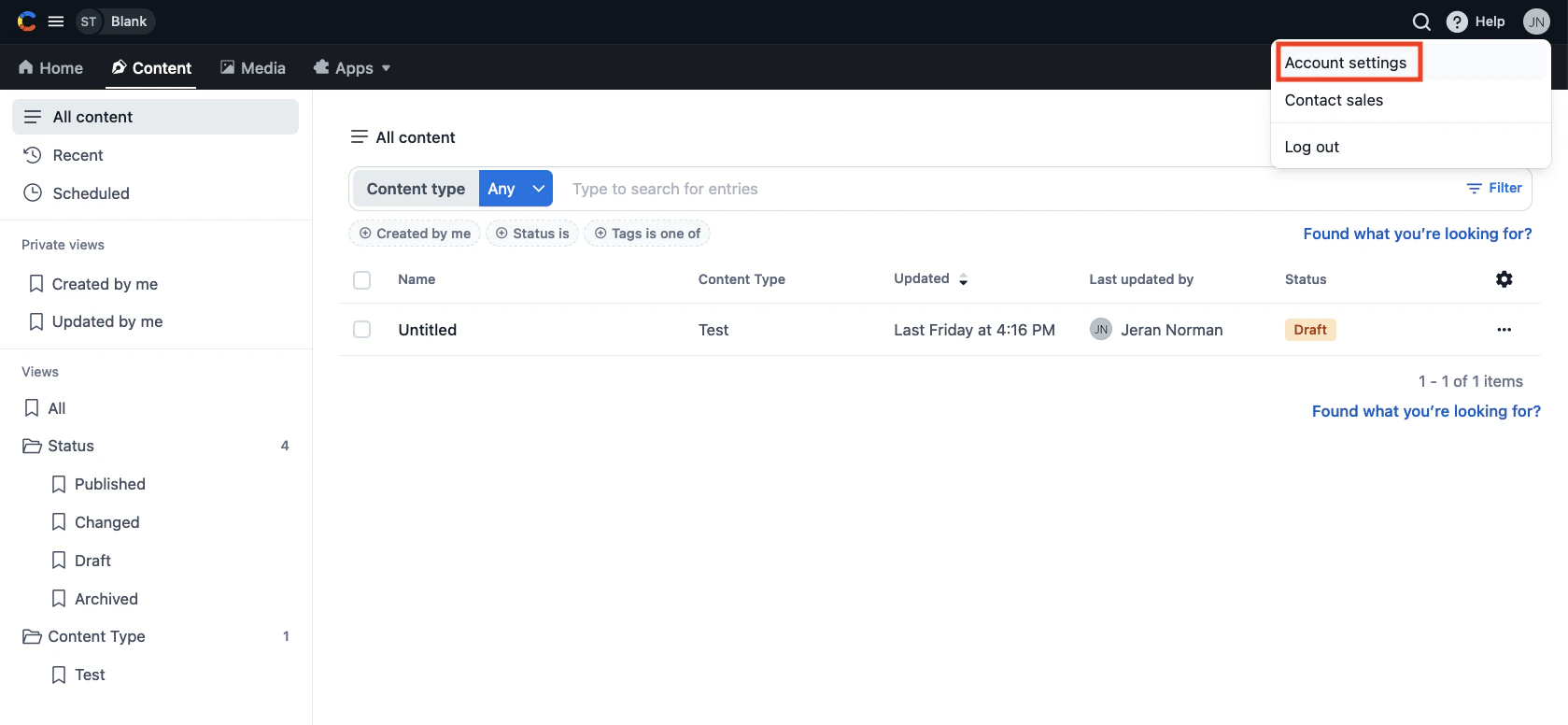
2
CMA Tokens
Click CMA Tokens in the top navigation.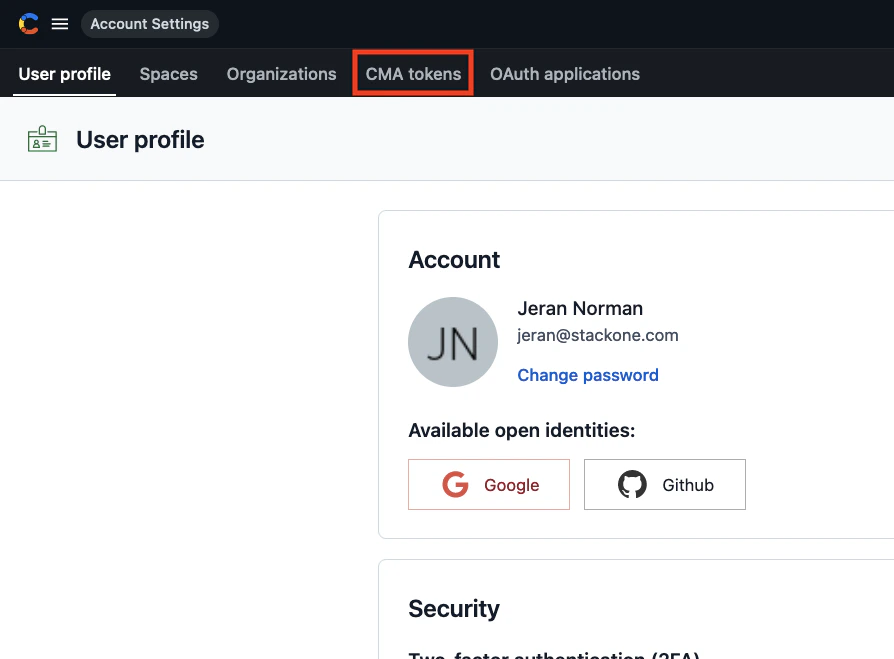
3
Create Token
Within CMA Tokens, click the Create personal access token button.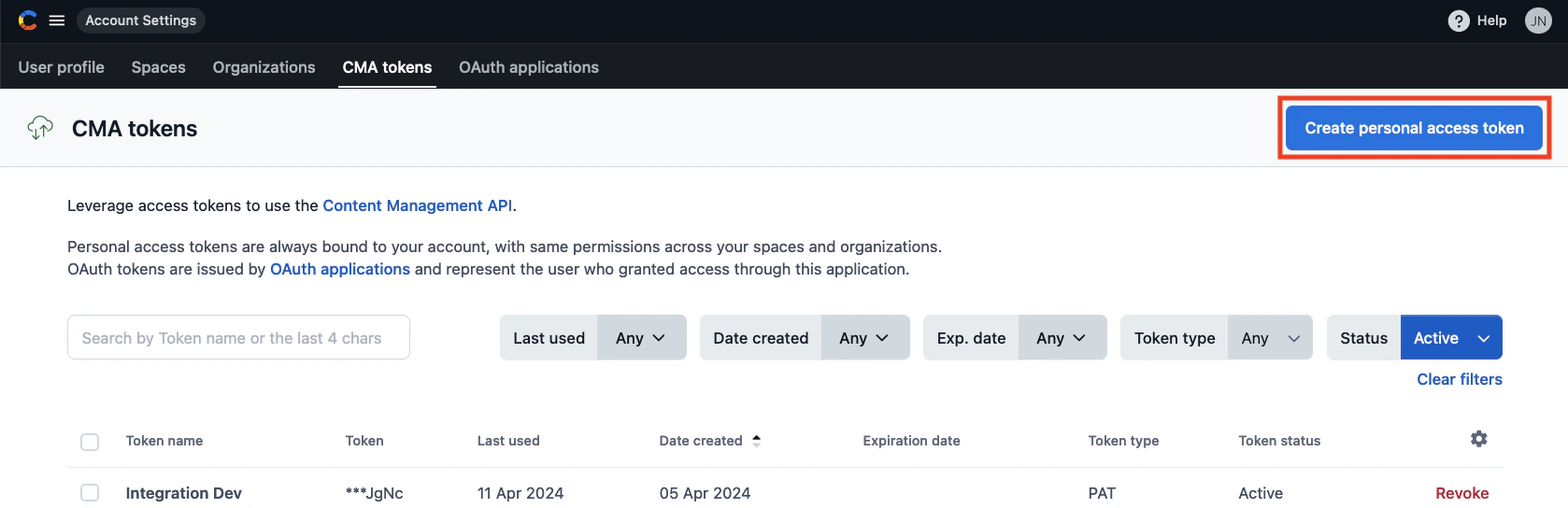
4
Generate Token
Within the window that appears, enter a Name for your new token and set the desired Expiration date. Click Generate.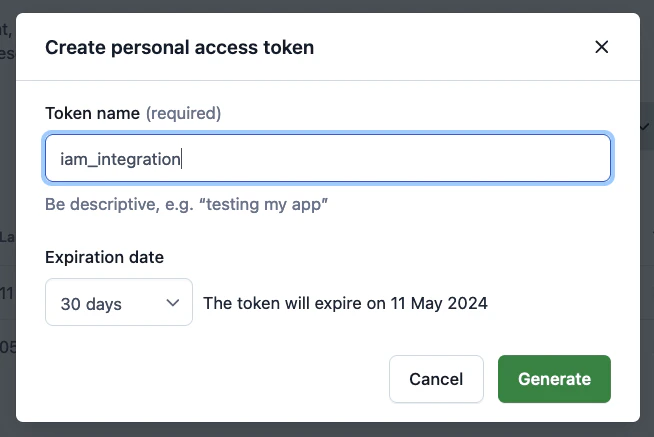
5
Copy API Token
Copy the newly generated API Token and store it safely. It will only be displayed once.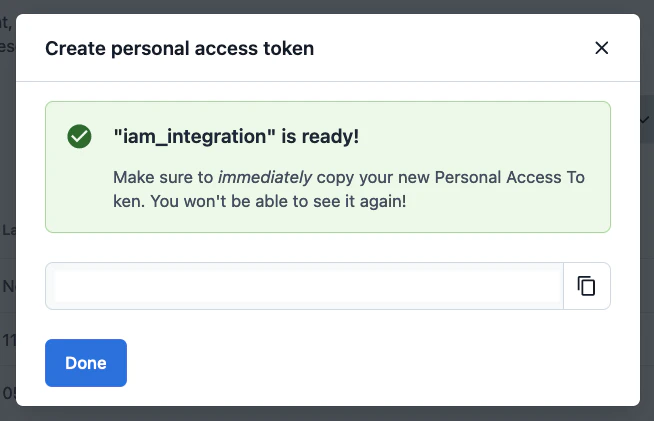
Connecting to StackOne
1
Enter Credentials
Upon reaching the Link Account page, enter the credentials from the previous steps: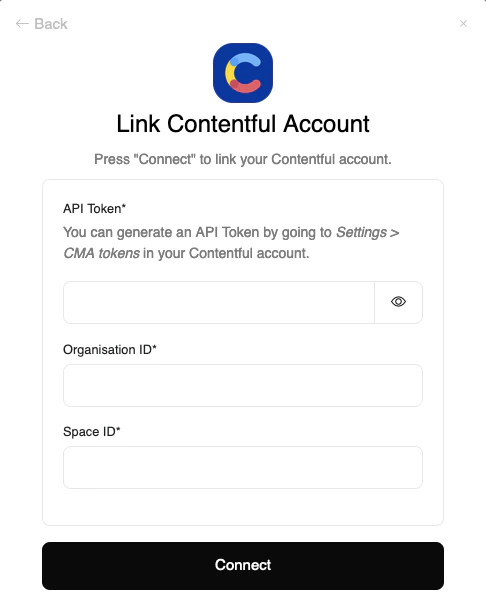
- API Token
- Organization ID
- Space ID
Congratulations, you’re all set! If you face any issues with the steps mentioned above, please contact us by emailing integrations@stackone.com. We’re always here to assist you!
Available data
This integration has the following IAM Resources available from the provider:- Users
- Roles
- Groups