

Get your Canva SCIM Key
1
Log in to Canva
Log in to your Canva account and view your Account Settings.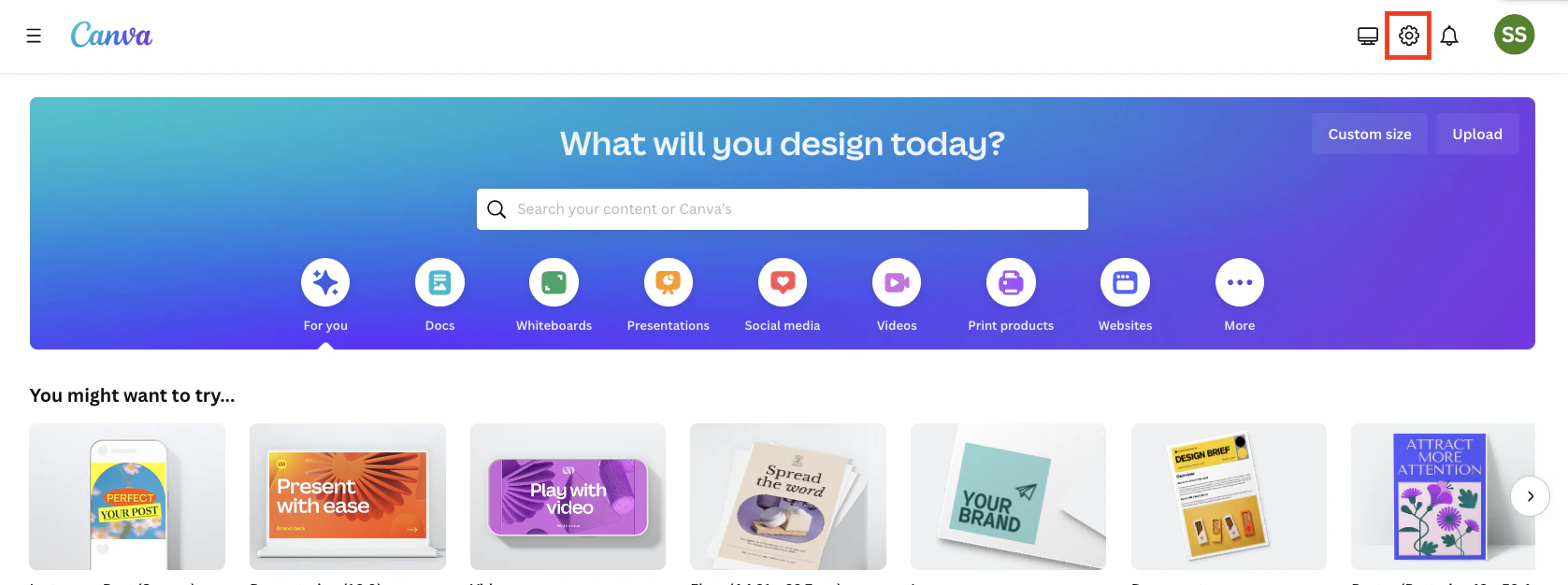
2
SSO & Provisioning
Click SSO & provisioning under your Team on the left.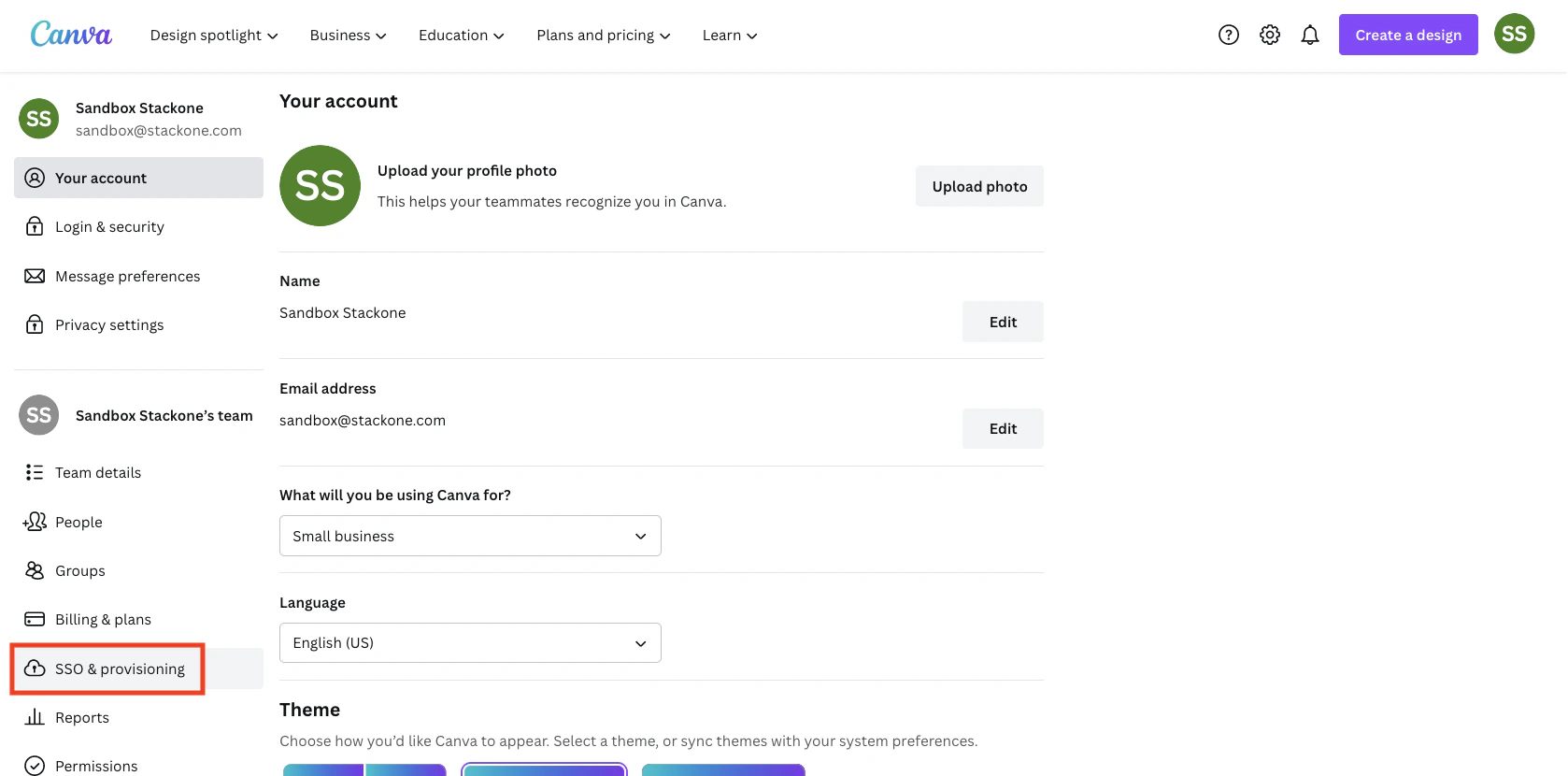
3
Get Info from Identity Provider
If you do not currently have an Identity Provider set up in Canva, enter the following information under Get info from your Identity Provider:
- SAML 2.0 Endpoint (HTTP):
https://stackone.com/idp/endpoint/HttpPost - Identity Provider Issuer:
StackOne - x.509 Public Certificate:
MIICVjCCAb8CAg37MA0GCSqGSIb3DQEBBQUAMIGbMQswCQYDVQQGEwJKUDEOMAwGA1UECBMFVG9reW8xEDAOBgNVBAcTB0NodW8ta3UxETAPBgNVBAoTCEZyYW5rNEREMRgwFgYDVQQLEw9XZWJDZXJ0IFN1cHBvcnQxGDAWBgNVBAMTD0ZyYW5rNEREMlRlYlJQMTAxEzARBgNVBAMMCkZyYW5rNEREMDEwDQYJKoZIhvcNAQEBBQADgY0AMIGJAoGBAMYBBrx5PlP0WNI/ZdzD+6Pktmurn+F2kQYbtc7XQh8/LTBvCo+P6iZoLEmUA9e7EXLRxgU1CVqeAi7QcAn9MwBlc8ksFJHB0rtf9pmf8Oza9E0Bynlq/4/Kb1x+d+AyhL7oK9tQwB24uHOueHi1C/iVv8CSWKiYe6hzN1txYe8rAgMBAAEwDQYJKoZIhvcNAQEFBQADgYEAASPdjigJkXCqKWpnZ/Oc75EUcMi6HztaW8abUMlYXPIgkV2F7YanHOB7K4f7OOLjiz8DTPFfjC9UeuErhaA/zzWi8ewMTFZW/WshOrm3fNvcMrMLKtH534JKvcdMg6qIdjTFINIrevnAhf0cwULaebn+lMs8Pdl7y37+sfluVok=
Note: this is an unused public certificate, and StackOne only performs Read operations in this connection. Click Save changes for Canva to validate the input.
4
Enable SCIM Provisioning
Scroll down to Enable external user provisioning (optional), and Enable SCIM user provisioning. Copy your displayed SCIM Key (Access token) and store it safely.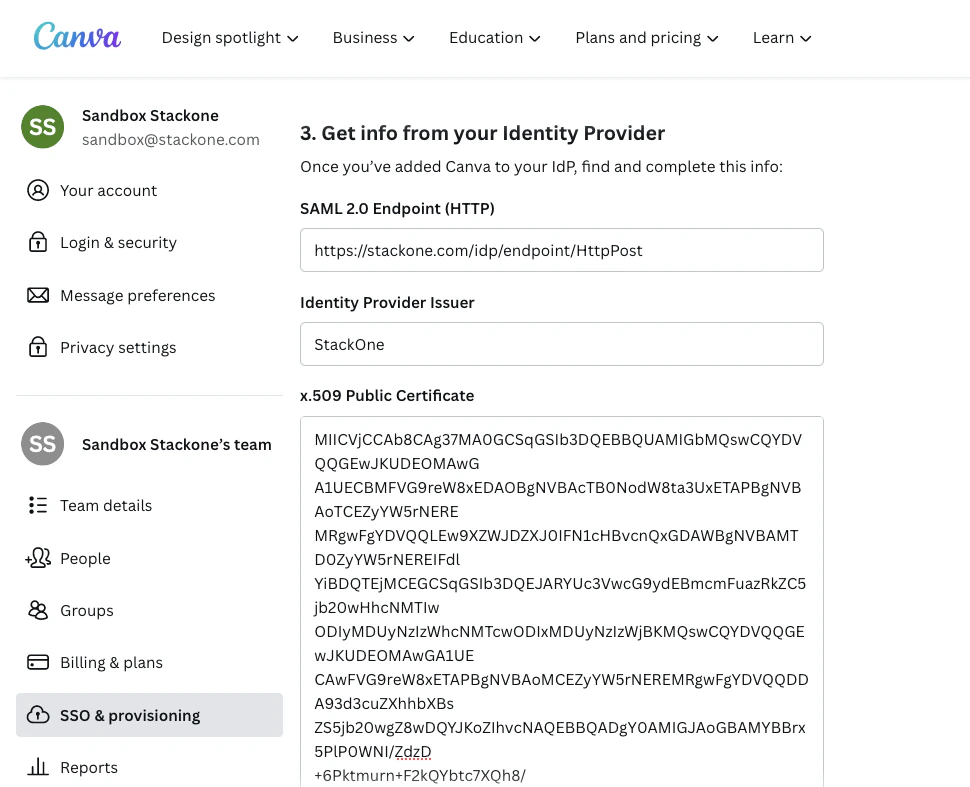
Connecting to StackOne
1
Enter SCIM Key
Upon reaching the Link Account page, enter the SCIM Key from the previous step.
2
Connect
Proceed by clicking the
Connect button.Congratulations, you’re all set! If you face any issues with the steps mentioned above, please contact us by emailing integrations@stackone.com. We’re always here to assist you!
Available data
This integration has the following IAM Resources available from the provider:- Users
- Roles
- Groups