

Get your Client ID and Client Secret
These are unique identifiers for your account. If you do not possess this information, please contact Bullhorn Support or Submit a ticket via the Bullhorn Resource Center. You will need to contact Bullhorn support to “add the following redirect URI:https://api.stackone.com/connect/oauth2/bullhorn_iam/callback”.
Connecting to StackOne
1
Enter your API credentials
Upon reaching the Link Account page, enter the following credentials received from Bullhorn Support: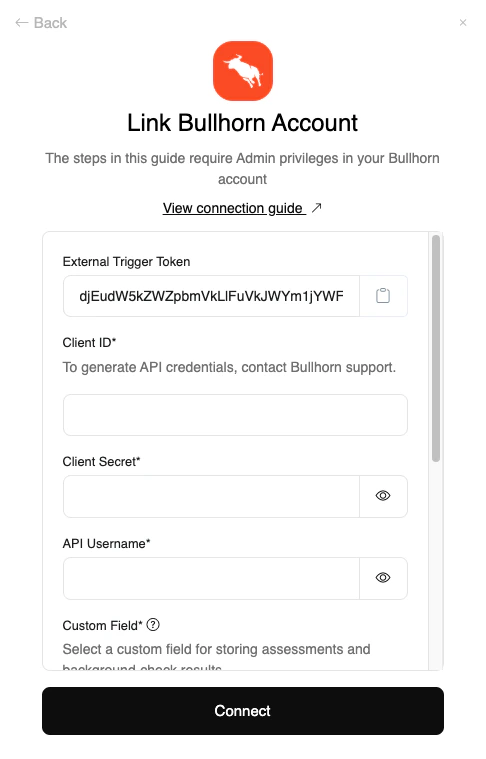
- Client ID
- Client Secret
- API Username
Connect button.2
Log in to your Bullhorn account
In the window that appears, log in to your Bullhorn account to authorize account access.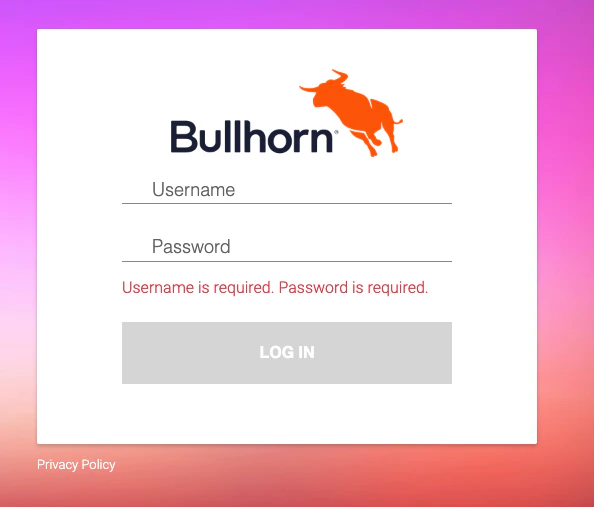
Congratulations, you’re all set! If you face any issues with the steps mentioned above, please contact us by emailing integrations@stackone.com. We’re always here to assist you!
Available data
This integration has the following IAM Resources available from the provider:- Users
- Roles
- Groups