

Enable API Access
1
Login to Staffology HR
Login to your Staffology HR account.
2
Open System Configuration
From the sidebar, navigate to: System Tools → Utilities → Tools → System Configuration.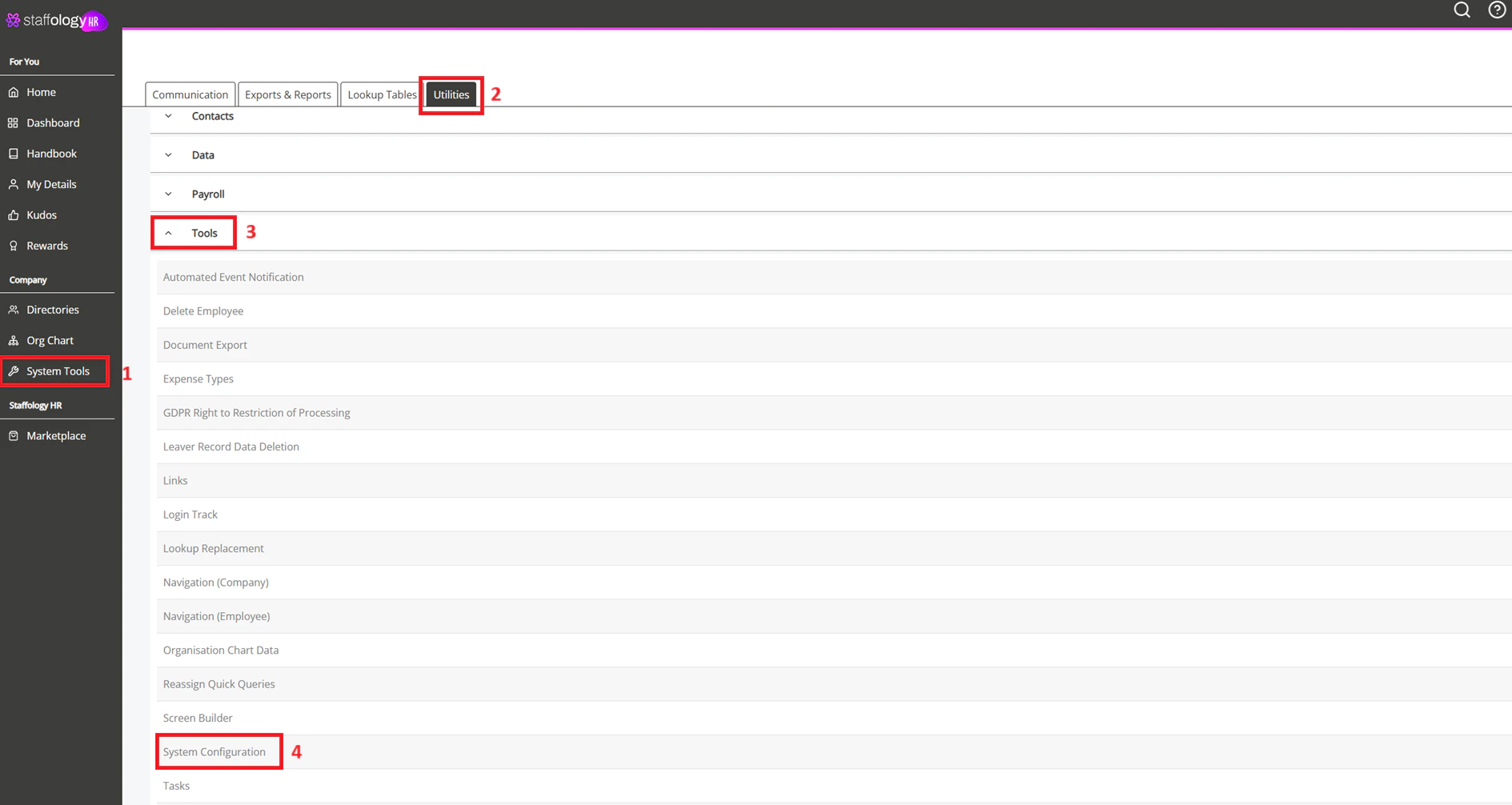
3
Enable API Access
In the Modules section, select the API checkbox to enable API access.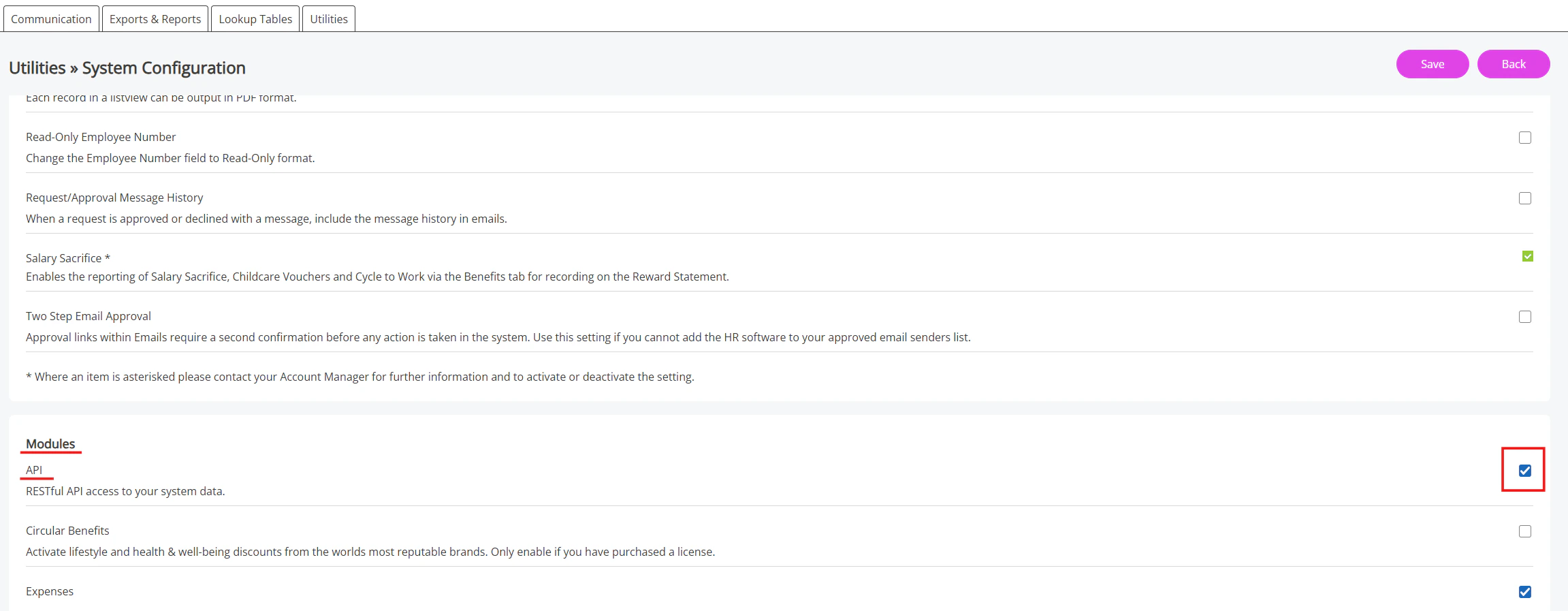
Create an API User and Generate Credentials
1
Go to API Users
From the sidebar, navigate to: System Tools → Utilities → Company → API Users.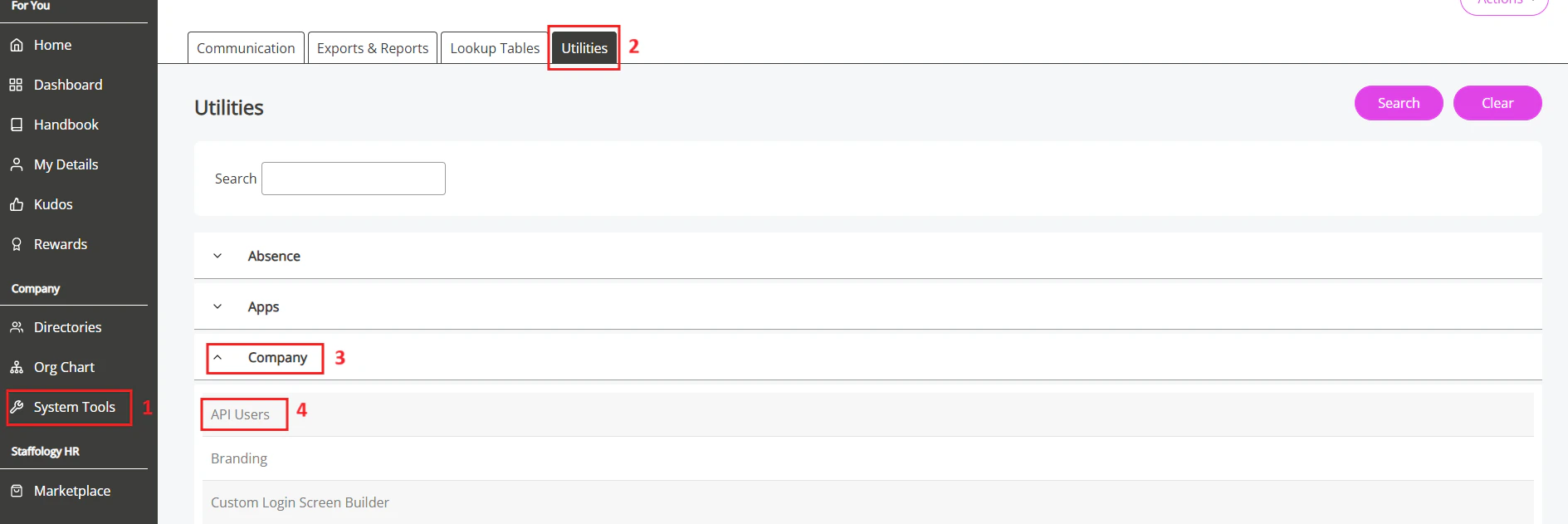
2
Click Create User
On the API Users page, click the Create User
button to start creating a new API user.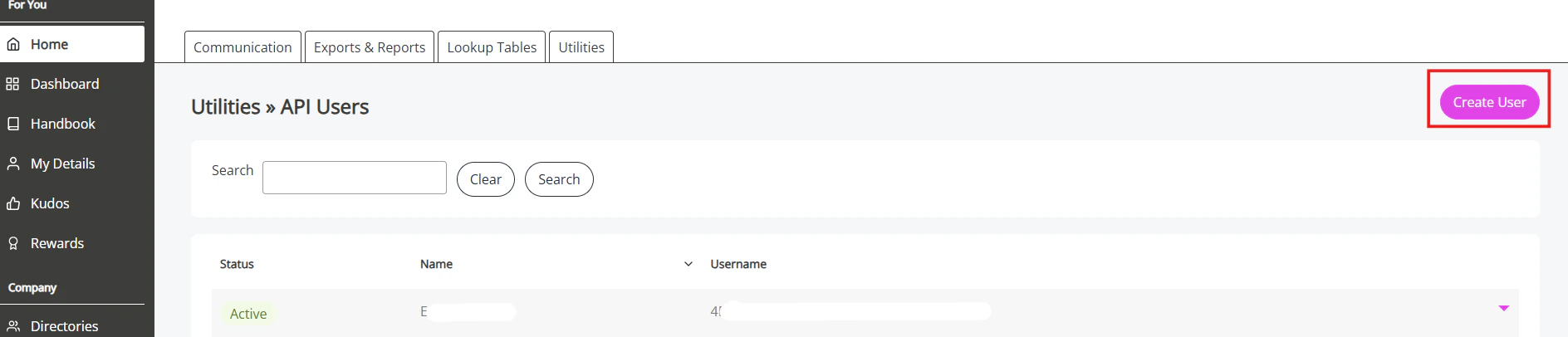
3
Enter User Details
In the New API User popup, enter a name for the user that
relates to the API integration.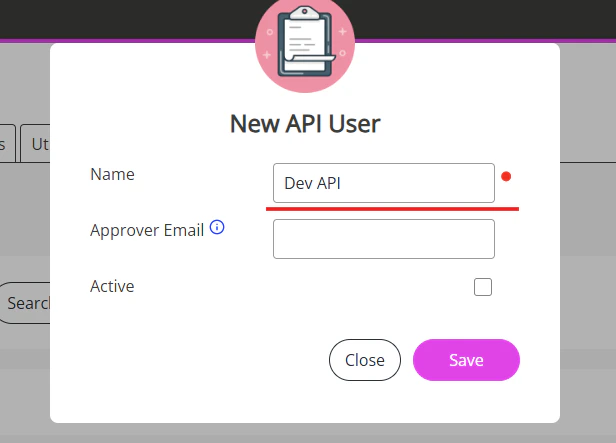
4
Activate the User
Select the Active checkbox to enable the user.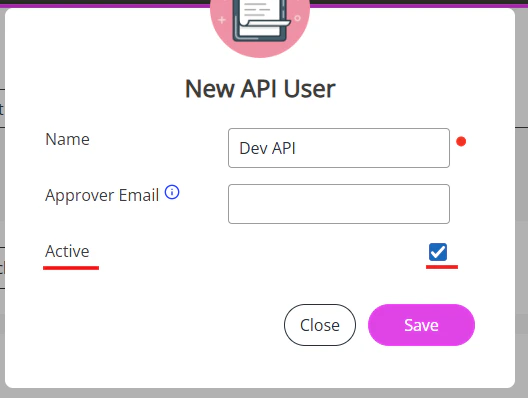
5
Save the User
Click Save to create the API user.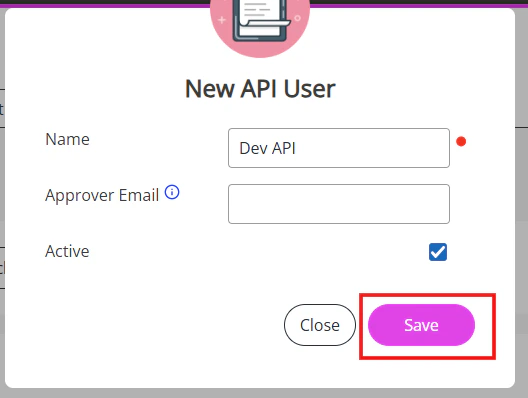
6
Generate Credentials
Saving will generate a Username and Password
for the API user.
Copy and securely store both credentials.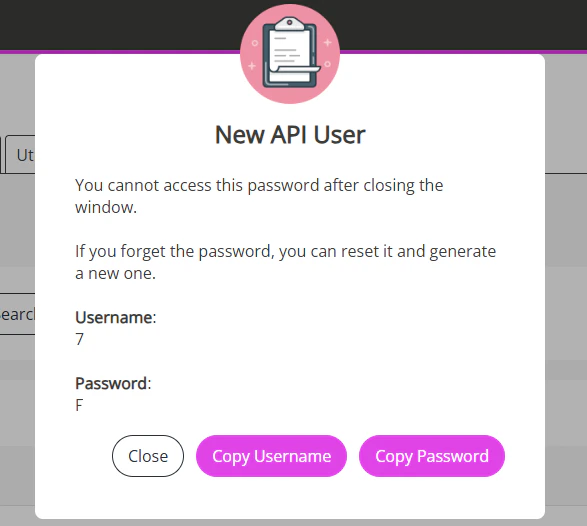
Copy and securely store both credentials.
Creating an API user grants full Set Rights permissions.
Connecting with StackOne
1
Enter Username & Password
Upon reaching the Link Account page, enter the gathered username and
password and proceed by clicking the 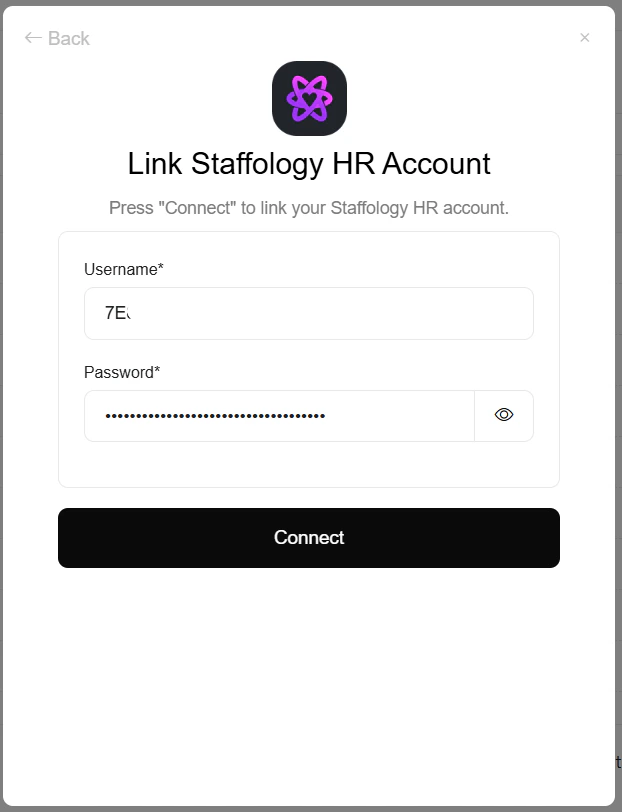
Connect button.Congratulations, you’re all set! If you face any issues with the steps mentioned above, please contact us by emailing integrations@stackone.com. We’re always here to assist you!