

Generate your Simployer One Access Token
1
Navigate to Access Tokens
Log in to your Simployer One account and navigate to Settings > Access tokens from the side menu.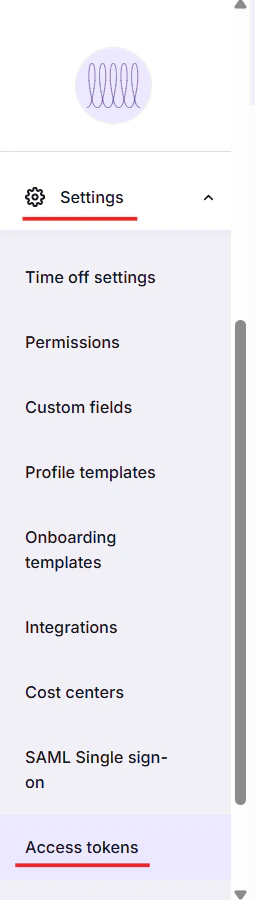
2
Create New Access Token
On the Access Token screen, fill in the following details: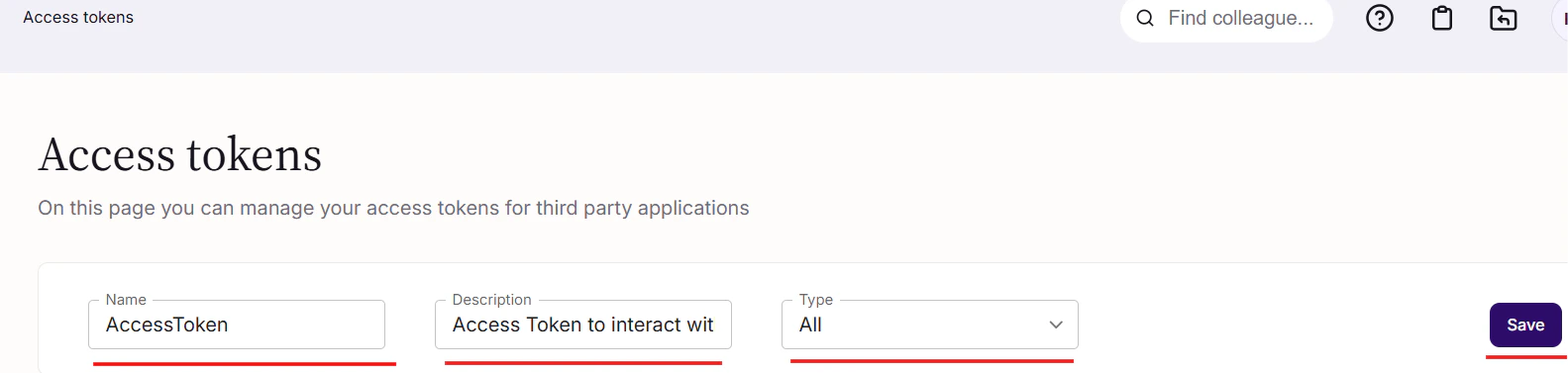
- Name: Enter a name for the access token
- Description: Enter a description for the access token
- Type: Select ALL from the Type dropdown
3
Copy your Access Token
Copy your displayed Access Token to be used in the next step.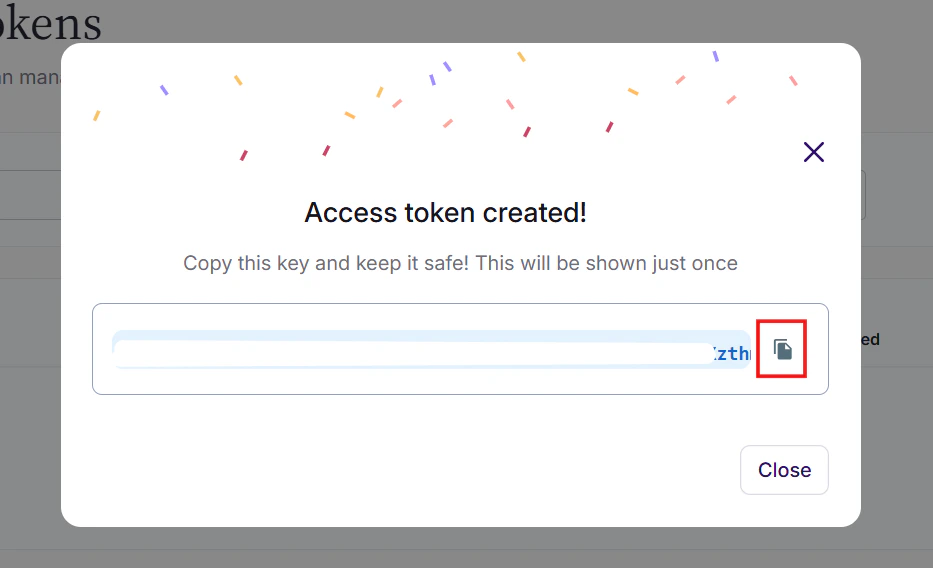
Connecting with StackOne
1
Enter Credentials
Upon reaching the Link Account page, enter the Access Token from the previous step.Proceed by clicking the Connect button.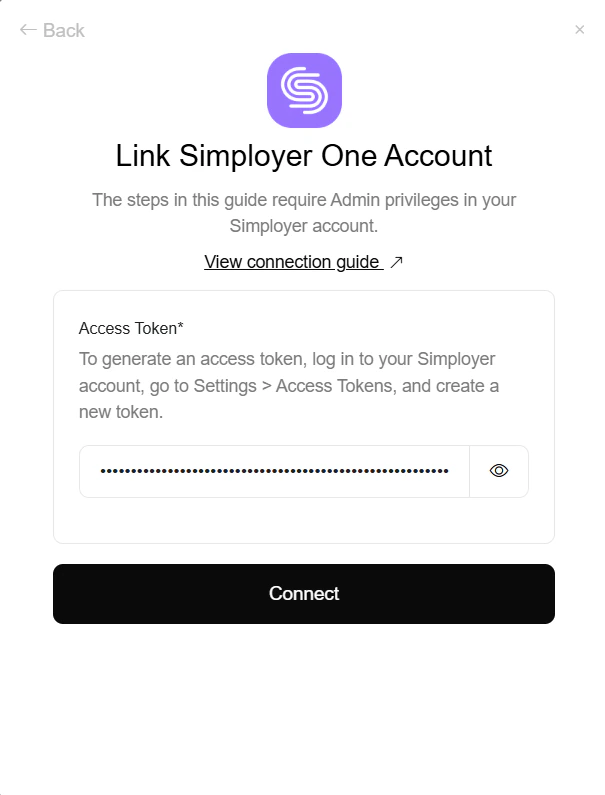
Congratulations, you’re all set! If you face any issues with the steps mentioned above, please contact us by emailing integrations@stackone.com. We’re always here to assist you!