

Getting Company Subdomain and generating API Key
1
Login to Sage HR
Login to your Sage HR account and copy the subdomain from the URL bar in your web browser.
2
Navigate to Settings
To retrieve your Sage HR API key, click on your username in the top-right corner and select Settings.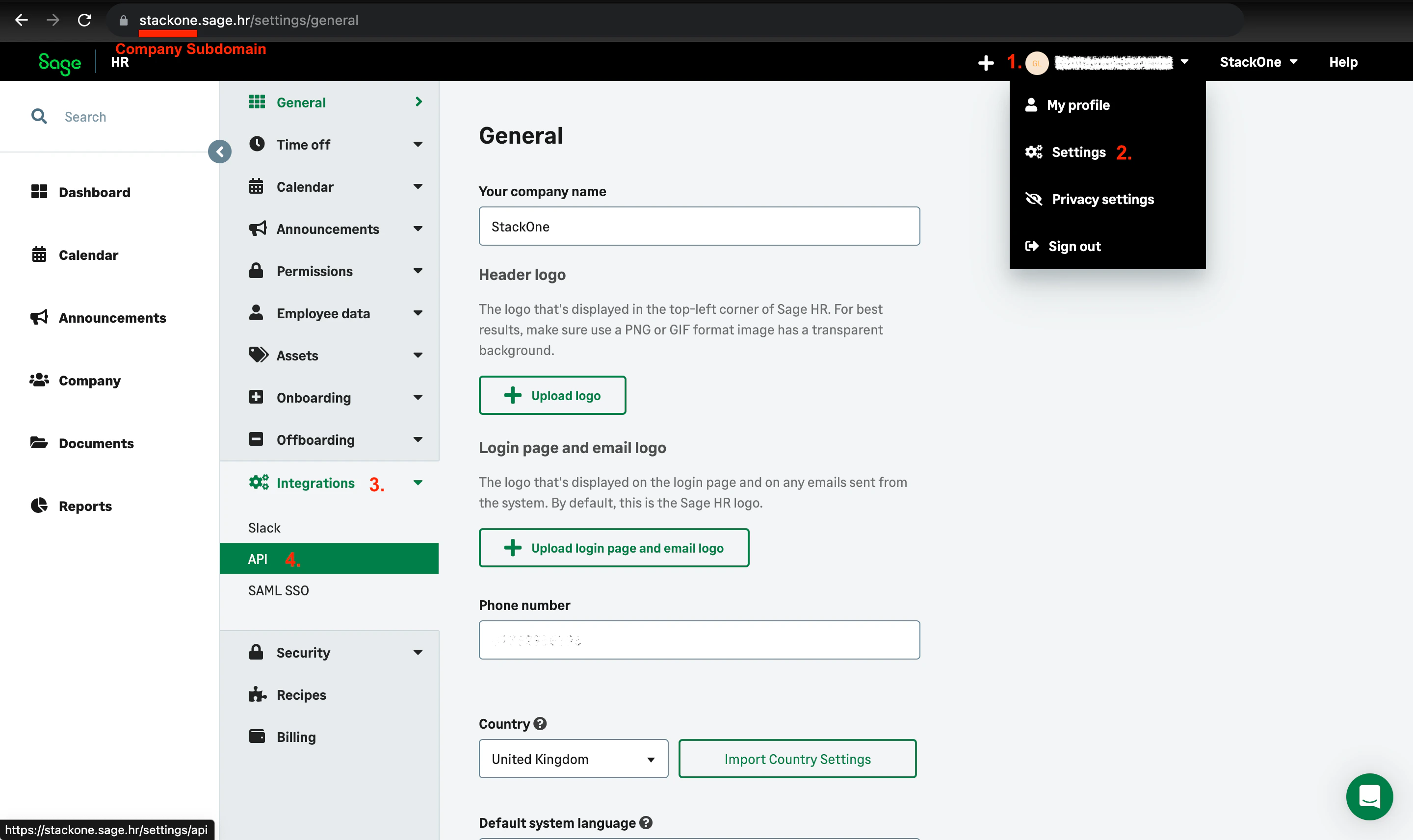
3
Enable API Access
Click Integrations and select API. Then click ENABLE API ACCESS to activate access to API.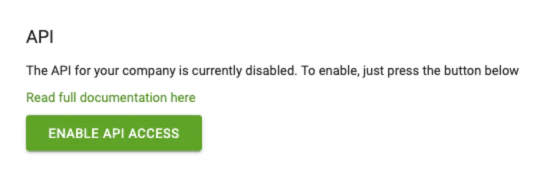
4
Copy API Key
Copy your generated API key to a safe place.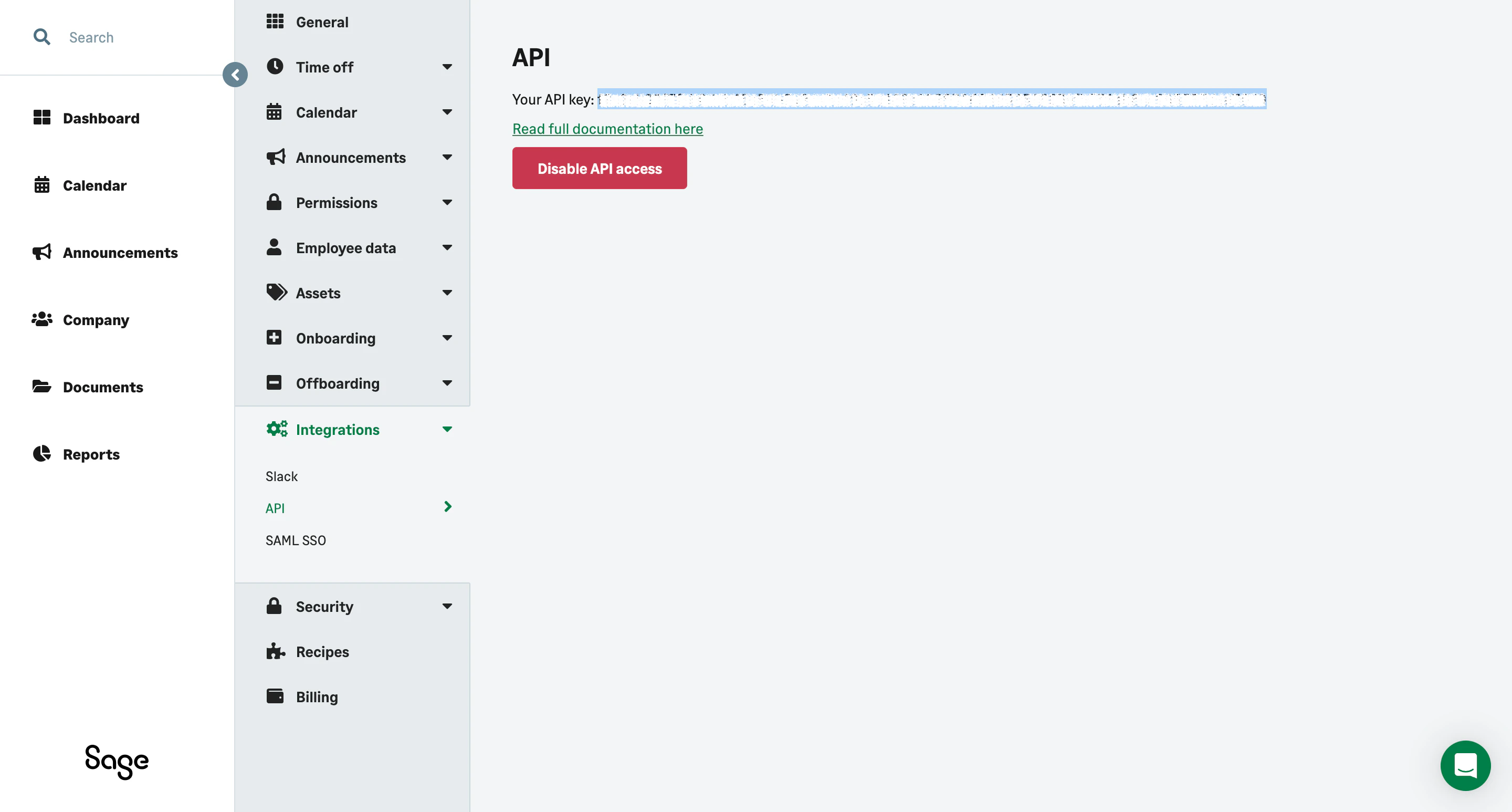
Linking your Sage Account
1
Enter API Key and Subdomain
Upon reaching the Link Account page, enter the gathered details and proceed by clicking the 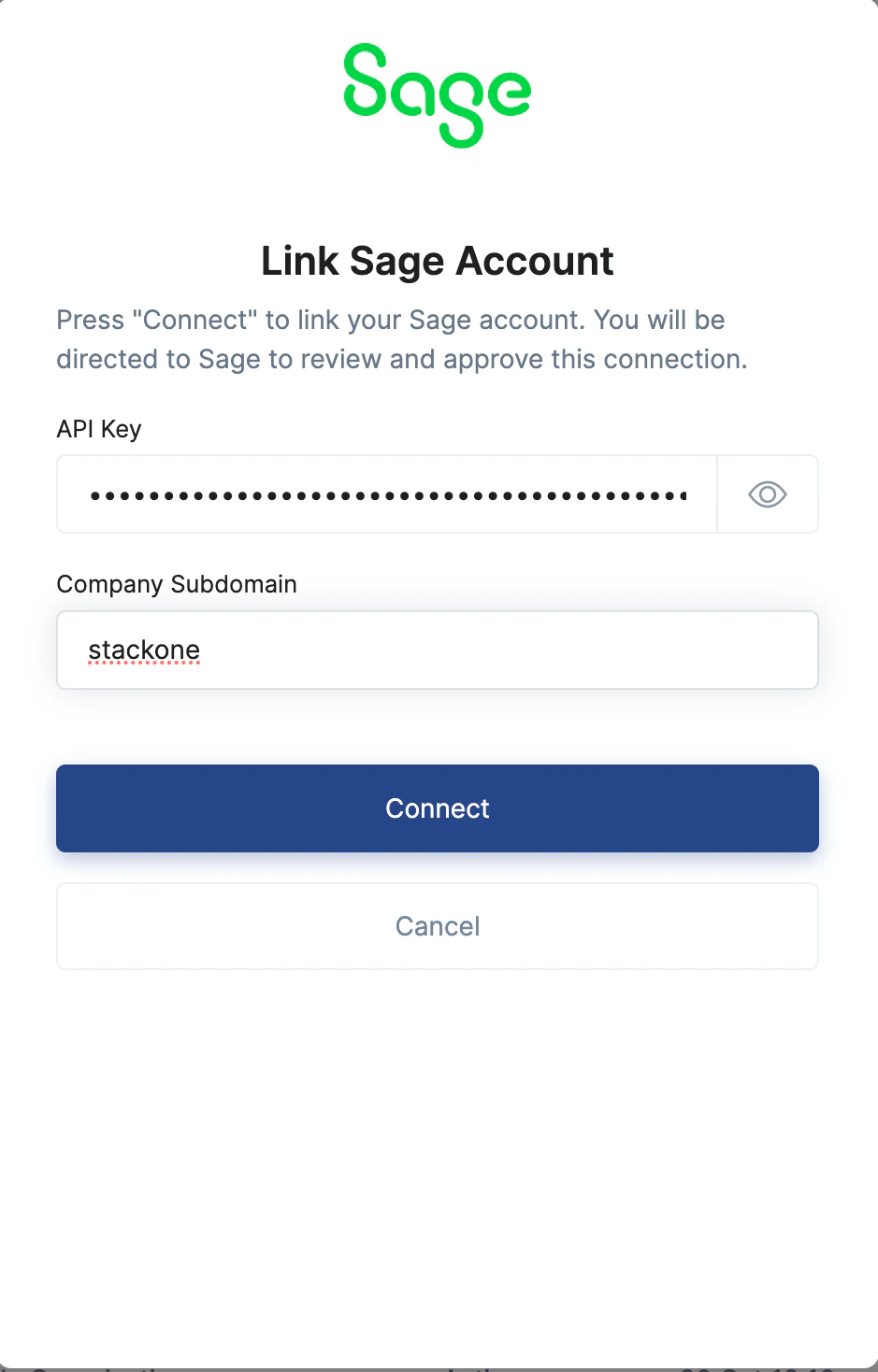
Connect button.Congratulations, you’re all set! If you face any issues with the steps mentioned above, please contact us by emailing integrations@stackone.com. We’re always here to assist you!