

Creating a Developer Application
1
Navigate to Developer Applications
Sign in to your Oyster HR account.In the sidebar, navigate to 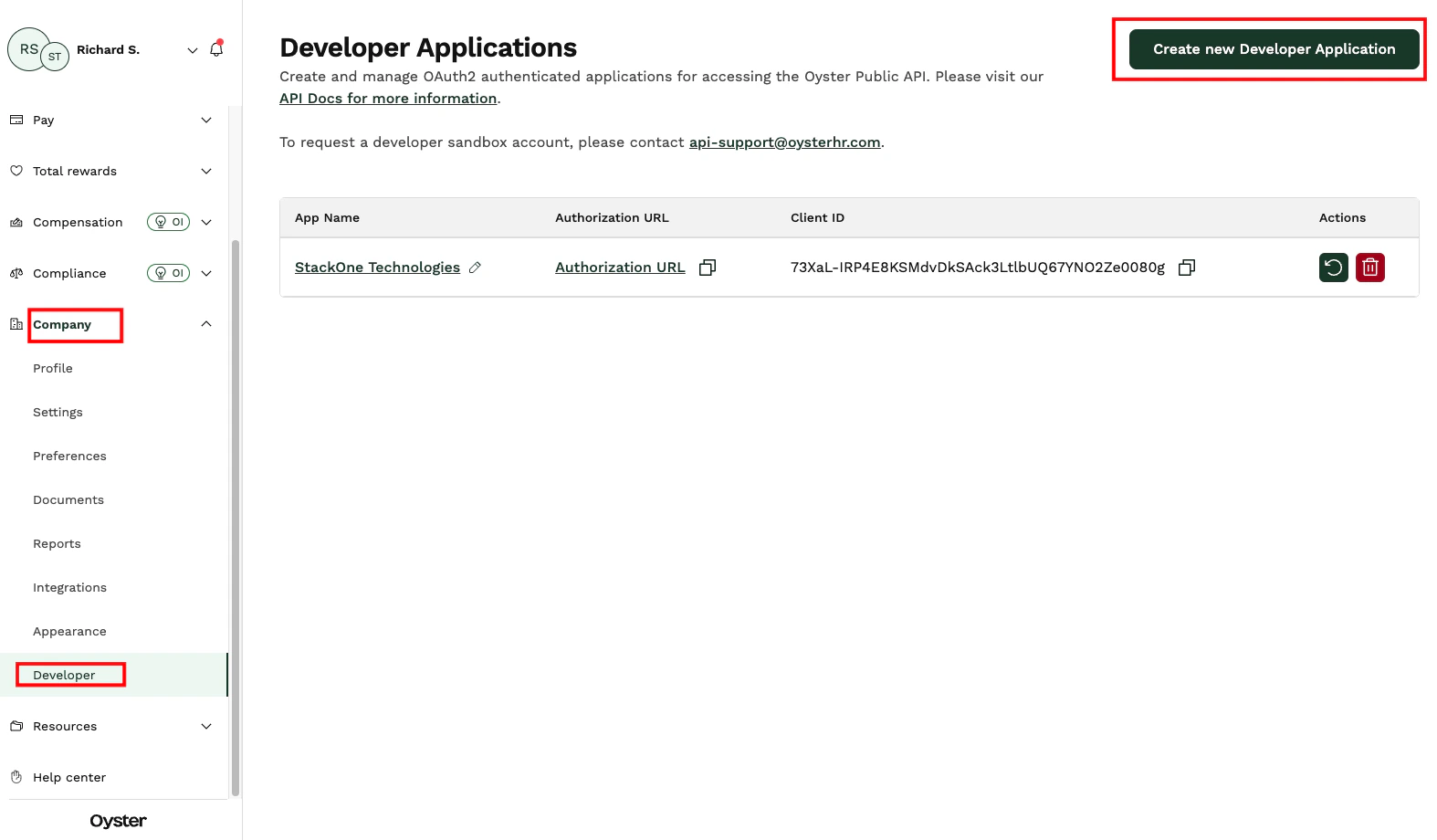
Company → Developer.Click Create new Developer Application.2
Creating a Developer Application
Enter Click Submit.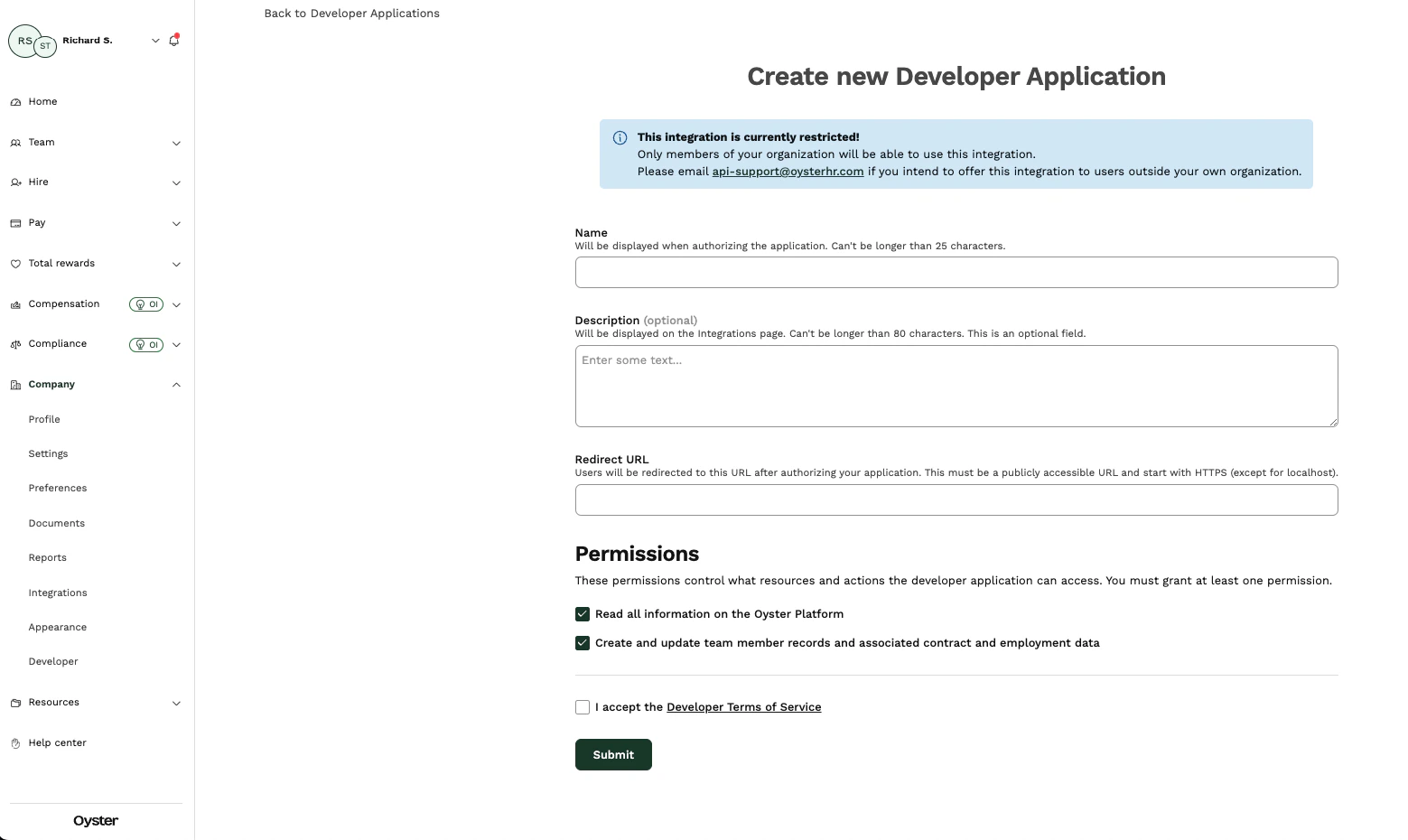
Name and Description for the application.In the Redirect URL field, enter the following URL:3
Note Client ID and Client Secret
Record the 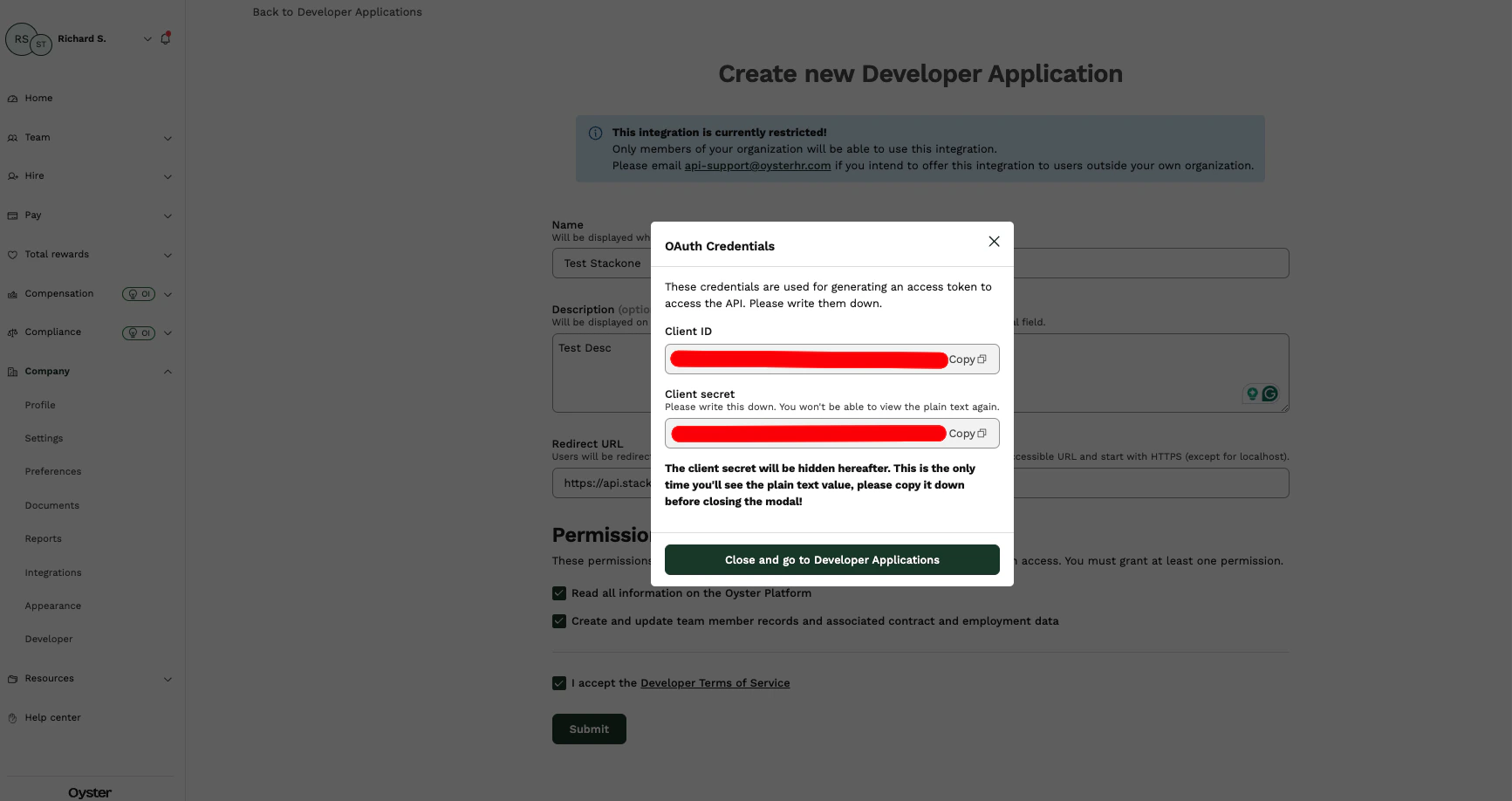
Client ID and Client Secret for use in the next steps.4
Copy Authorization URL
Record the 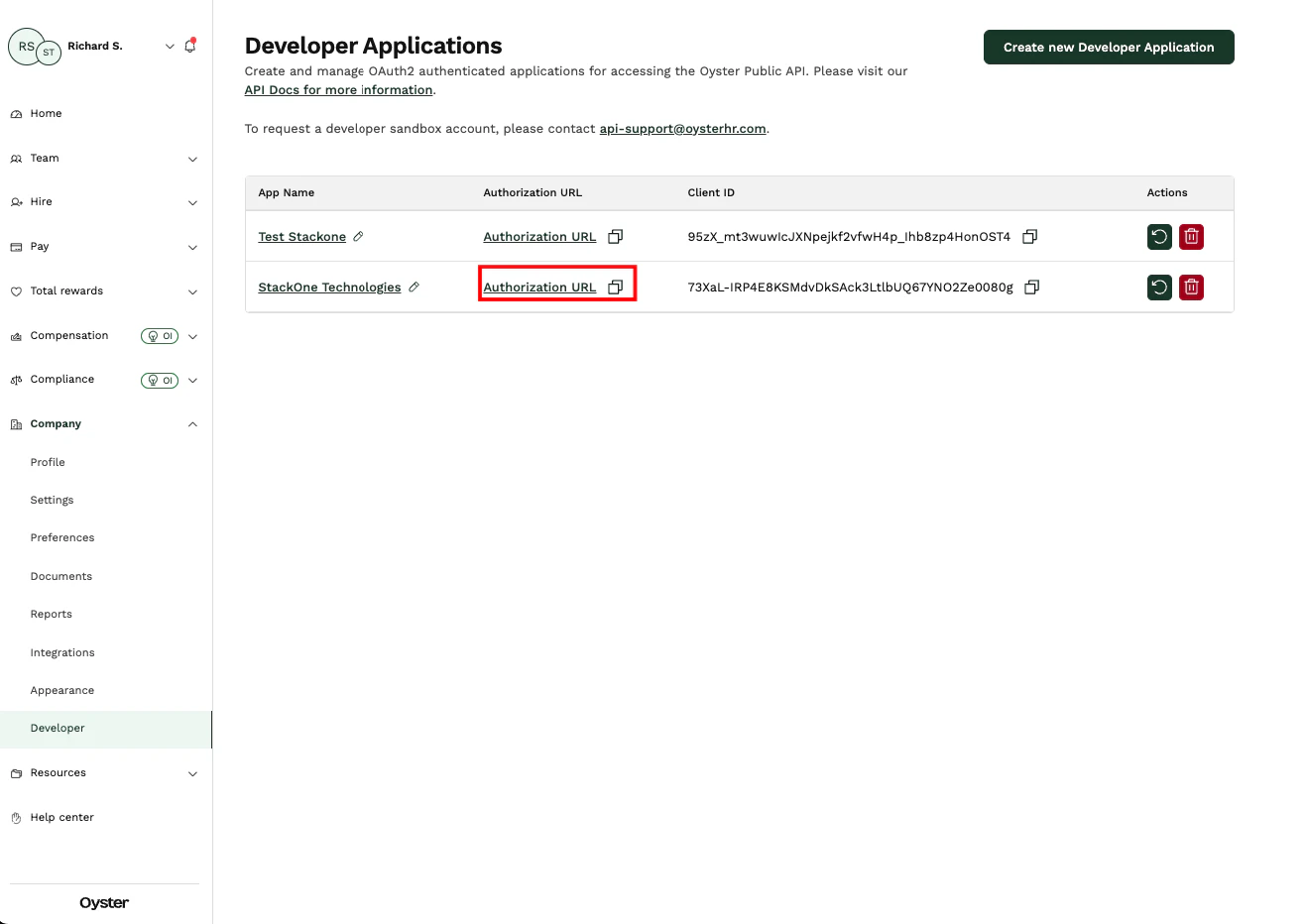
Authorization URL for use in the next steps.Linking to StackOne
You can use theClient ID, Client Secret, and Authorization URL to link your Oyster HR account with StackOne.
1
Link Oyster HR Account
In the modal, enter the 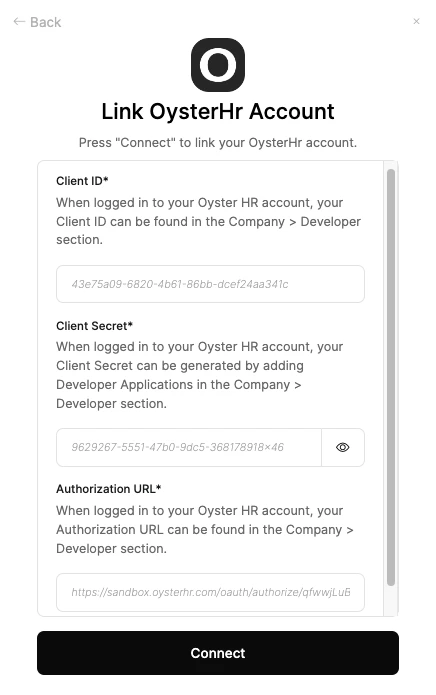
Client ID, Client Secret, and Authorization URL from the previous steps.Click Connect.2
Enter Login Details
In the Oyster HR popup modal, enter your 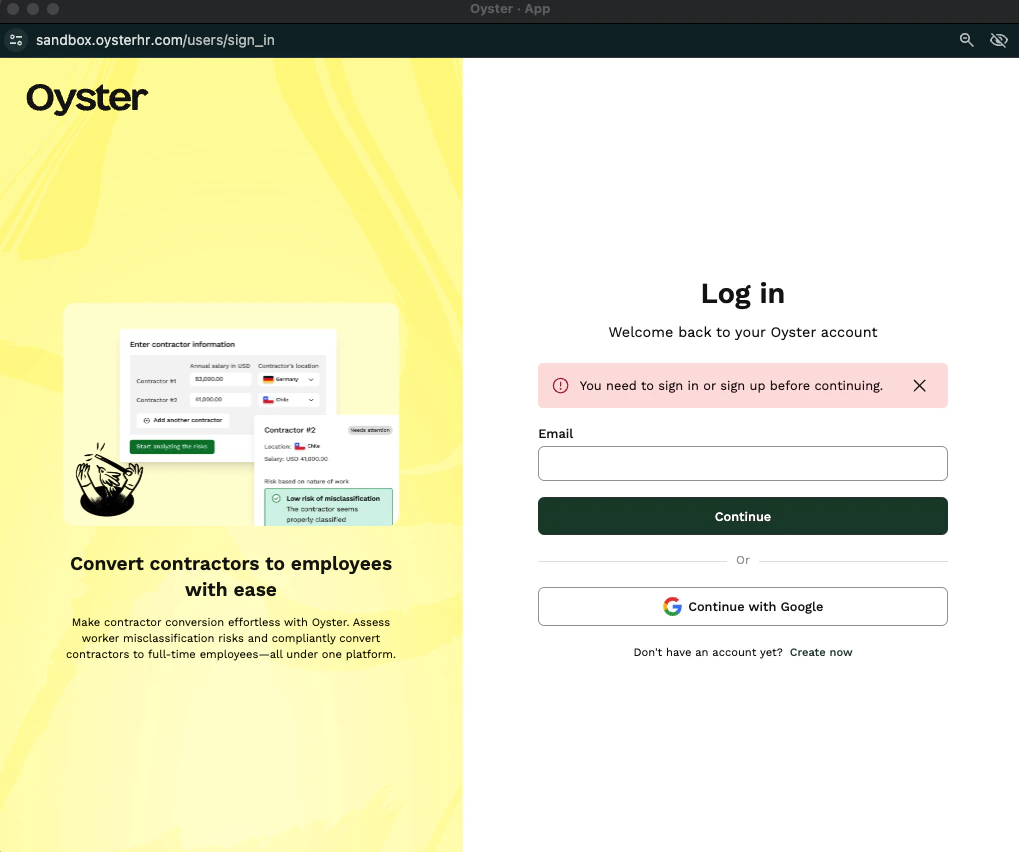
Email and Password.3
Authorize Request
Click Authorize.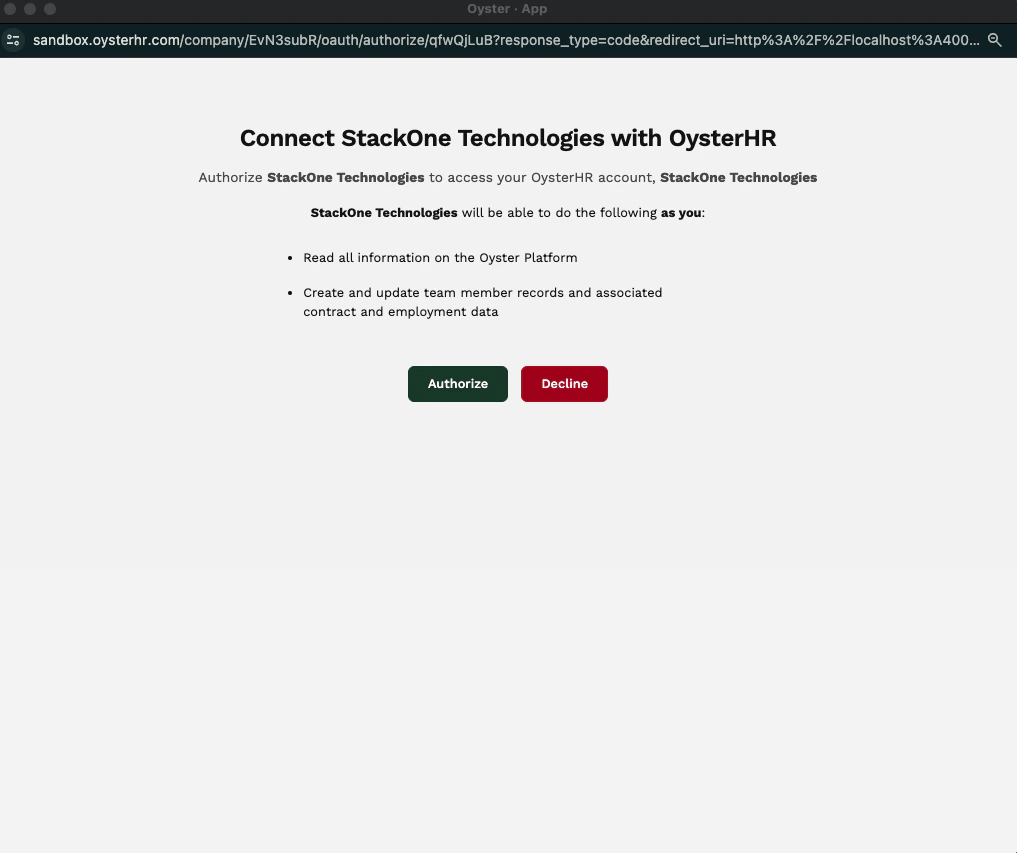
Congratulations, you’re all set! If you face any issues with the steps mentioned above, please contact us by emailing integrations@stackone.com. We’re always here to assist you!