

Get your Client Key and Client Secret
Important: IRIS Cascade does not offer a self-service option for creating API credentials.Refer to the official IRIS documentation for detailed instructions:
To receive your Client Key and Client Secret, you must submit a request to IRIS support.
Requesting access to the HR API
Connecting to StackOne
1
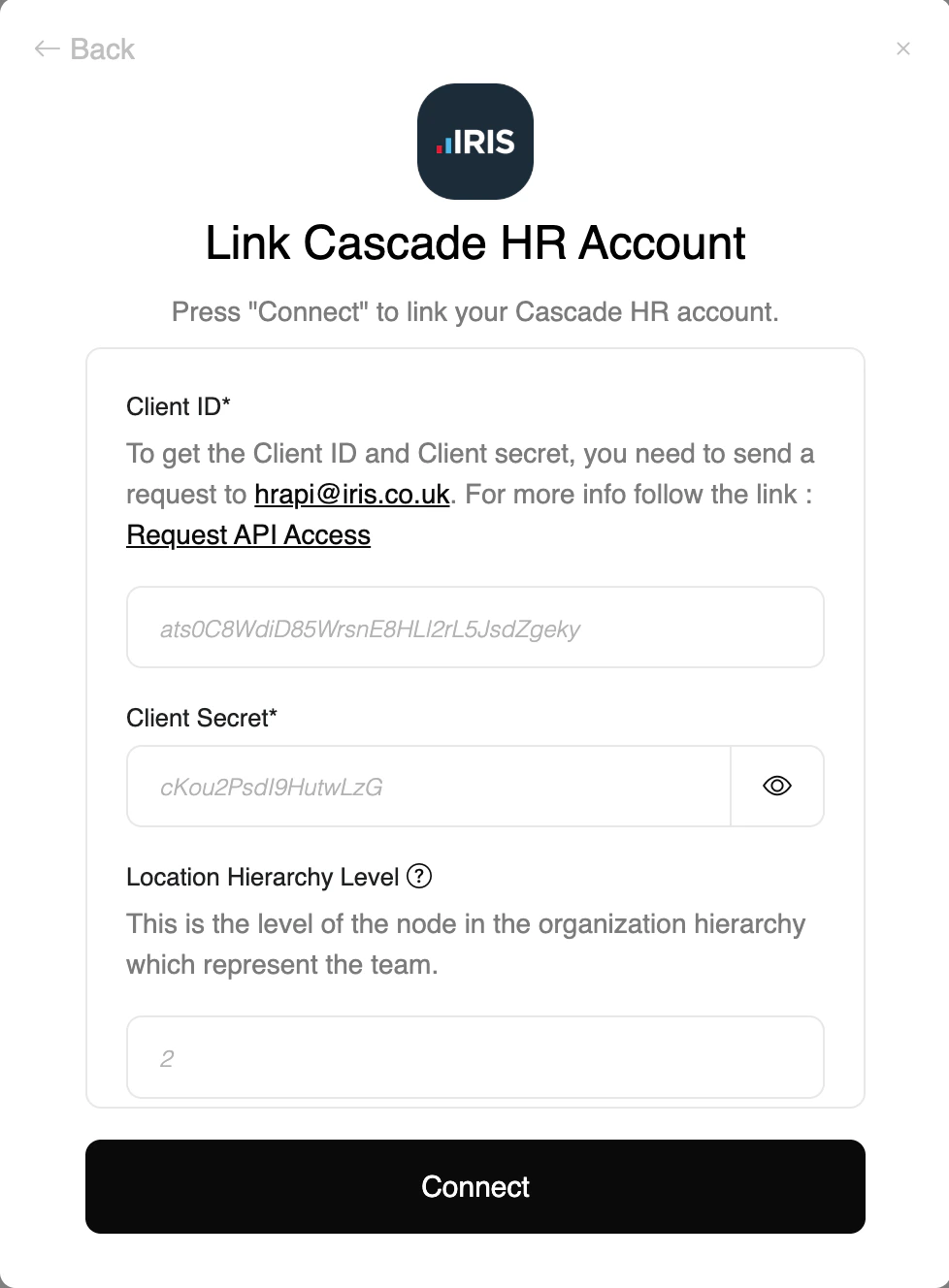
Enter your API credentials
Upon reaching the Link Account page, enter the following credentials received from IRIS CascadeHR Support:
- Client ID (Key)
- Client Secret
2
Enter additional connection informations
- Location Hierarchy Level (optional): required to fetch locations
- Department Hierarchy Level (optional): required to fetch departments and create employees
- Team Hierarchy Level (optional): required to fetch teams and create employees
Congratulations, you’re all set! If you face any issues with the steps mentioned above, please contact us by emailing integrations@stackone.com. We’re always here to assist you!
Useful Links
Requesting access to the HR API
Official guide to request CascadeHR API credentials
CascadeHR API Reference
Live Swagger documentation for CascadeHR endpoints