

Prerequisites
Before you begin, ensure you have the following:- Admin Access: Admin privileges are required for ADP Marketplace, project creation, and certificate management
- ADP API Central App: Purchase & Install “ADP API Central for ADP Workforce Now” from https://apps.adp.com/en-US/apps/410612
Step 1: Obtaining Client ID and Client Secret
Access credentials via the ADP API Central app in your ADP account:- Log in to ADP Central at https://api-central.adp.com
- Navigate to Projects in the left menu
- Click Create a Project

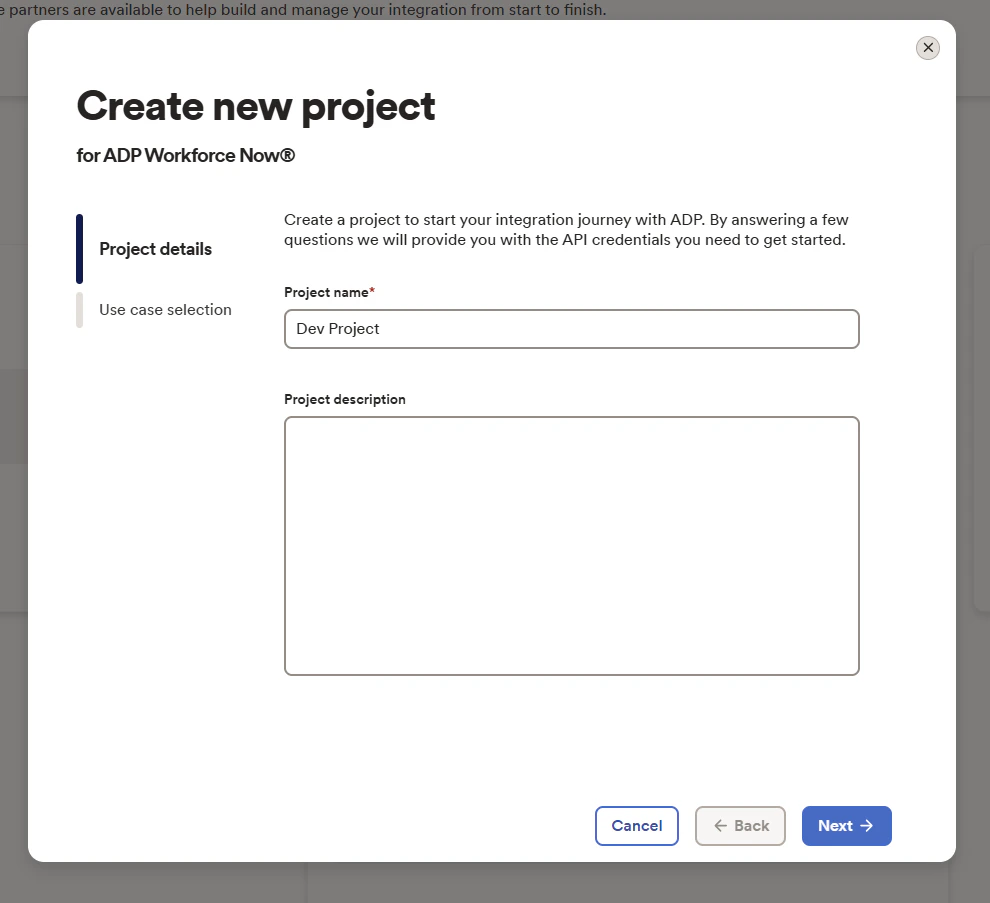
- Enter project name, description (optional).
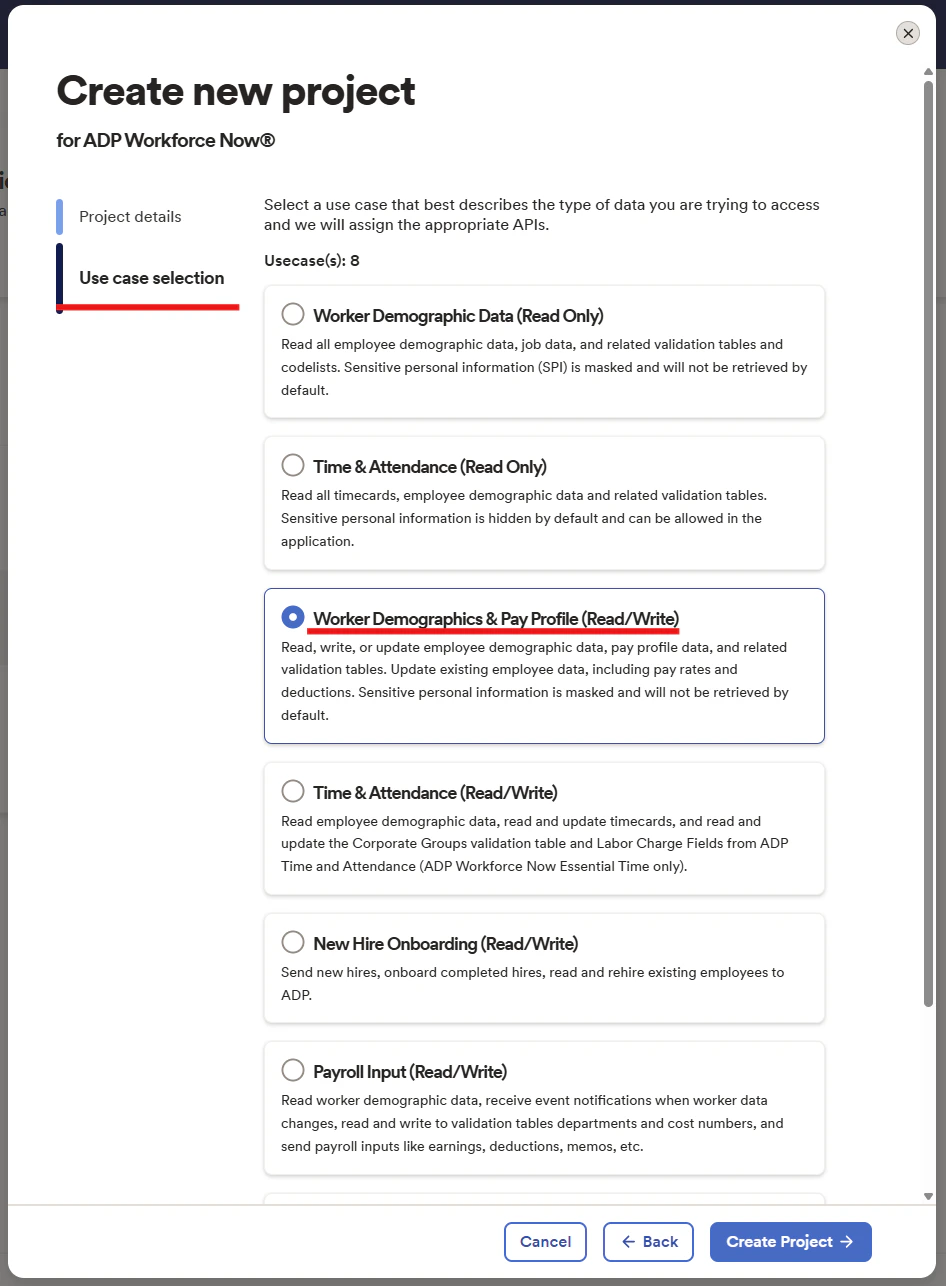
- Select the required use case(s) (minimum: Worker Demographics & Pay Profile (Read/Write))
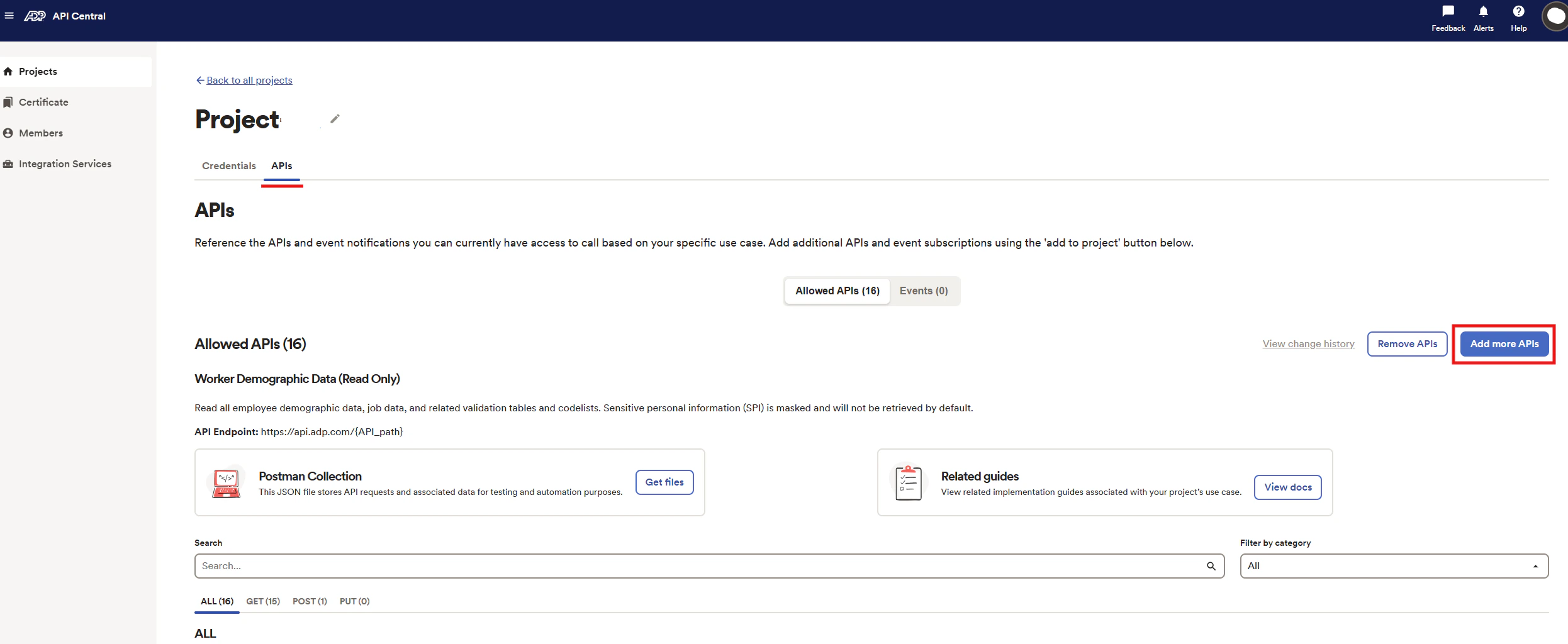
- After project creation, enable all additional required APIs via the API Discovery tool within the project
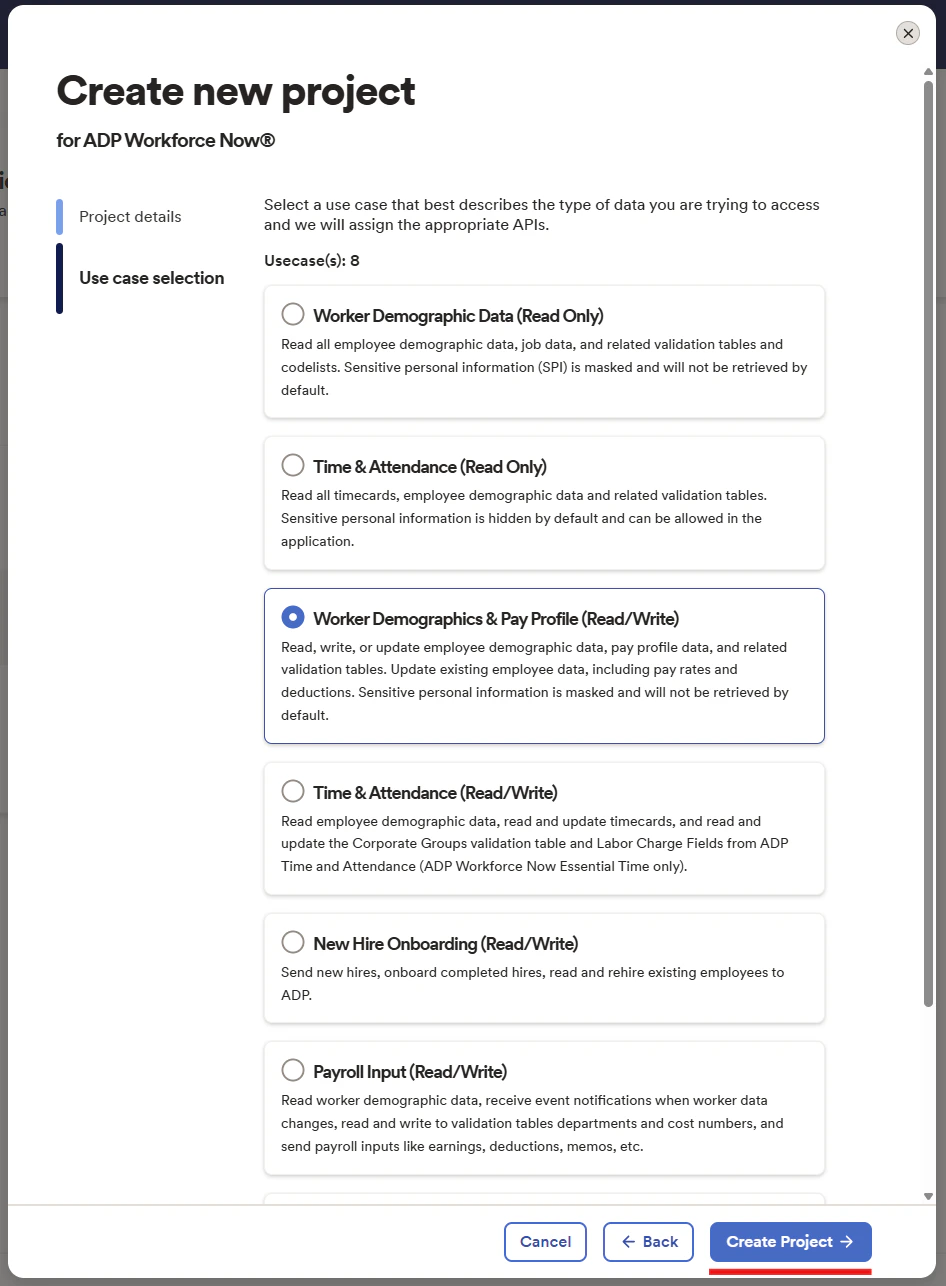
- Click Create Project
- In the project, go to Credentials tab
- Copy your Client ID and Client Secret
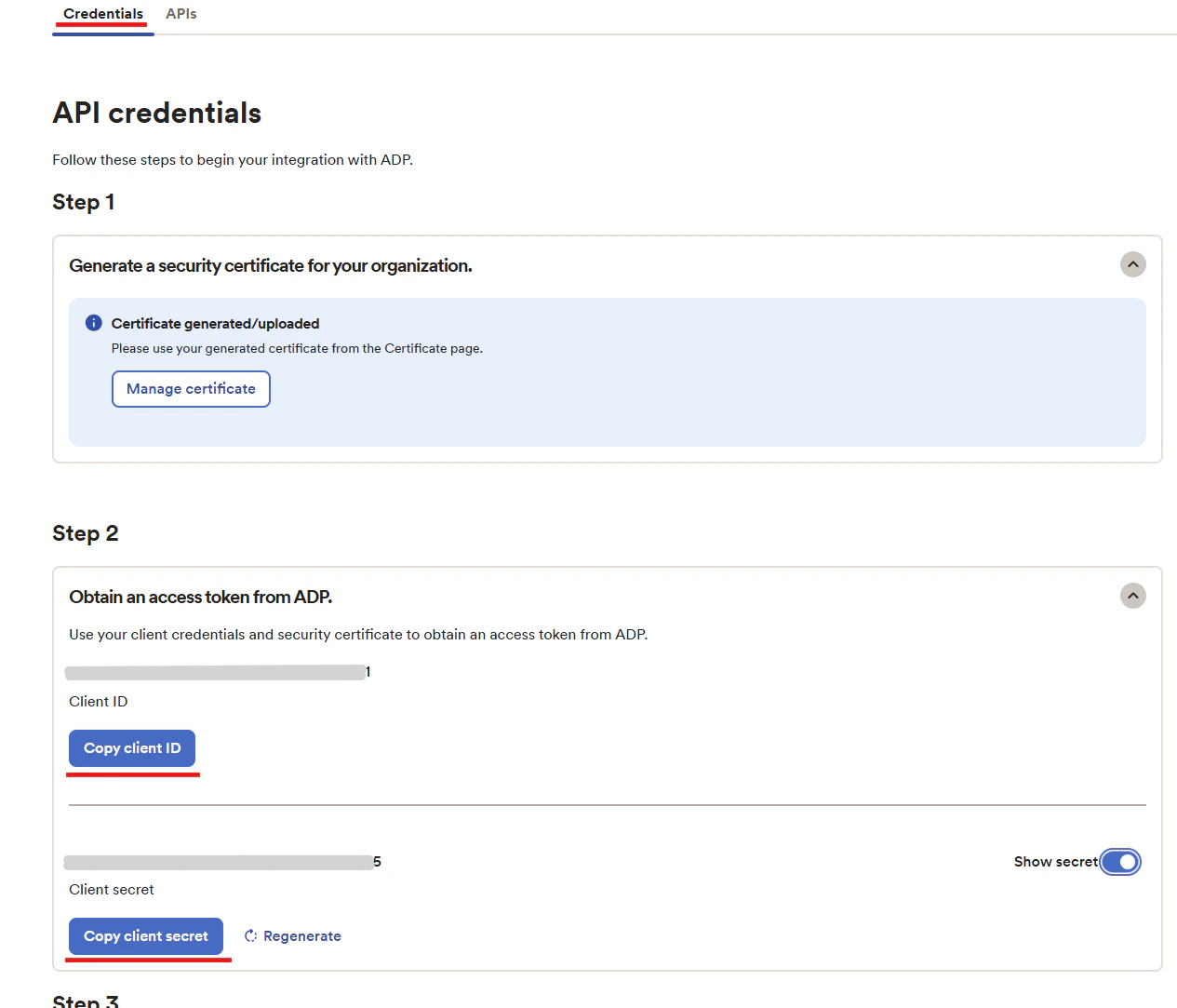
Step 2: Generating Certificate Files
Generate certificate/private key files for secure authentication:- In the ADP Central project, click Manage Certificate
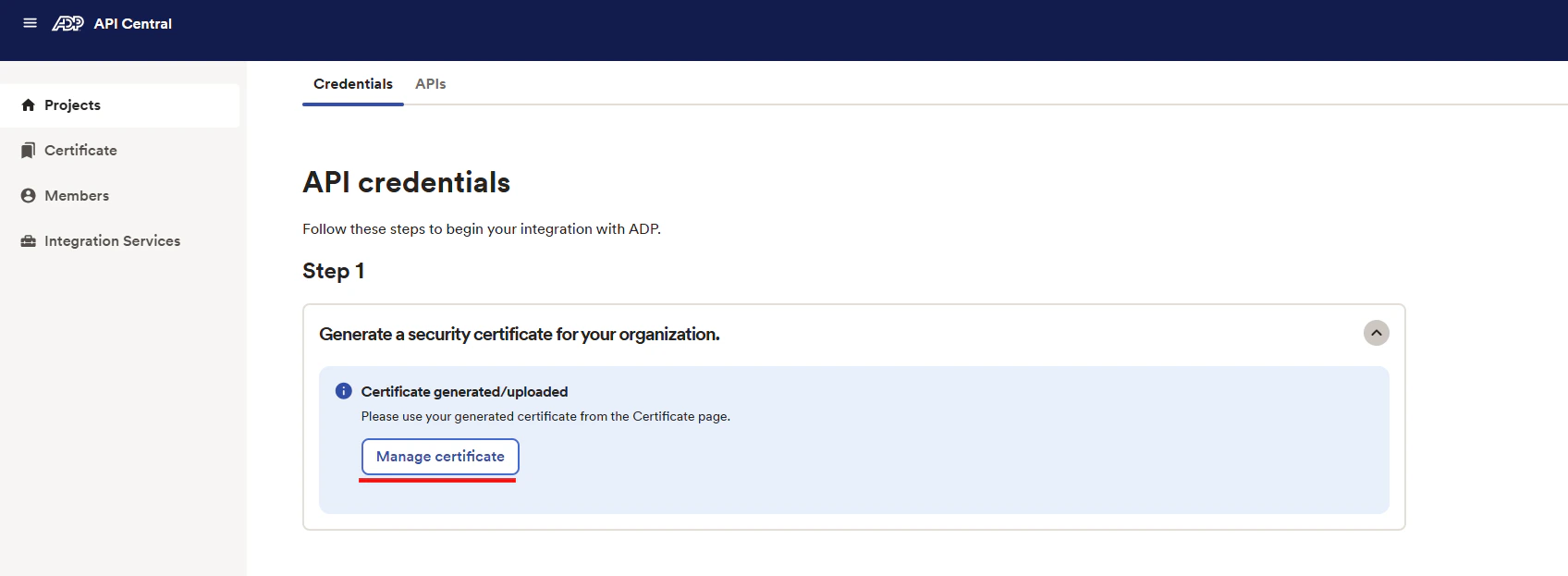
- Follow the steps to generate a certificate. Refer to ADP’s official guide: Generating a Certificate Signing Request
- Download and save the certificate (.pem) and private key files
- Ensure full headers are included like
-----BEGIN PRIVATE KEY-----and-----END PRIVATE KEY-----
Step 3: Connecting to StackOne
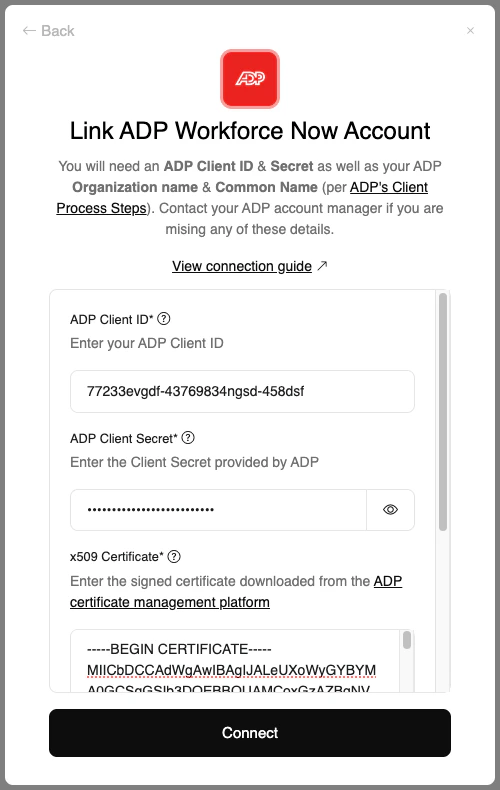
Complete the integration with the following steps:- Enter your Client ID and Client Secret from Step 1
- Locate the certificate (.pem) issued by ADP and your private key file
- Open both files in a text editor and copy their full contents
- Paste the certificate content into the Certificate field and private key into the Private Key field in StackOne
- Click the
Connectbutton
Congratulations, you’re all set! If you face any issues with the steps mentioned above, please contact us by emailing integrations@stackone.com. We’re always here to assist you!
Useful Links
ADP Marketplace App
ADP API Central Overview
CSR Guide
Generate CSR
API Reference
API Reference