

Get Your Company Domain
1
Open Company Settings
To access the Company settings, click on the Profile icon located in the top-right corner, and click Company settings in the menu that appears.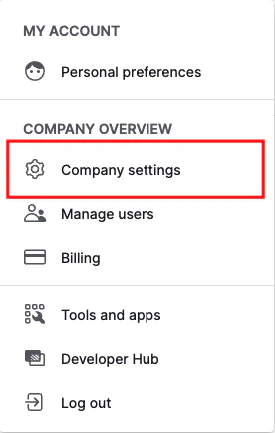
2
Enter Company Details
Under Company Settings, enter your Company name and Company domain. Copy and store your Company domain, then click the Save button.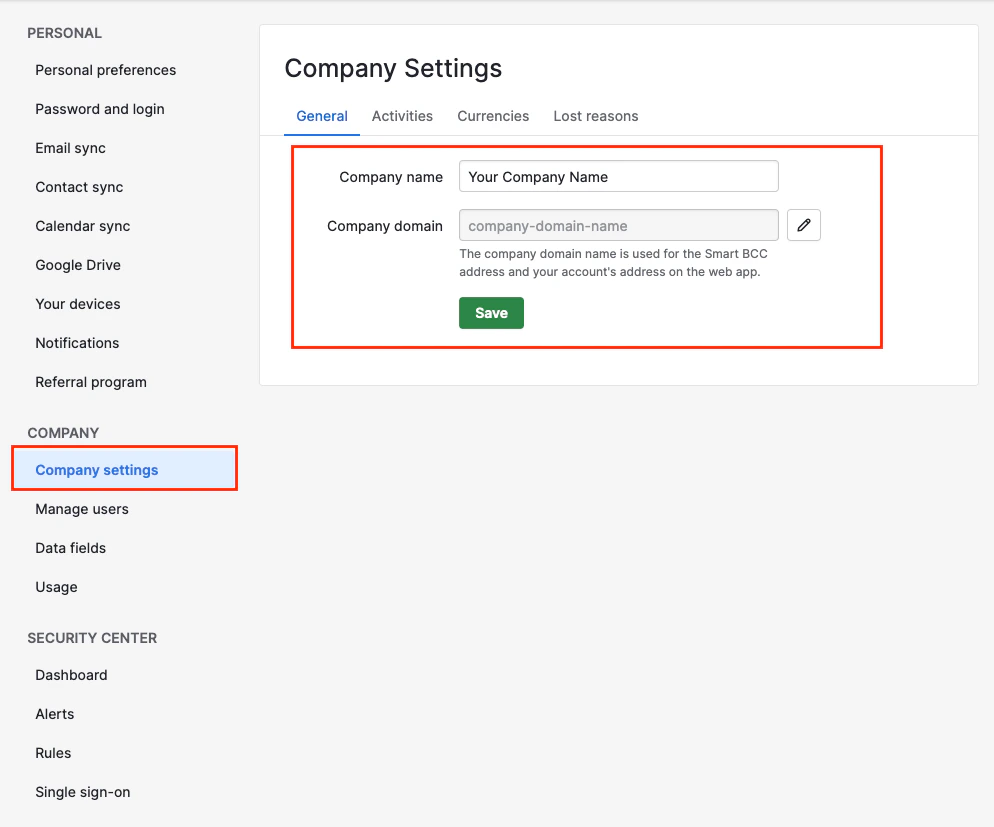
Get Your Client ID and Client Secret
1
Access Developer Hub
To access the Developer Hub, click on the Profile icon located in the top-right corner, and click Developer Hub in the menu that appears.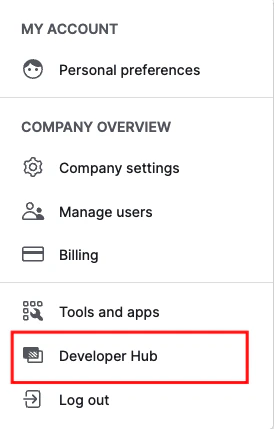
2
Create an App
Click on the Create an App button to create a Public app.
3
Enter App Details
Enter your App name and the Callback URL written below, and click on the Save button.Callback URL: 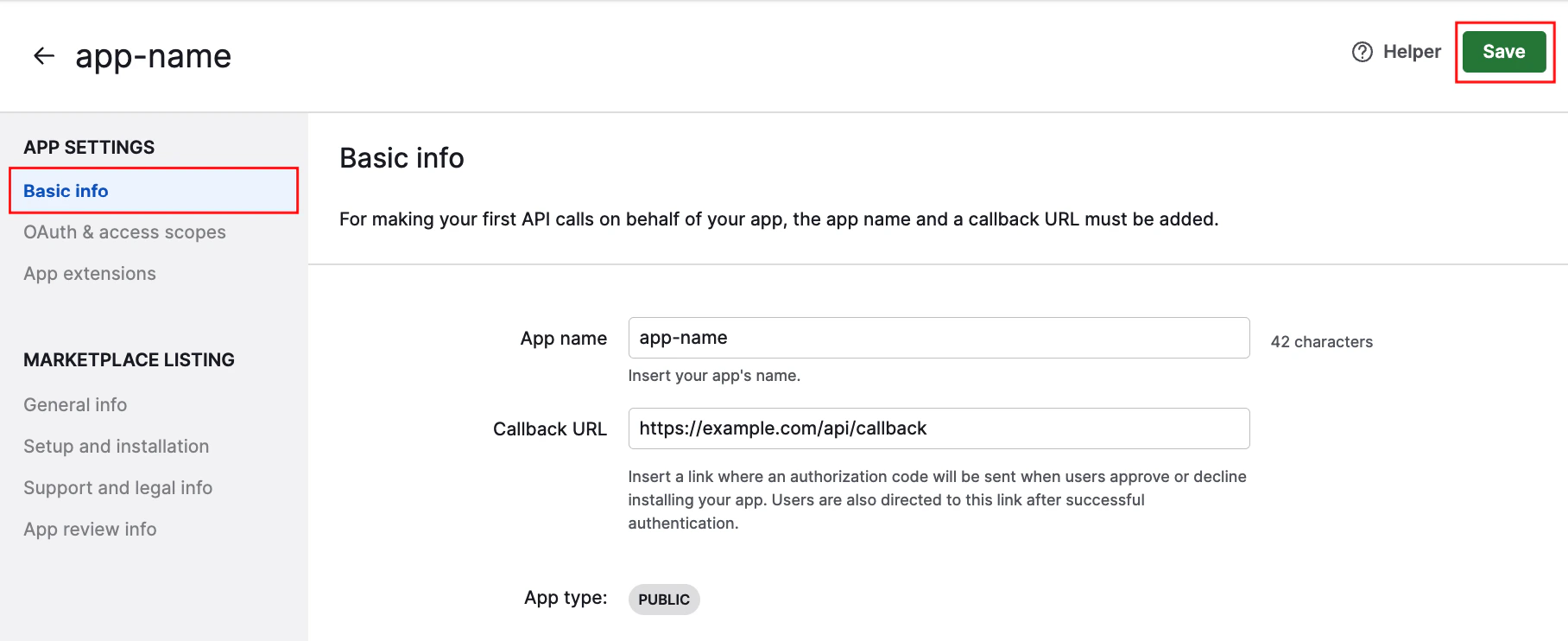
https://api.stackone.com/connect/oauth2/pipedrive/callback4
Select Access Scopes
You’ll be directed to the OAuth & access scopes page. Select the following Access scopes for your app: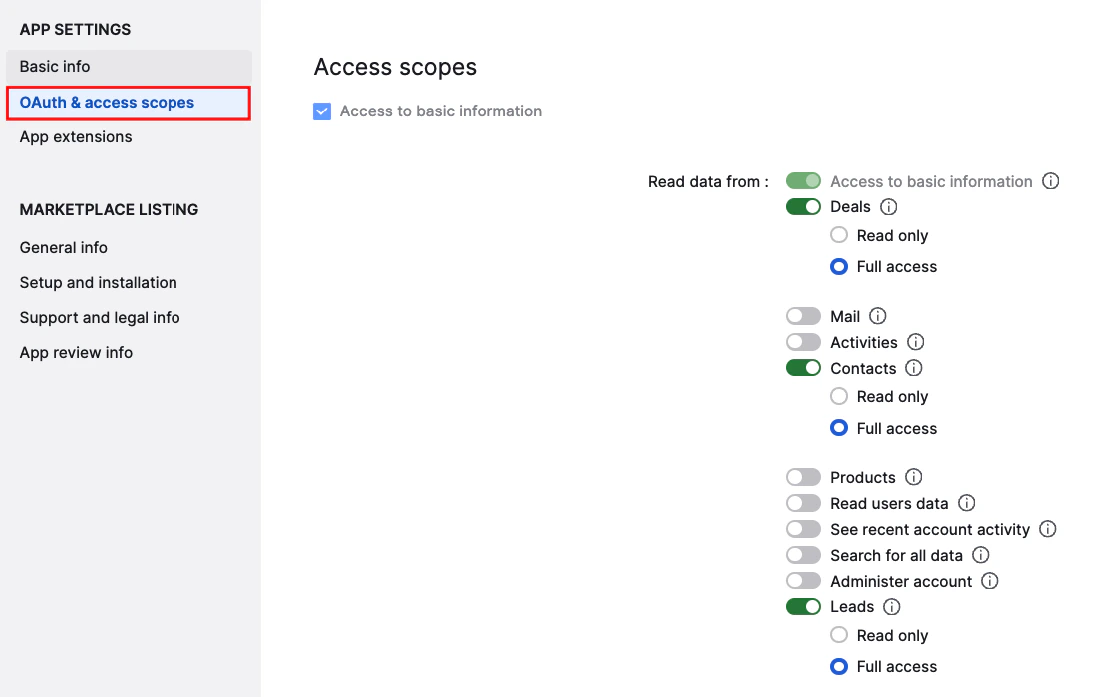
- Deals - Full access
- Contacts - Full access
- Leads - Full access
5
Copy Credentials
Scroll down to Client ID. Copy the displayed Client ID and Client Secret and store them safely, then click the Save button.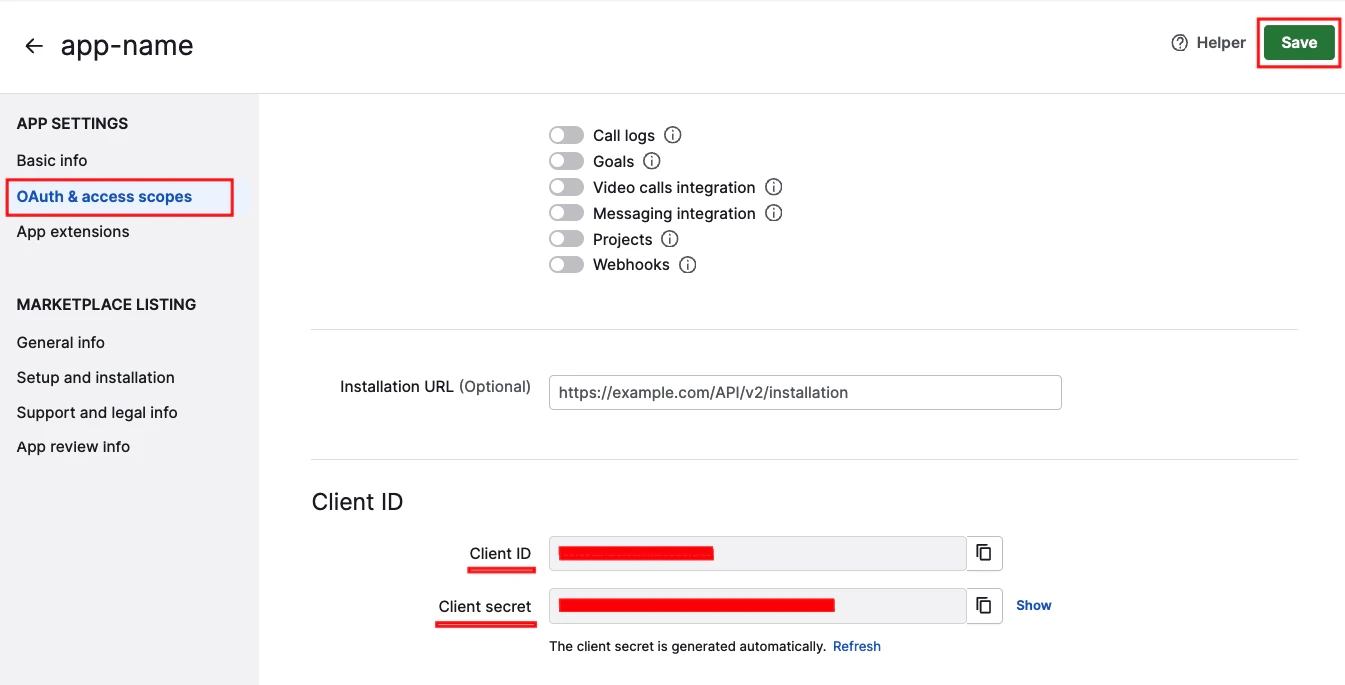
Connecting with StackOne
1
Enter Credentials
Upon reaching the Link Account page, enter the credentials from the previous steps: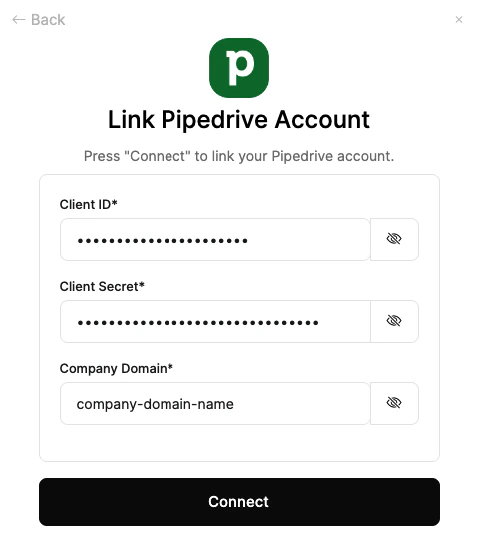
- Client ID
- Client Secret
- Company Domain
Congratulations, you’re all set! If you face any issues with the steps mentioned above, please contact us by emailing integrations@stackone.com. We’re always here to assist you!