> ## Documentation Index
> Fetch the complete documentation index at: https://stackone-hub-claude-issue-384-20260409-1436.mintlify.site/llms.txt
> Use this file to discover all available pages before exploring further.
# Recruitee Marketplace Integration
> Follow these steps to connect the Recruitee Marketplace Integration with StackOne Hub successfully.
## Activate Marketplace Integration from Recruitee
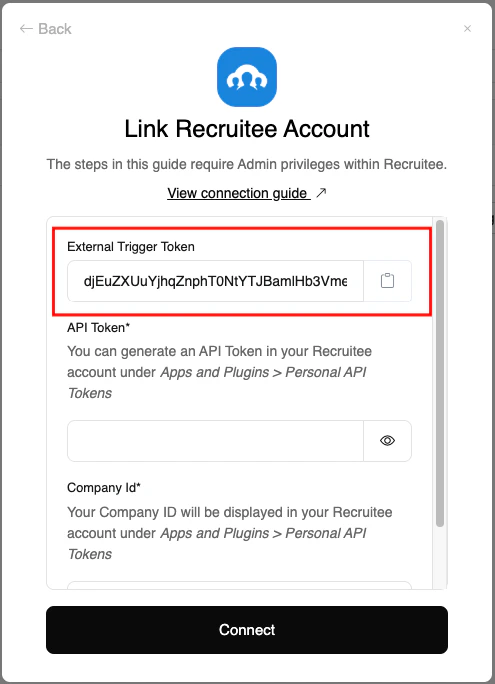
From the StackOne Connector hub, you will receive the `External Trigger Token` needed to enable the Recruitee Partner Integration.
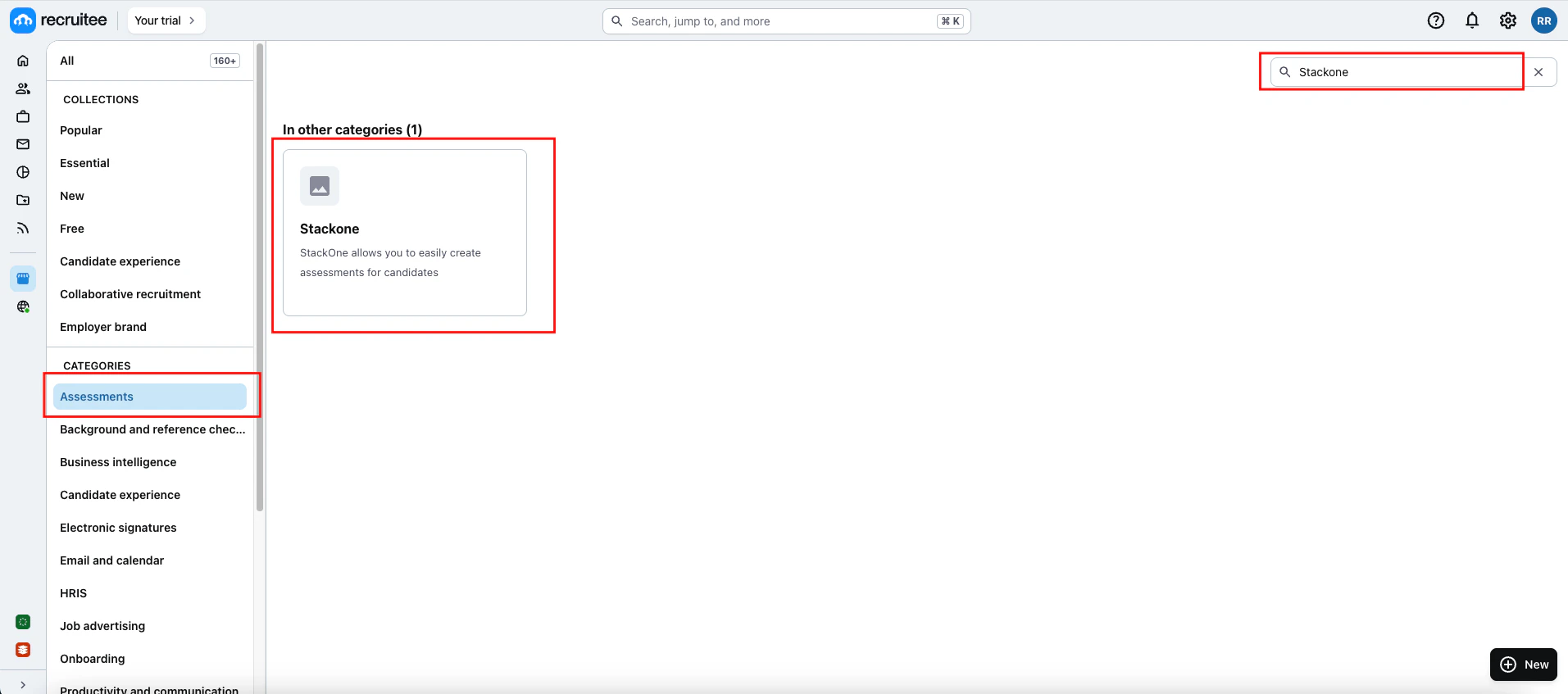
 Go to the *Marketplace* page and search for your integration. Select the `Assessments` category, then enter your integration partner's name in the search bar. Once found, click on the `integration` to proceed.
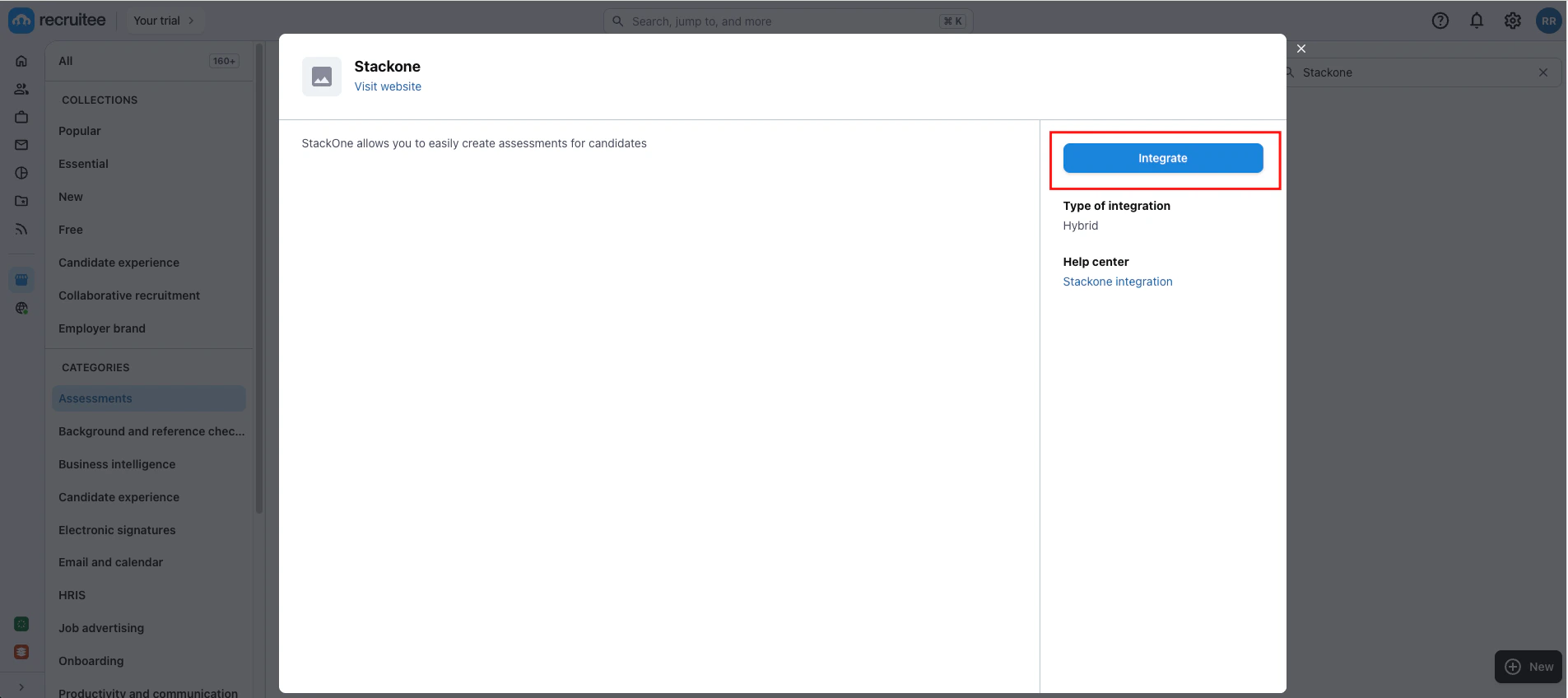
 Once you click on the integration, a pop-up will appear with an Integrate button, prompting you to activate the `integration` as shown below.
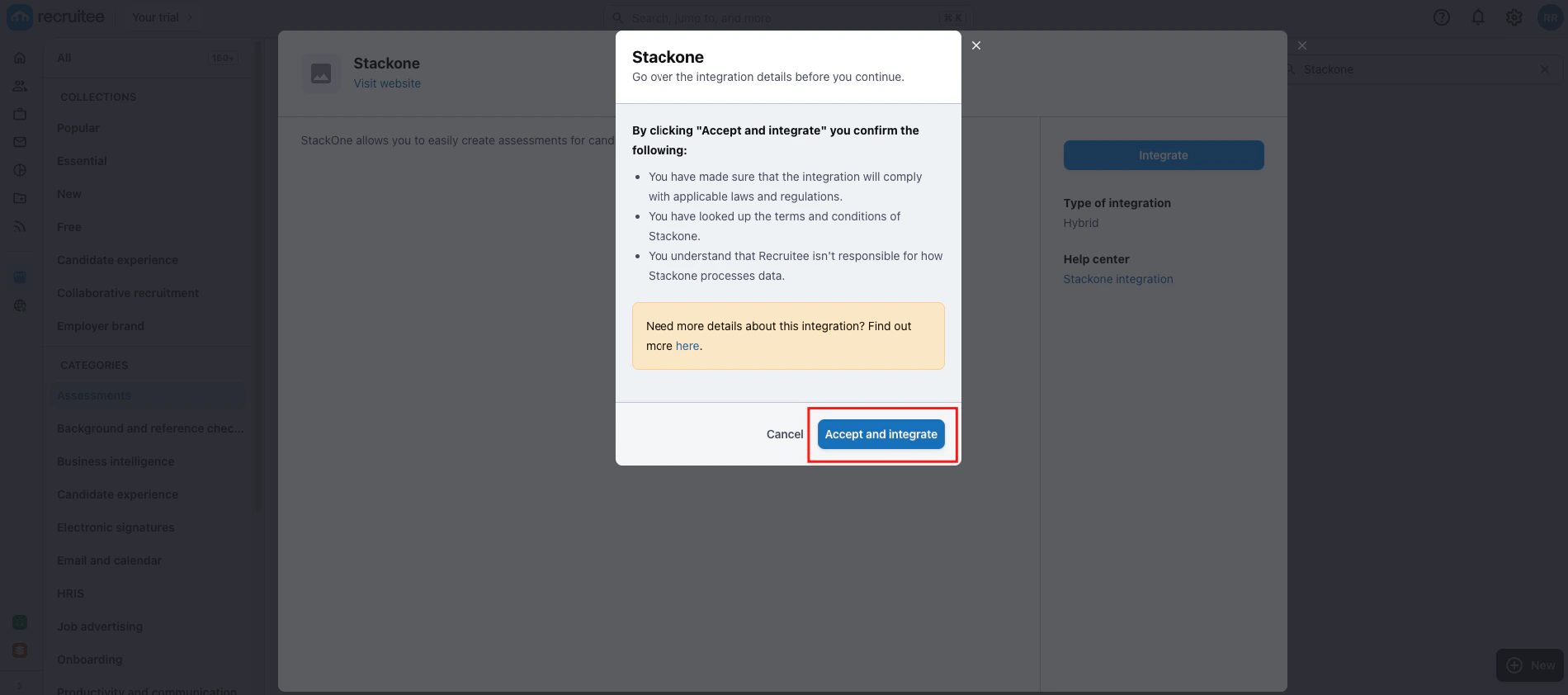
 Once you click on the Integrate button, a pop-up will appear displaying the details of the integration along with an `Accept and Integrate` button. Click on the button to proceed to the next step.
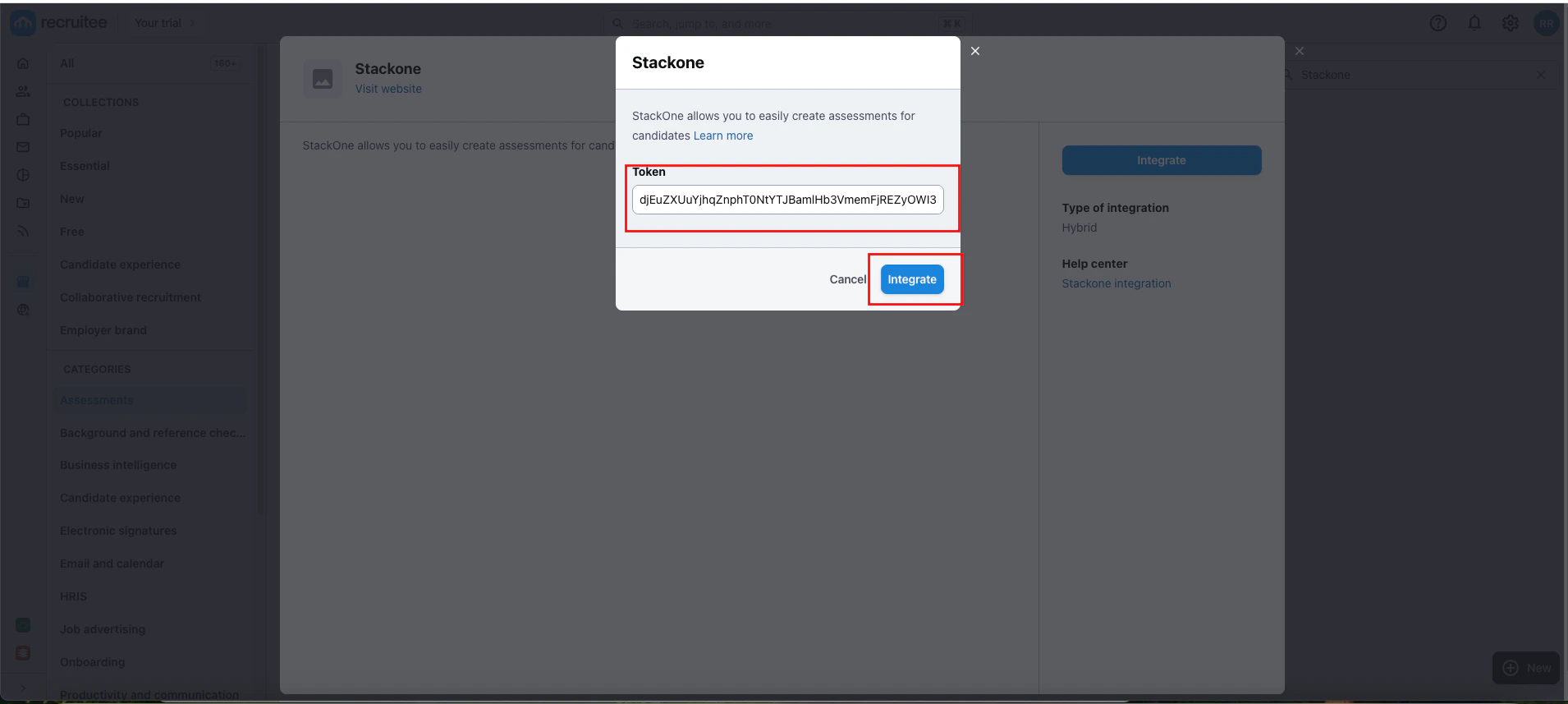
 In the next step, paste your `external-trigger-token` retrieved from the `StackOne Connector Hub`, then click on Integrate to proceed.
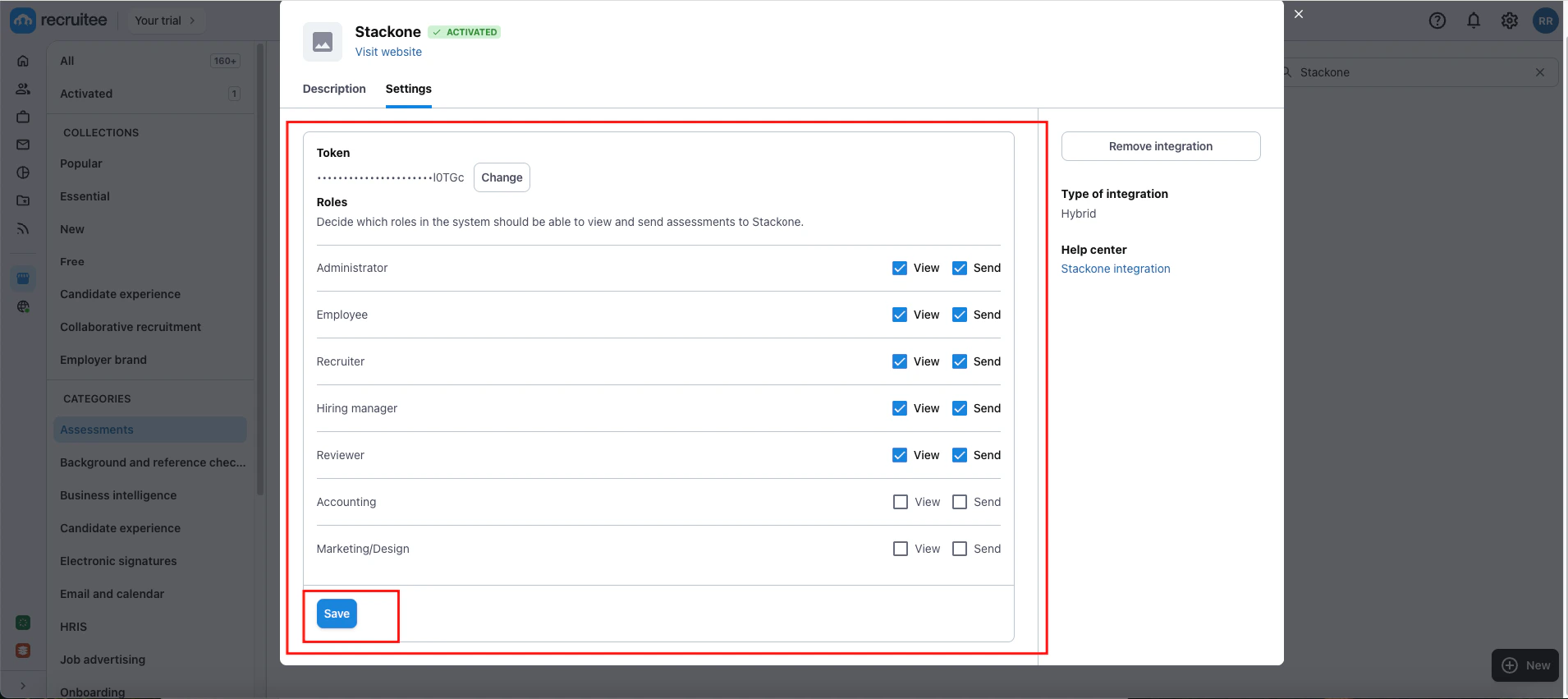
 You can modify the permissions for different roles associated with this integration. Once done, click on the `Save` button to apply the changes.
Congratulations, you're all set! If you face any issues with the steps mentioned above,
please contact us by emailing [integrations@stackone.com](mailto:integrations@stackone.com). We're always here to assist you!
## Useful Links
[https://docs.recruitee.com/reference/post-partner](https://docs.recruitee.com/reference/post-partner)