

Getting your Subdomain
1
Find the Subdomain
In the URL bar of your browser, you can find the subdomain by selecting the text in front of 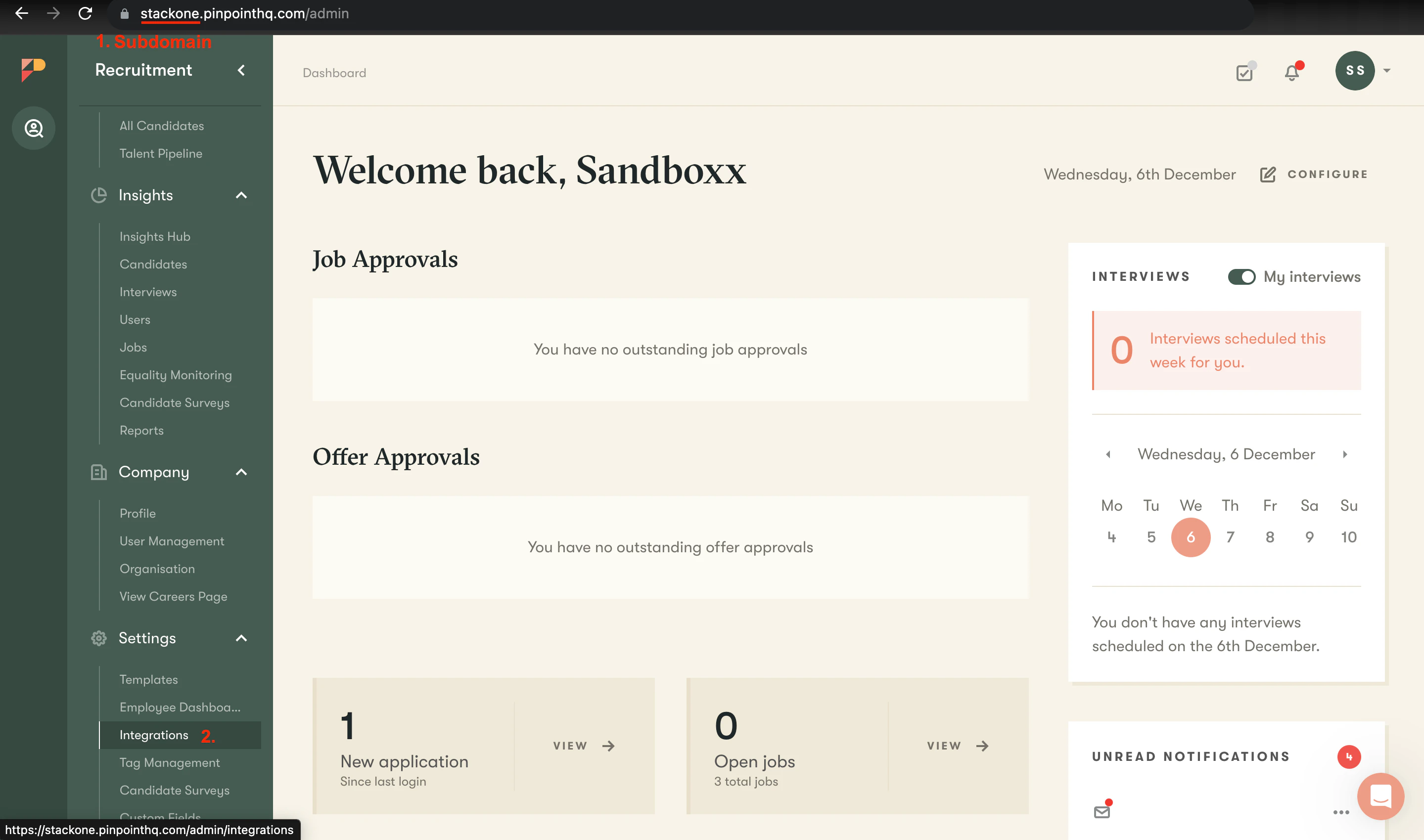
.pinpointhq.com.Generating API Key
1
Navigate to Integrations
In the left Sidebar, scroll down to the Settings category and select Integrations.
2
Select the Apps Tab
Select the Apps tab and ensure that the Pinpoint API app is Added.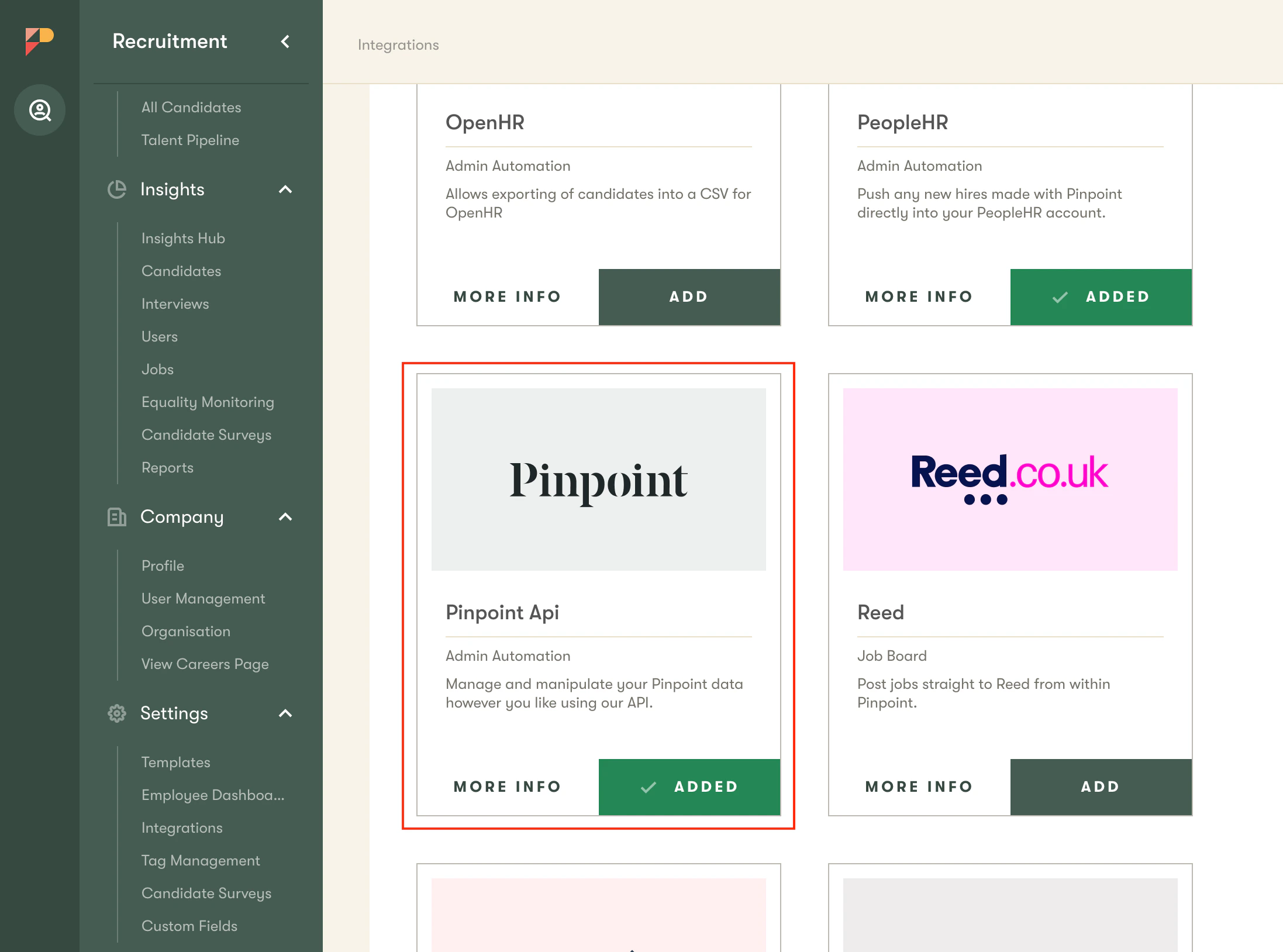
3
Select MyApps Tab
Select the MyApps tab and select the Pinpoint API app.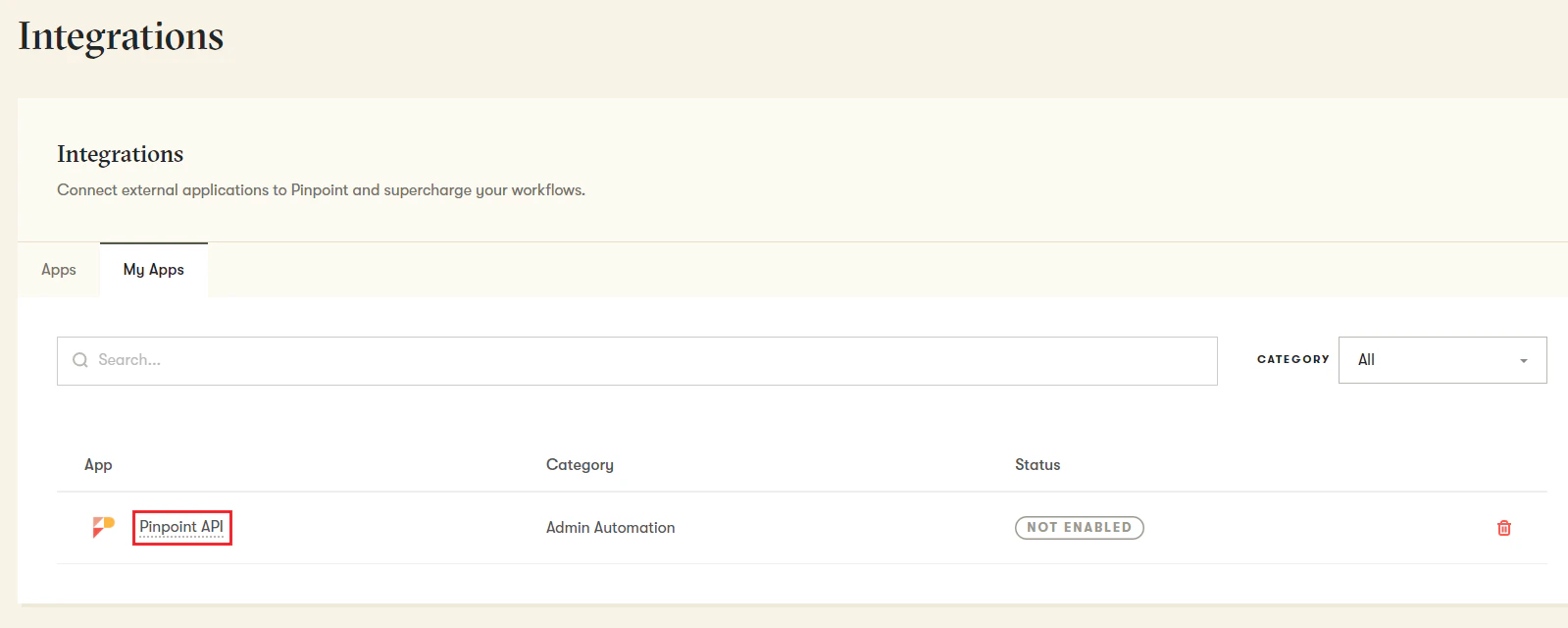
4
Enable the API
Ensure that the slider to the right-hand side of the upper panel is set to Enabled.
5
Create a New API Key
Select the Create New button to create a new API Key.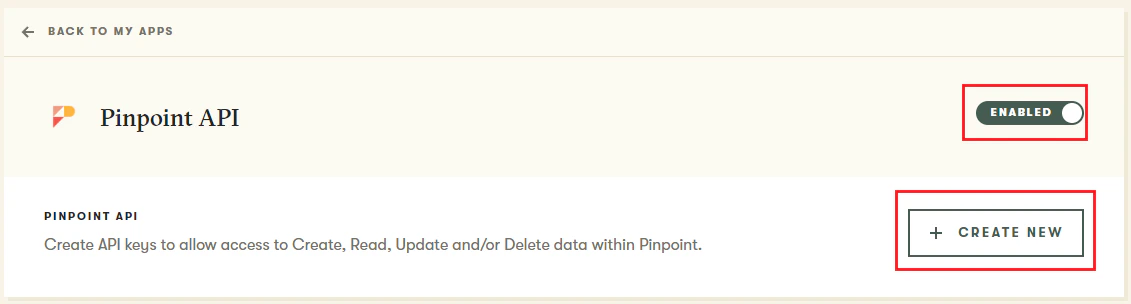
6
Name the API Key
Enter a Name for the API Key, for example:
StackOne.7
Assign Permissions
Assign Read permissions based on the Integration requirements:
- Application
- Department
- Interview
- Job
- Location
- Scorecard
- Custom fields
- User
8
Create API Key
Select Create API Key.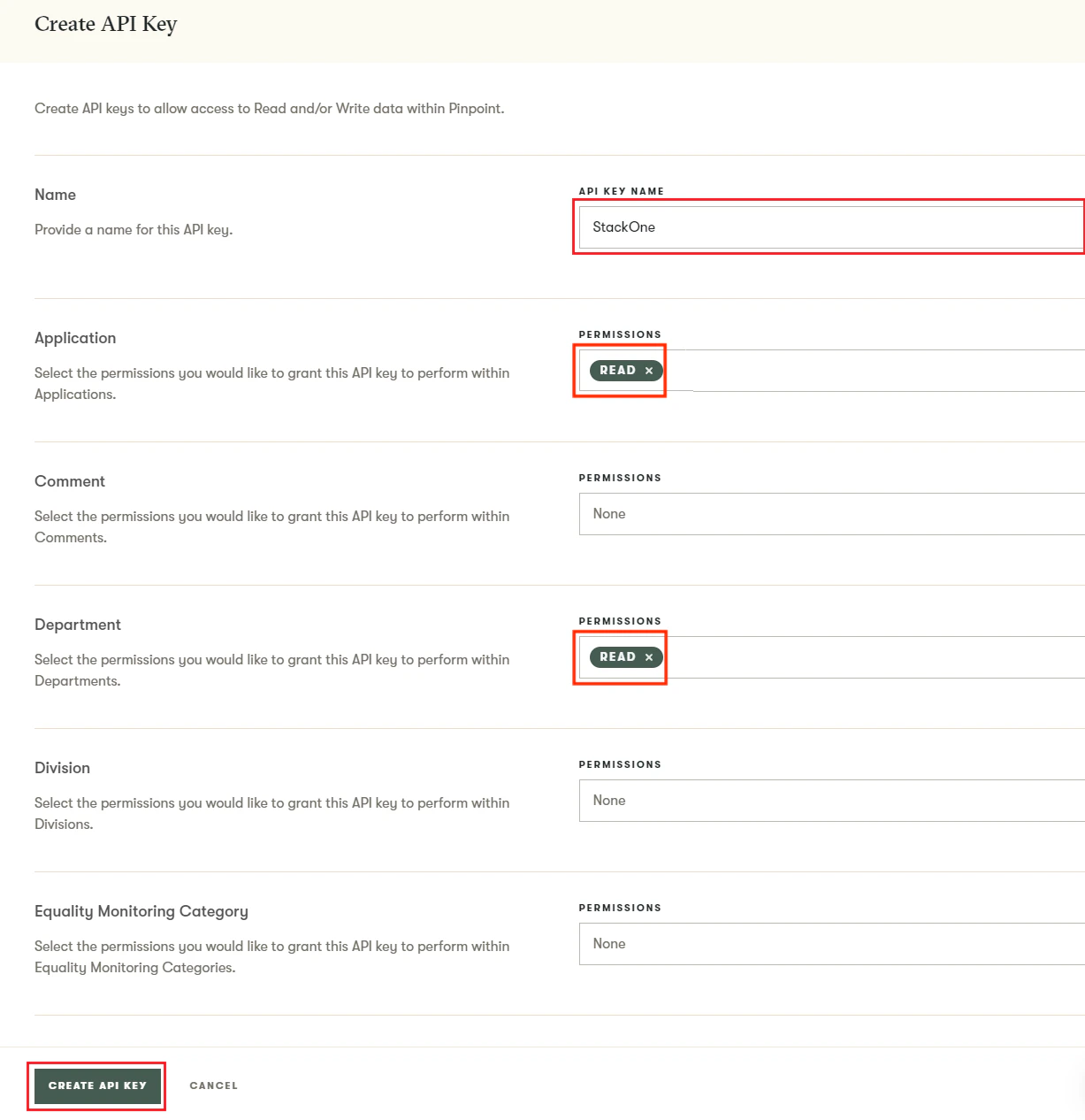
9
Copy the API Key
Your API Key will be generated and displayed to you. Copy the API Key to a safe place.
Connecting with StackOne
1
Enter the Details
Upon reaching the Link Account page, enter the gathered details and proceed by clicking the 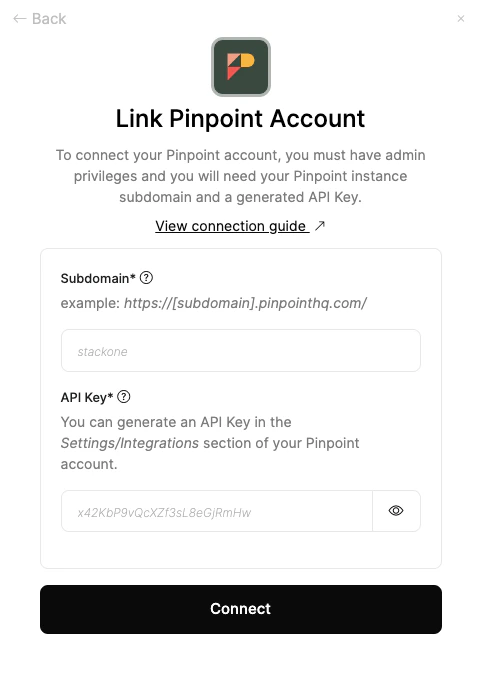
Connect button.Congratulations, you’re all set! If you face any issues with the steps mentioned above, please contact us by emailing integrations@stackone.com. We’re always here to assist you!